Real estate platform · TrendAgent · web and app · 2026
Turning a lock into a conversation
Premium for a B2B platform where real estate agents find, book and close deals on new homes: a status agents can read, one locked state for every premium tool, and a chat with a person instead of a wall.
- Task
- The platform gives premium tools — market trends and 3D tours so far — to agencies that meet a quarterly plan on it, in deals or in commission. Agents had to see where they stand, and a free agent who hit a locked tool needed a way forward, not a wall.
- What I did
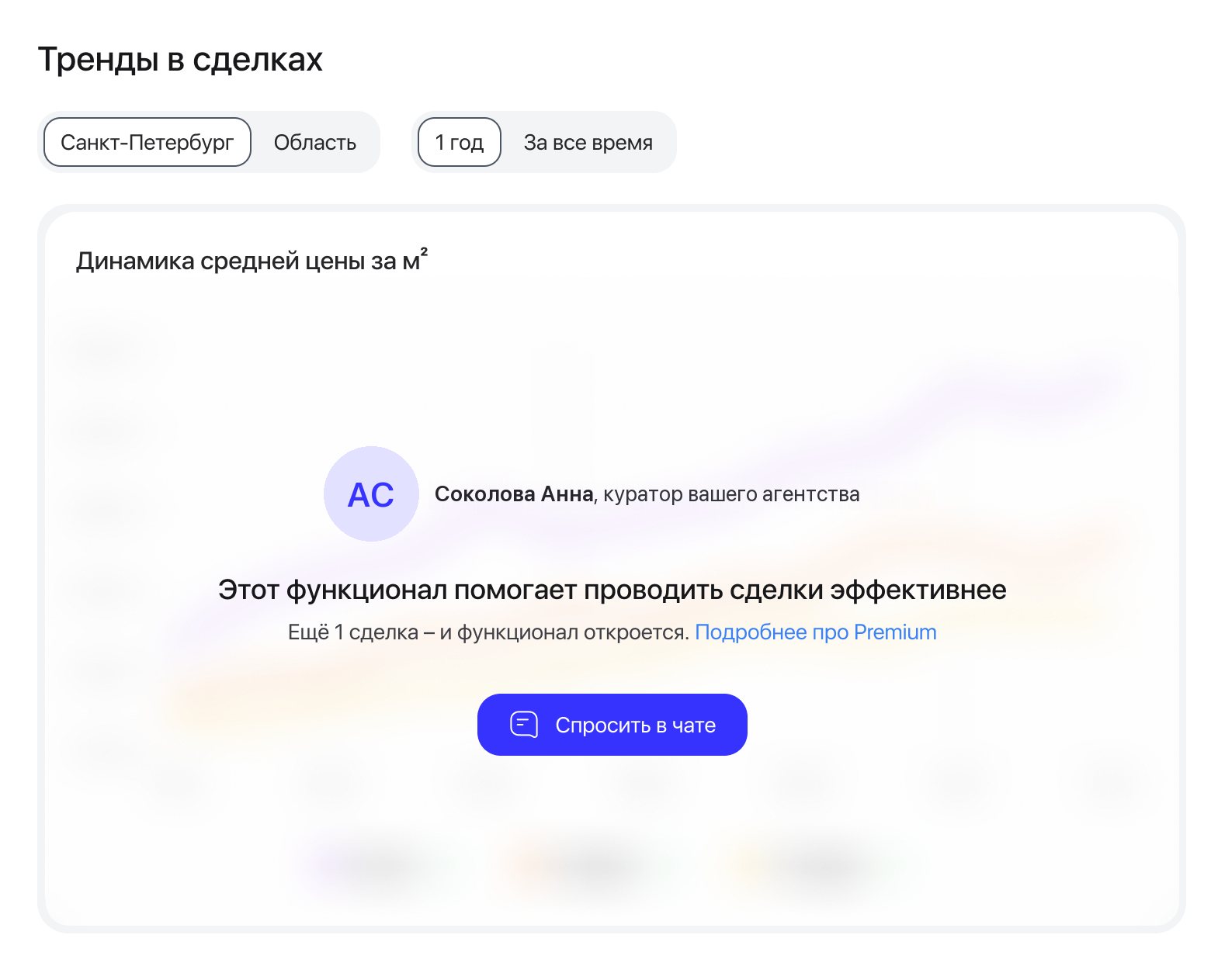
- Designed premium in the app: a status sheet for agents and agency heads, warnings before access runs out, blurred premium tools. And the locked-state card on web and in the app, where the agency’s curator invites the agent to a chat.
- Result
- In the first month agents started 1,400 chats with their curators from the locked card.
Context
- Business
- Premium can’t be bought. An agency earns it with a quarterly plan on the platform: enough deals or enough commission, either one counts. Premium tools are a reason to keep deals here, and every premium screen points to the same action: close deals through the platform.
- People
- Agents use the tools; agency heads follow the agency’s plan and see which employees have premium. A free agent sees the value of a tool exactly when they hit the lock, and until now had nobody to ask.
- Constraints
- The plan usually belongs to the agency, while premium is given to each agent, and some agencies have their own terms. So a personal “N more deals” isn’t available for every account. One pattern for web, iOS and Android, in Russian and English; in the app, premium was built for the same release as the redesigned home page.
My role
I designed premium in the app, the status sheet with its states and the blurred tools, and the locked-state card on web and in the app. I prepared the app handoff, ran the design reviews of the iOS and Android builds and owned the locked-card redesign from the kickoff to the final layouts. I worked with the product manager, the design director and the team’s engineers.
Key decisions
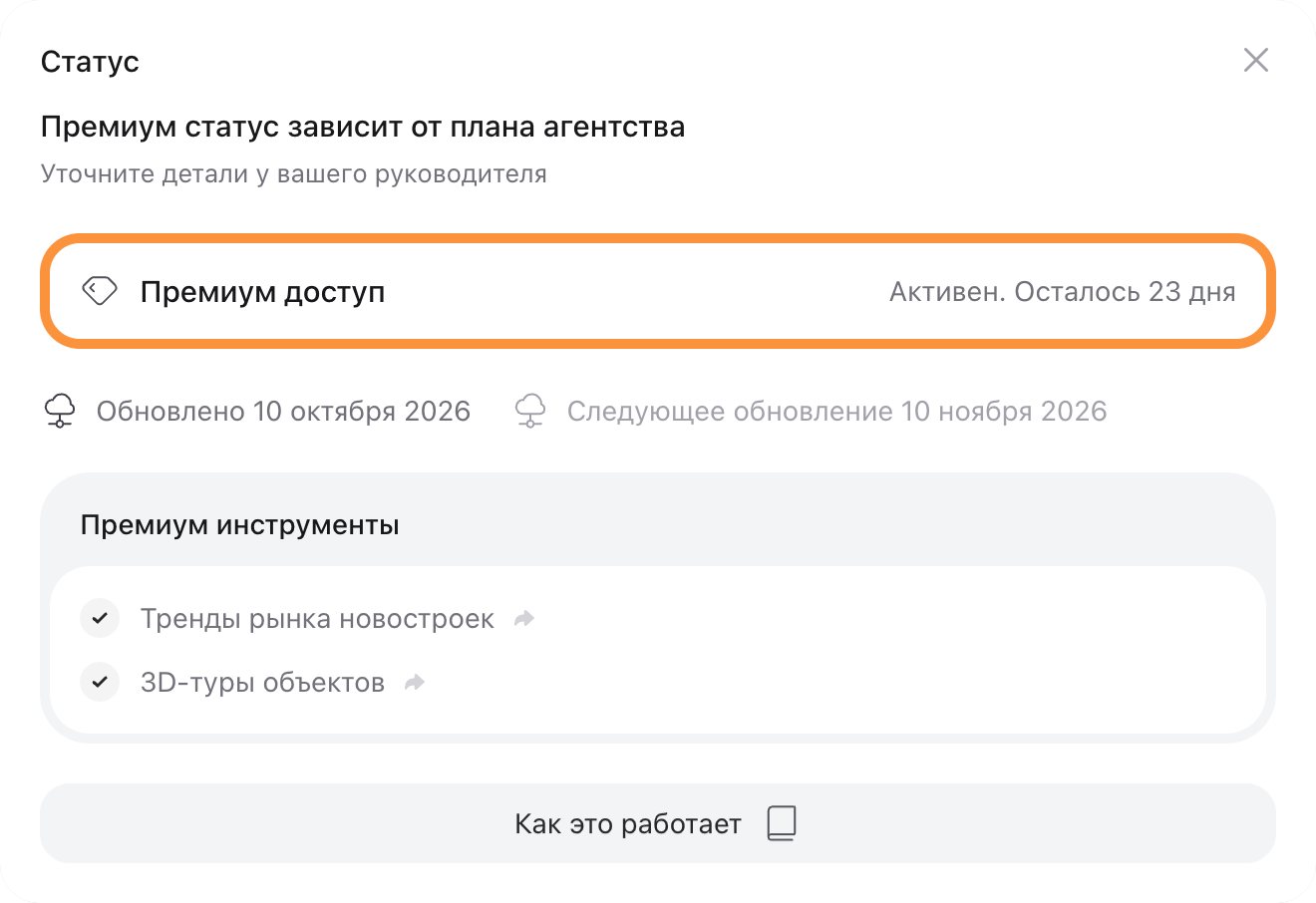
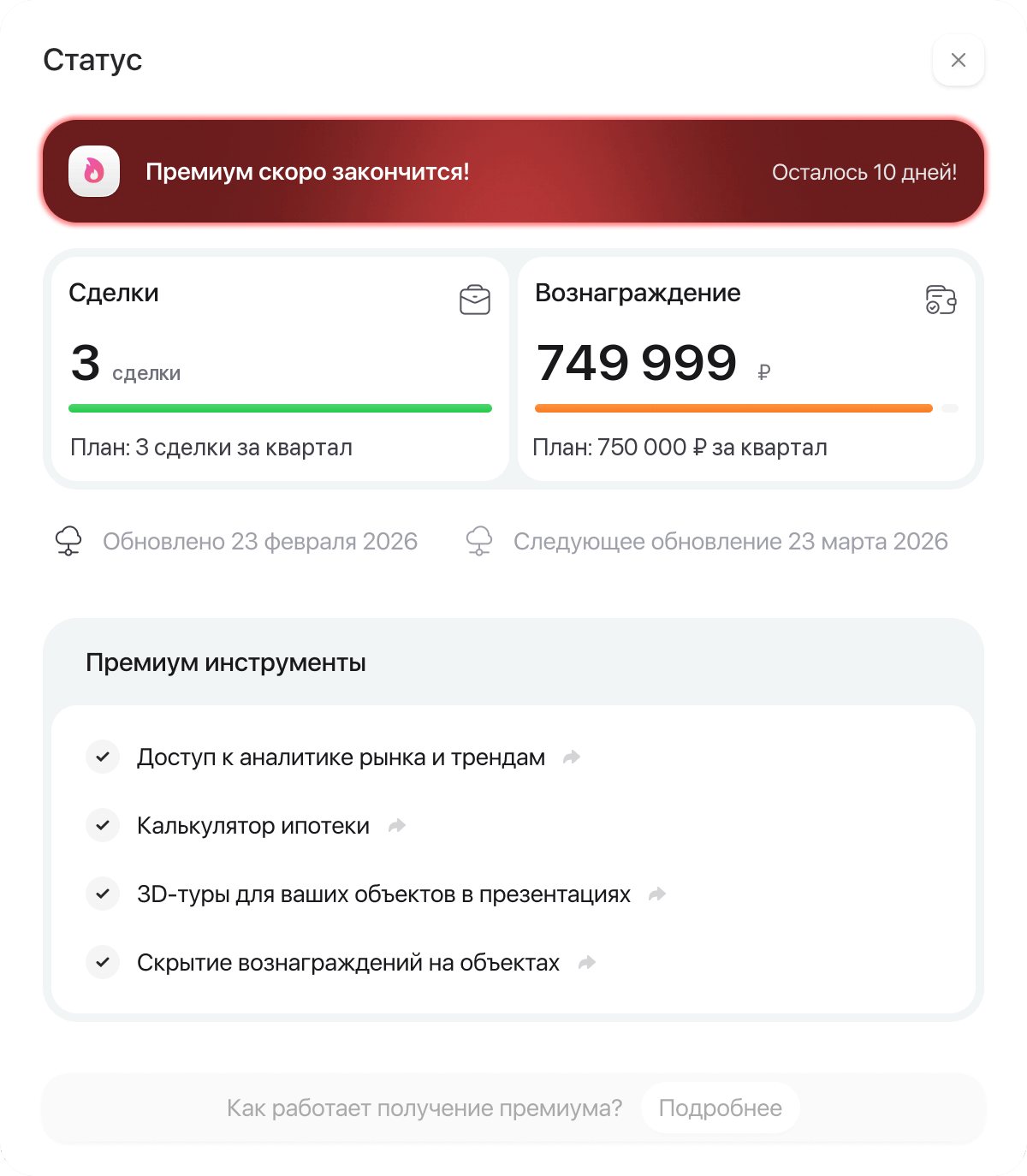
Status lives in one sheet; warnings come only when it changes
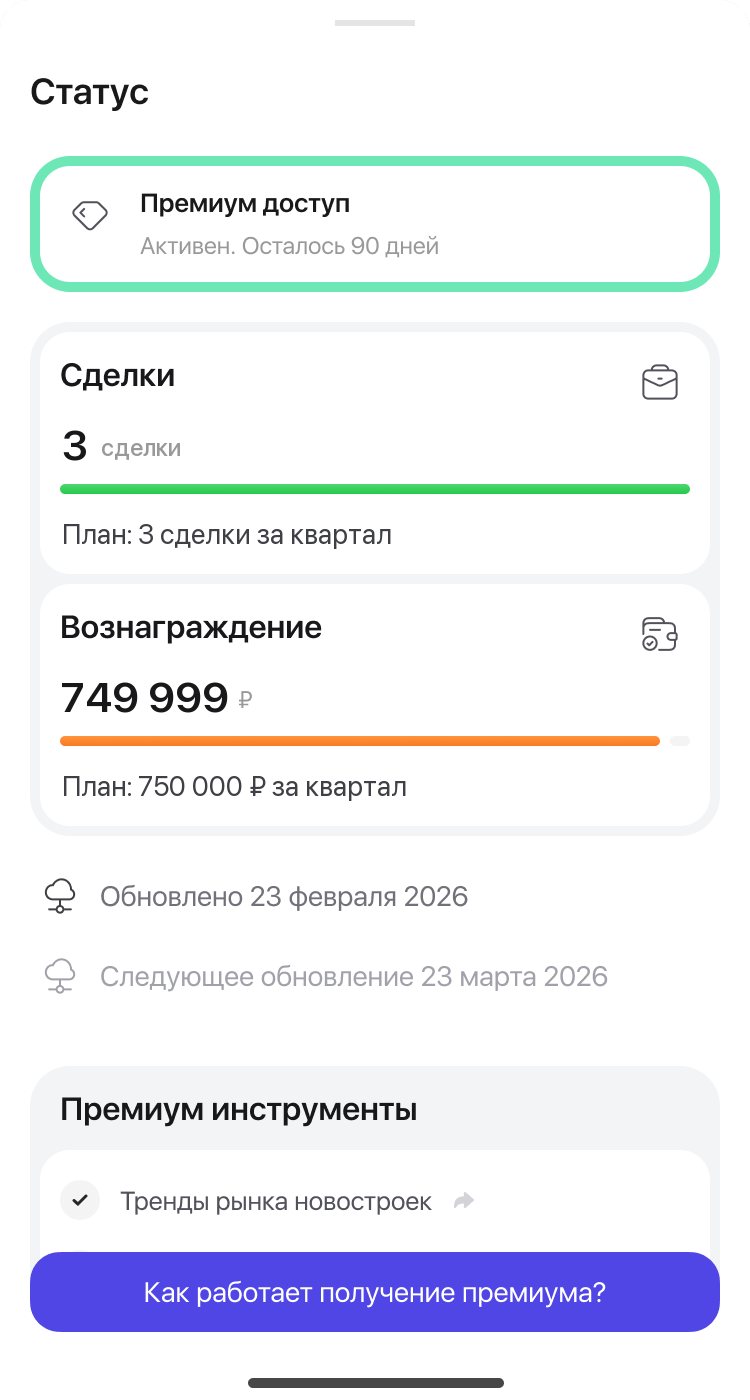
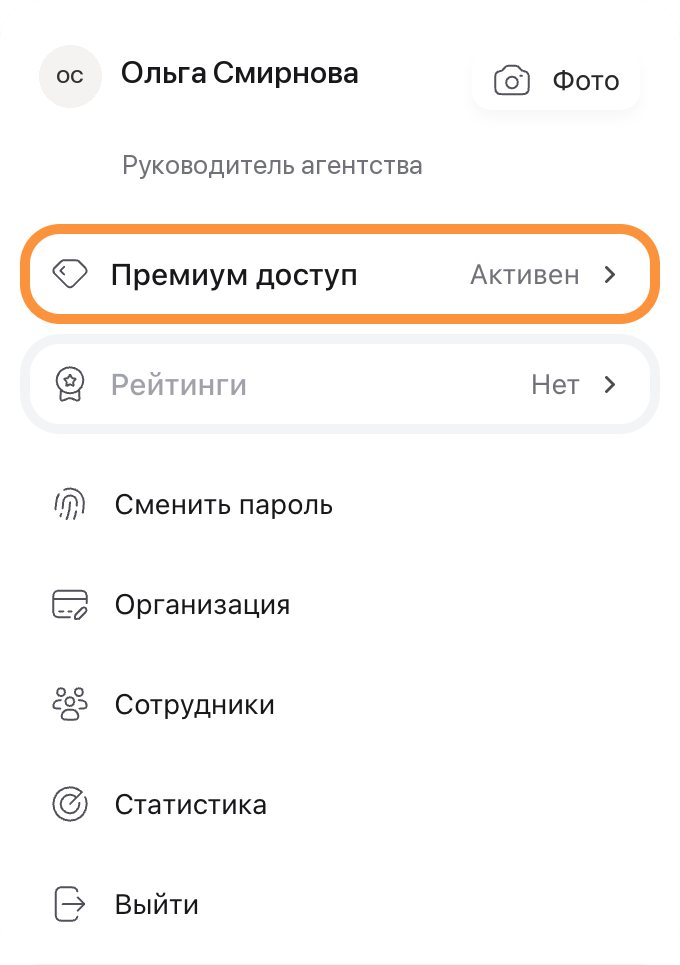
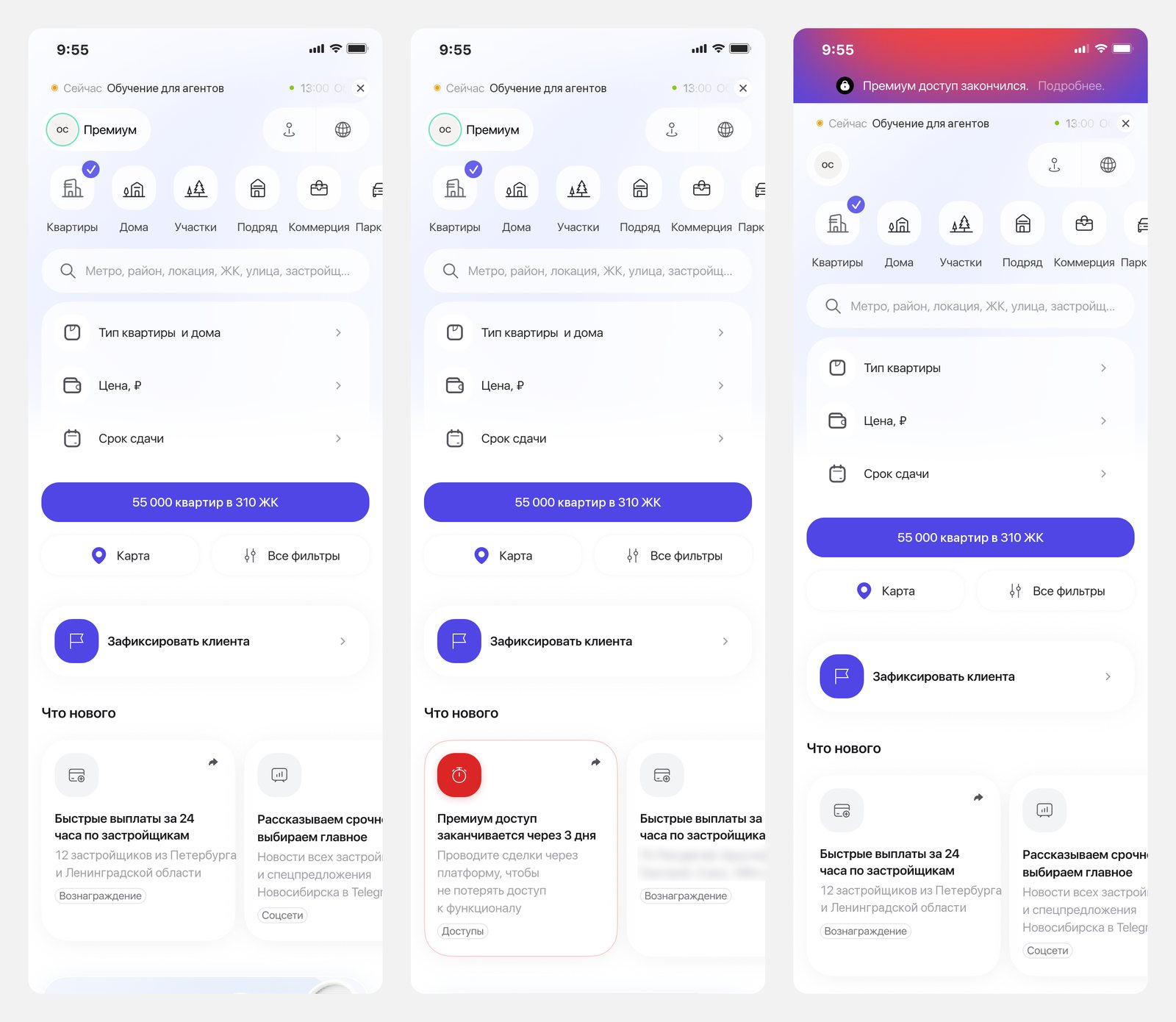
An agent opens the sheet from the Premium label in the header; on web, from the profile menu. Before access ends, a warning appears in What’s new; after it ends, a banner on the home page.
Agents check their status rarely, but must not miss the moment it changes. One place for the details, and a warning only at that moment.
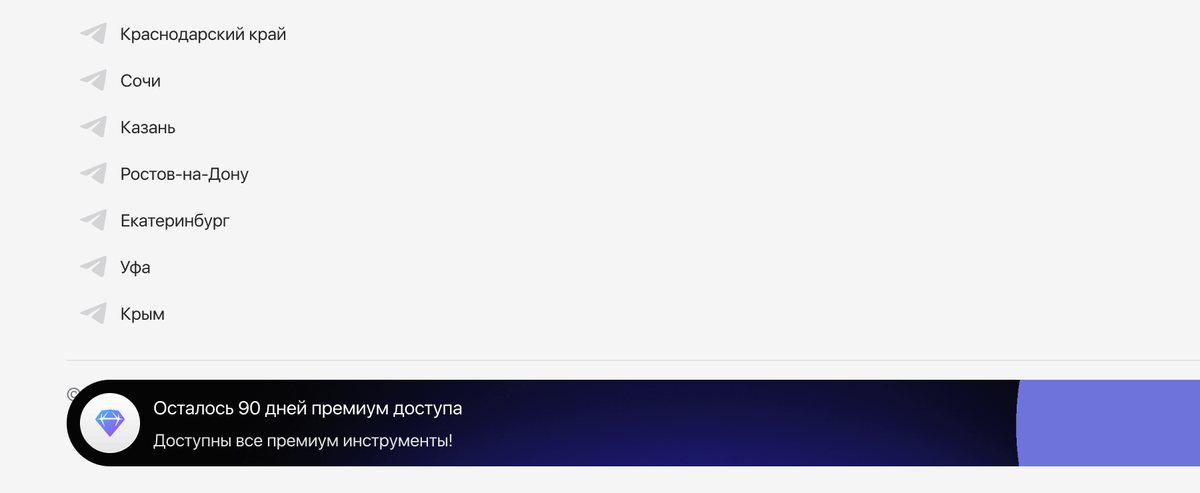
Both kept premium in front of the agent even when nothing had changed. The bar became one line; warnings moved to What’s new and the home page banner.
One status, seen from two sides
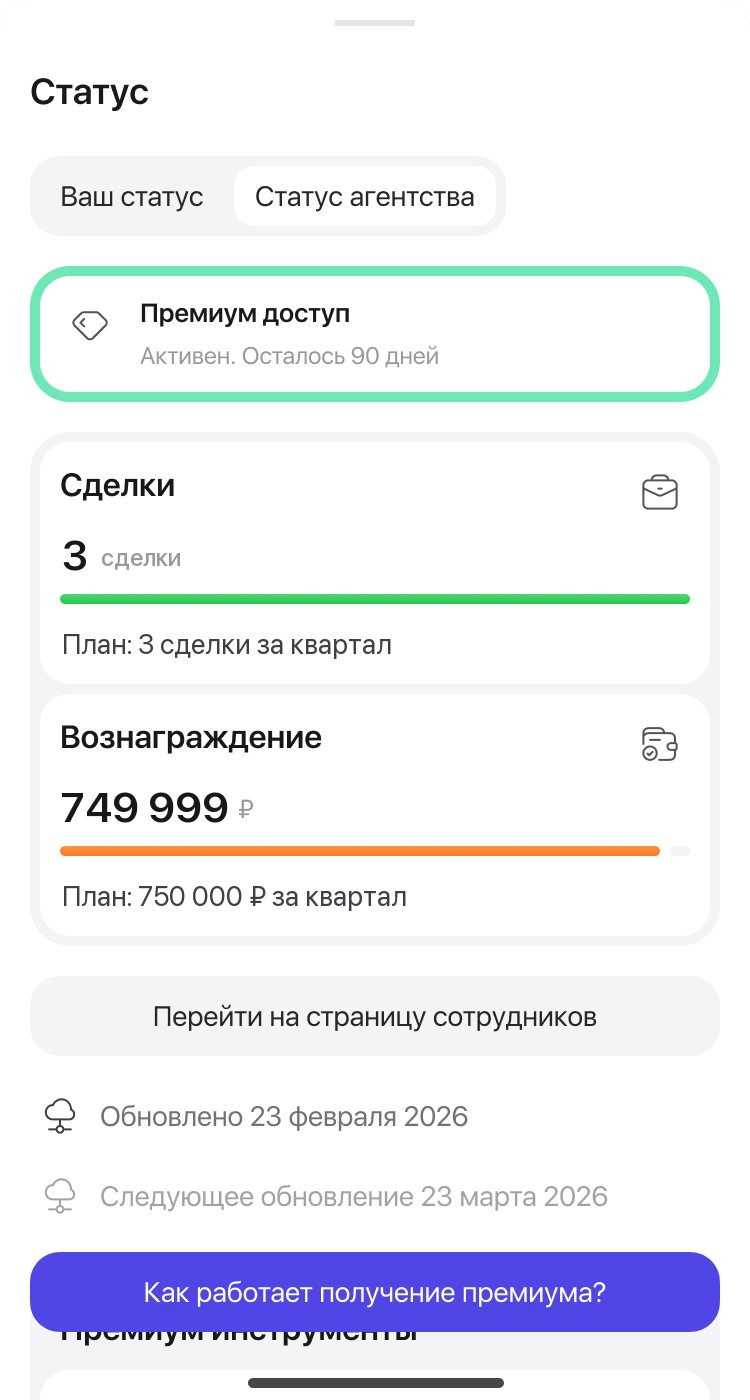
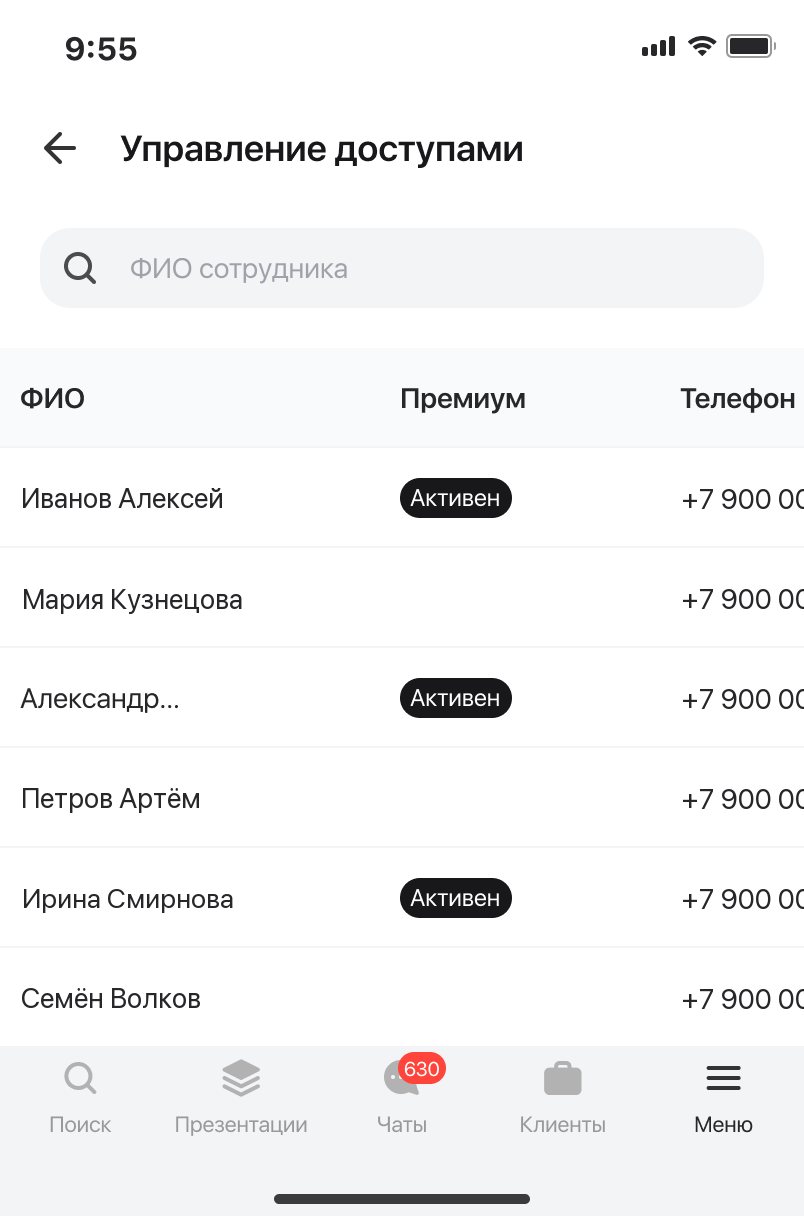
When the plan is counted for the whole agency, the window sends the agent to their head instead of showing numbers, as on the cover.
The plan belongs to the agency, but access belongs to each agent. The agent needs their own access; the head needs the agency’s plan and who has access.
Locked tools stay on screen, blurred
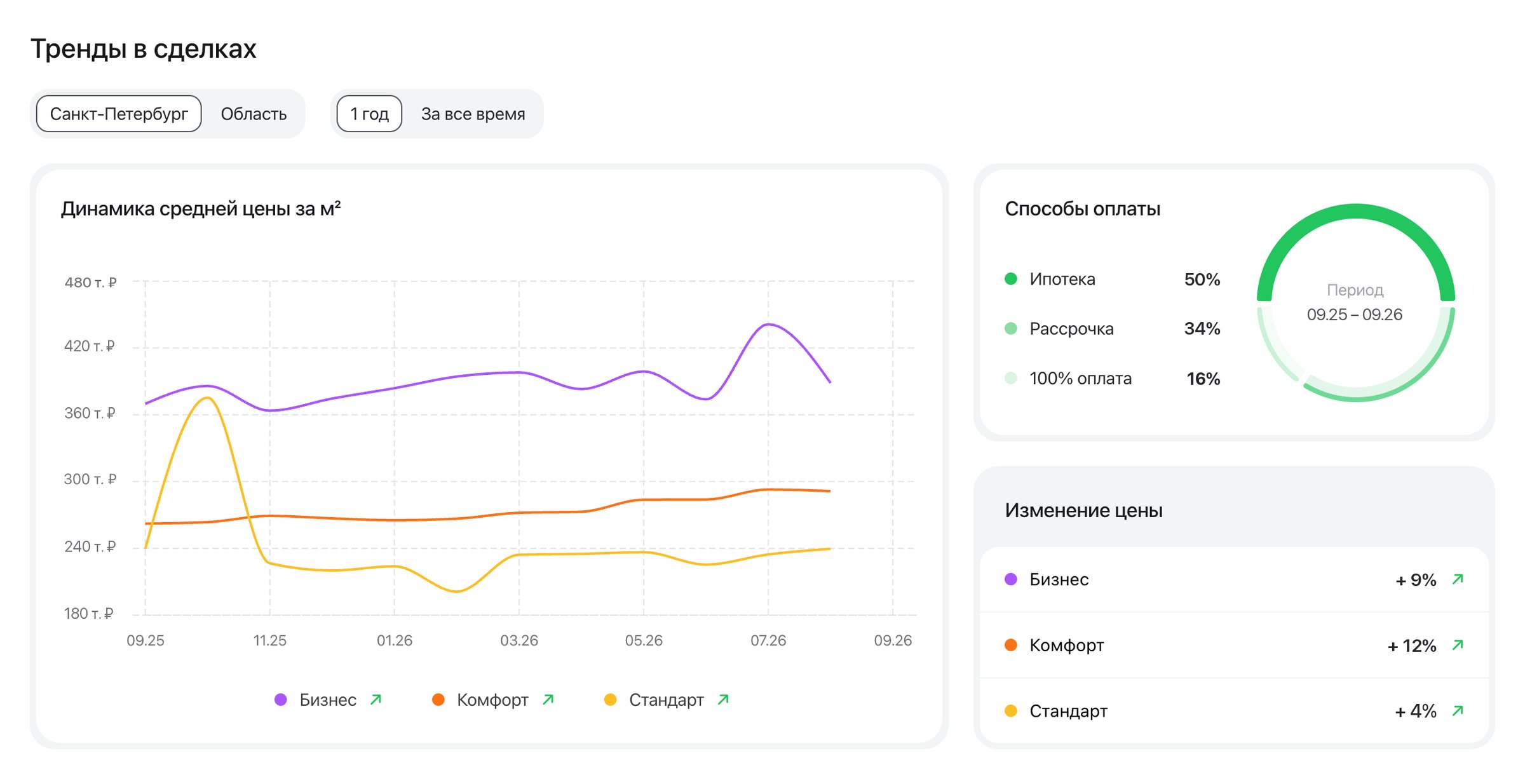
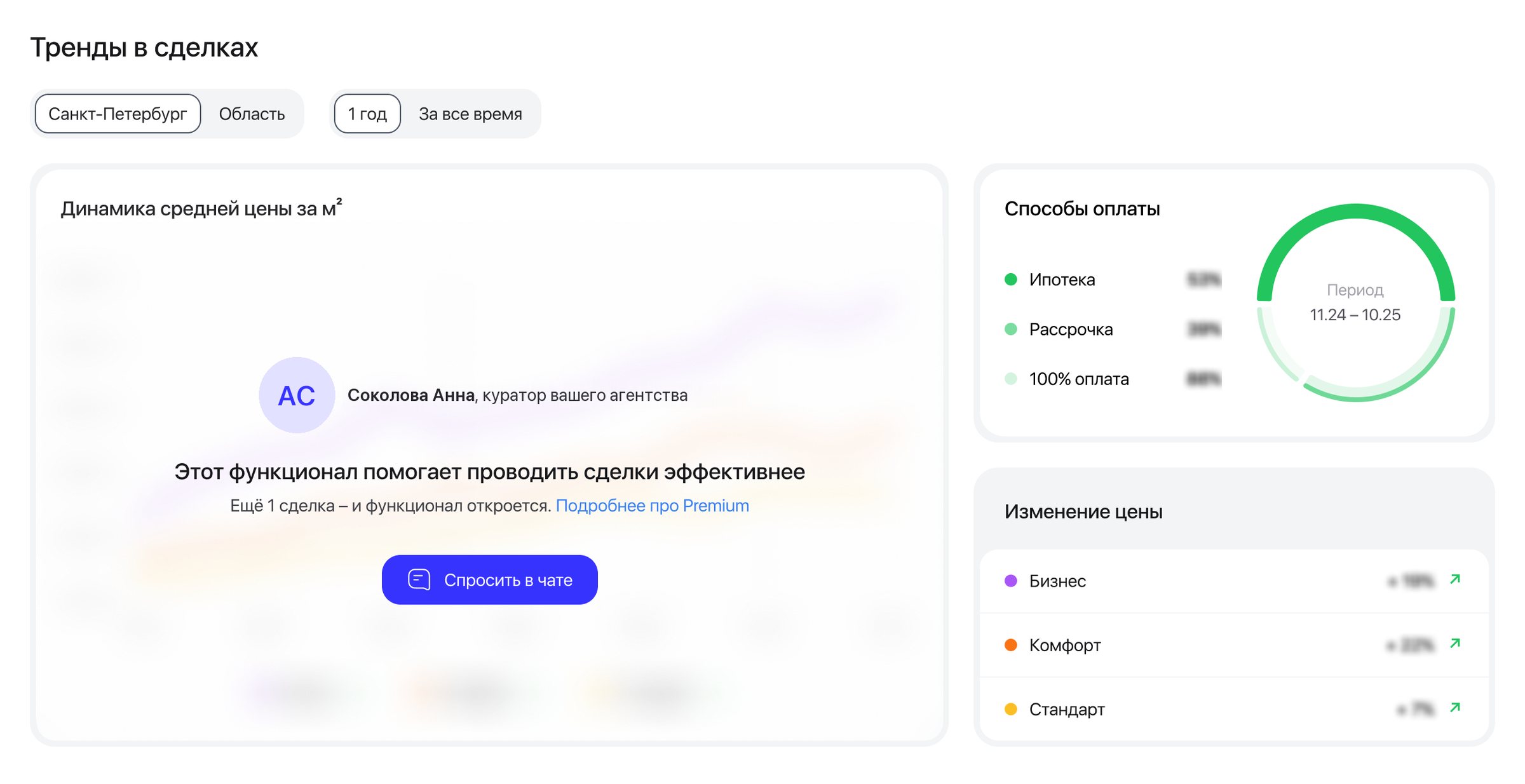
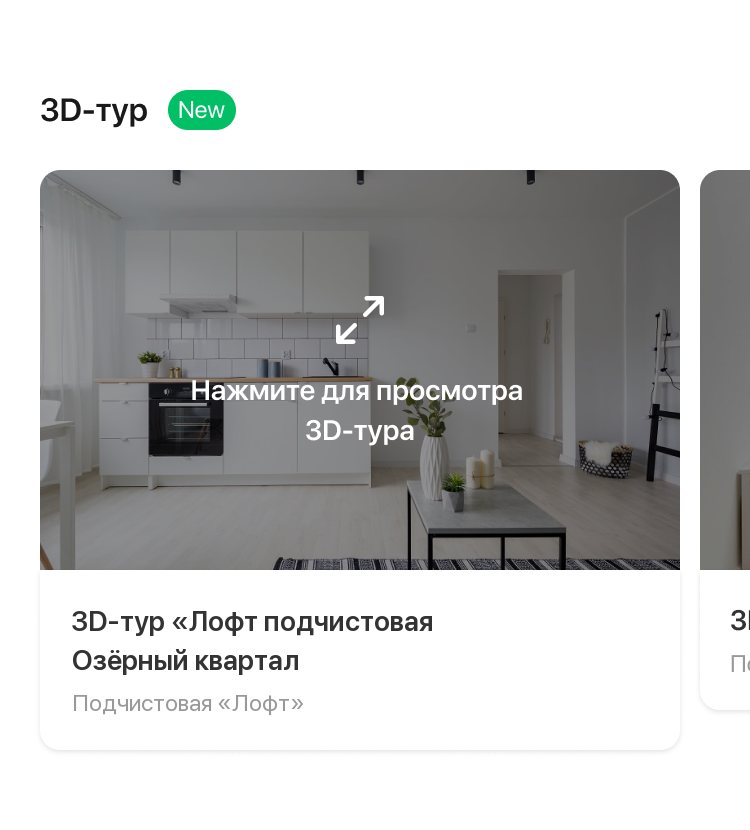
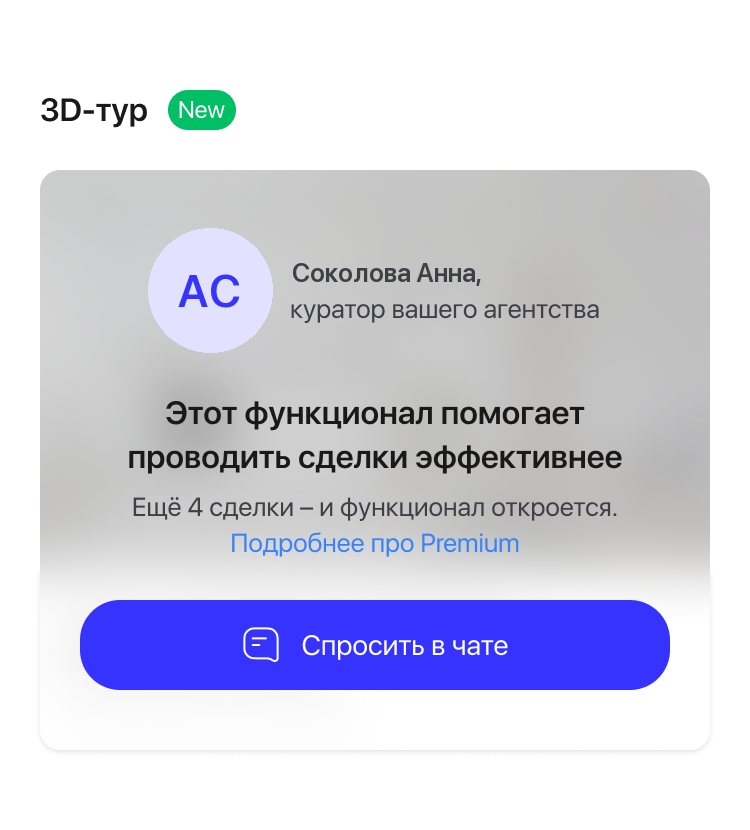
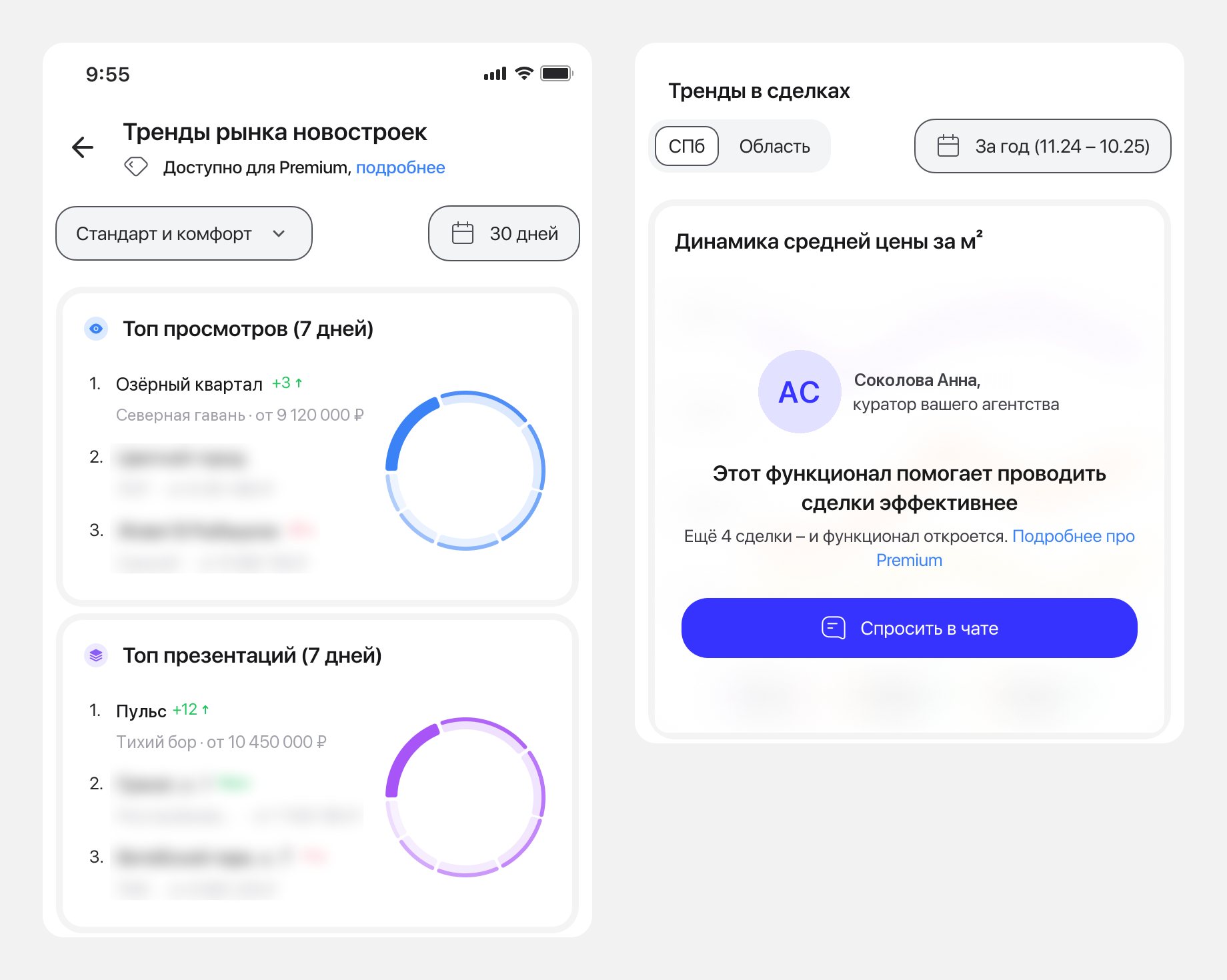
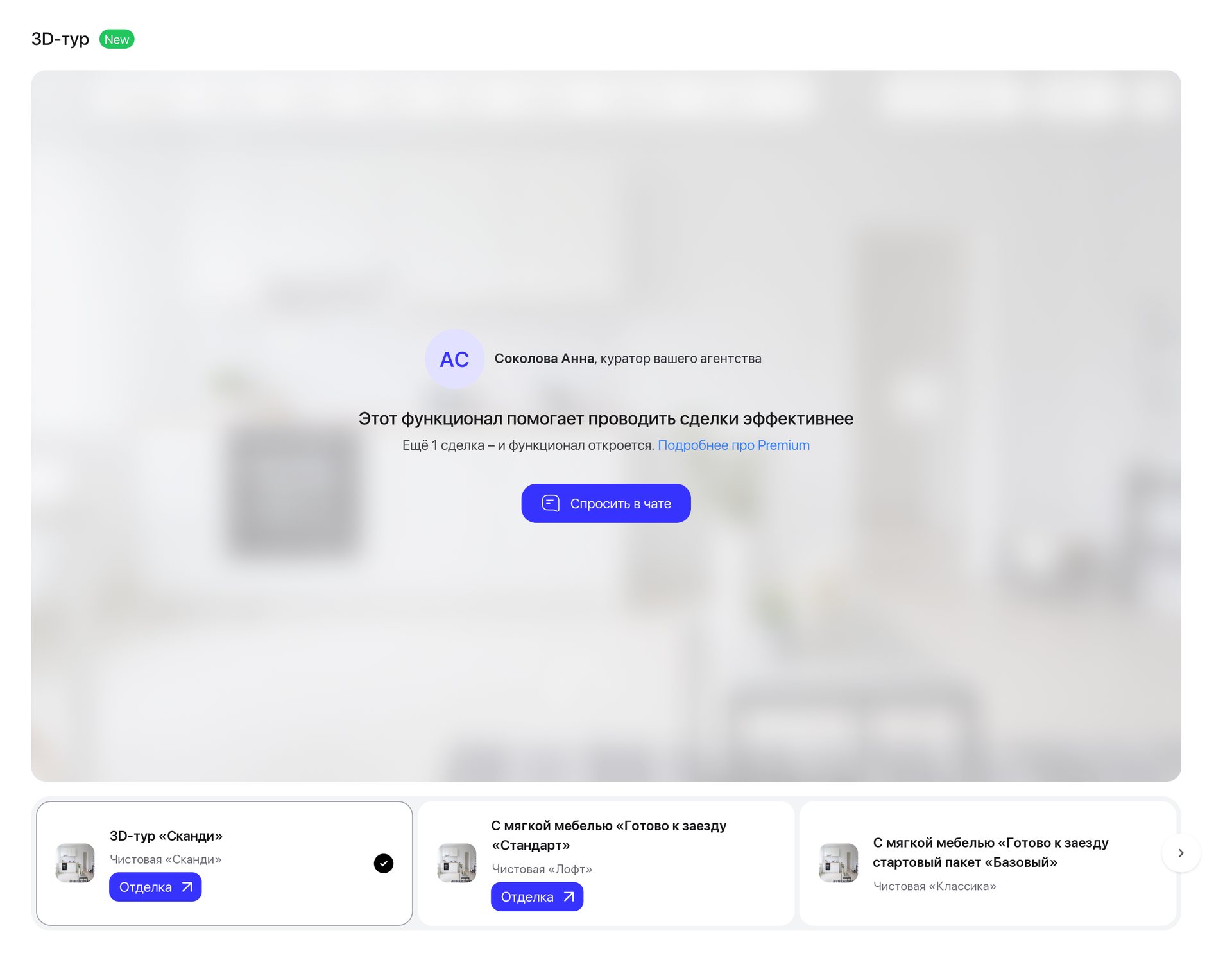
The section keeps its title and shape, so the agent sees what is there before reading why it is closed.
A hidden tool can’t sell itself. The team chose to blur on purpose, so the gap is felt.
A soft strip at the bottom over a highlighted tour: a gentle gate contradicted the decision to make the gap felt.
The locked card talks like a person
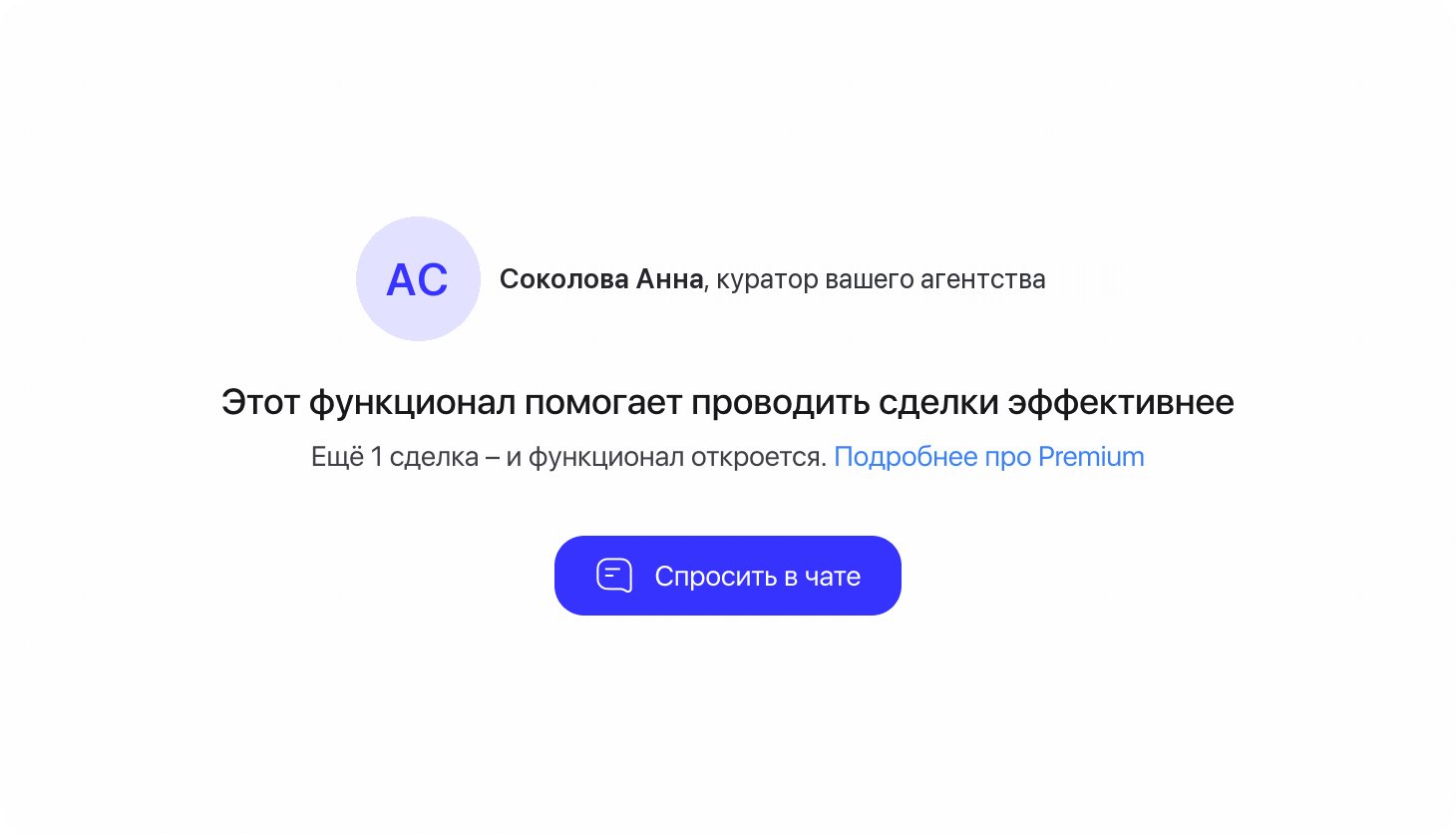
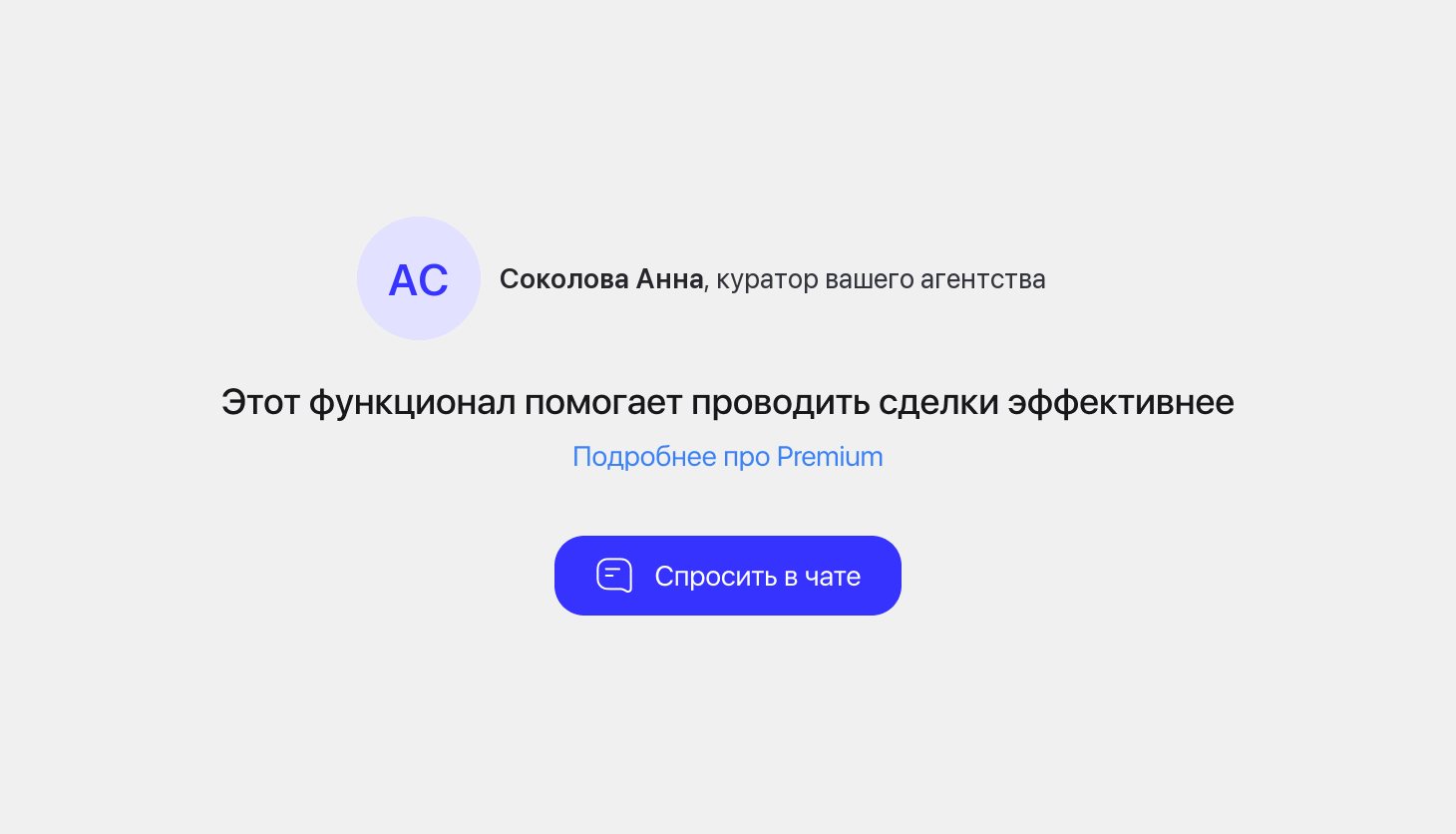
The agency’s curator, “This feature helps you close deals more effectively”, one line with the deals to go, and one button: Ask in chat.
The old card read like a report: a lock, a condition and two progress bars. The agent saw the value and had nowhere to go. A named person and a chat turn the wall into a conversation: the agent can ask how to get premium at the moment they want the tool. The plan stays as one line, because it tells the agent what to do next — close deals through the platform.
The card speaks to the agent, while the plan usually belongs to the agency. Questions about it go to a person in the chat.
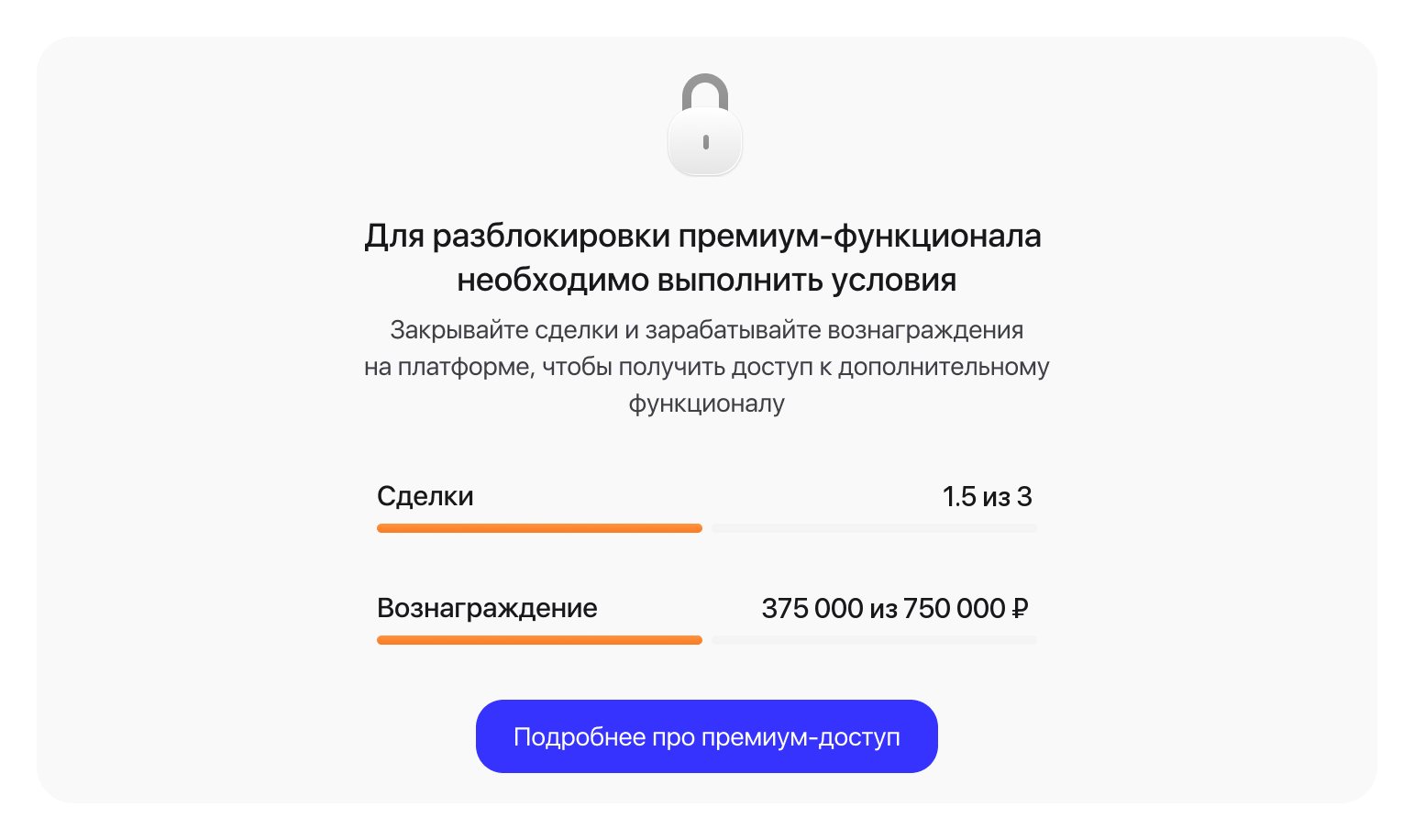
Also dropped: six concepts, from a counter in the headline to a chat with a question field and suggested questions. The design director cut the field and the chips, since they suggest we expect the agent not to cope. And copy saying that access goes to the whole agency: it tells the agent nothing depends on them.
Details
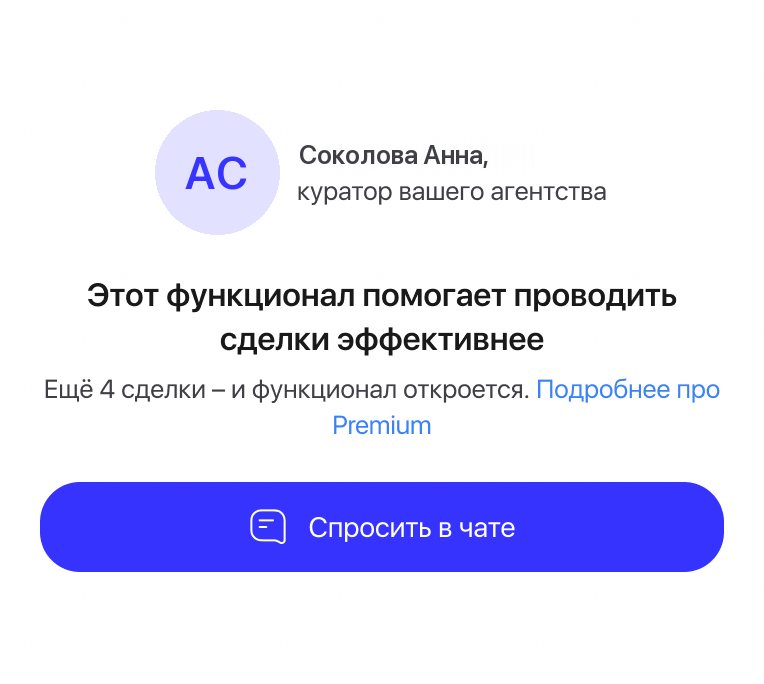
The warning before access ends and the same card in the app.
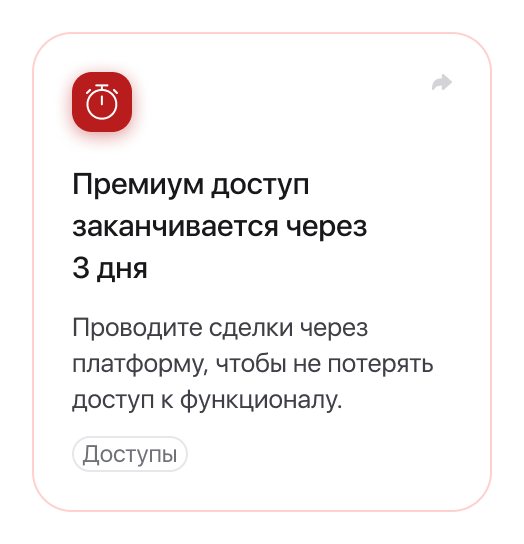
- Warnings. “Premium access ends in 3 days” appears in What’s new, with a reminder to close deals through the platform.
- Two card states. With “N more deals” and without it, for premium assigned by the agency.
- One card for every tool. Two tools use it today, and the next premium tool gets the same card. The copy never names the feature; the section title does.
- Platforms. Web, iOS and Android, in Russian and English.
Working with AI
The six locked-card concepts were assembled in Figma from the design system with Claude in one evening, then checked against tokens and styles. The design reviews of the iOS and Android builds were measured to the pixel. I chose what to keep, rewrote the copy and finished the layouts myself.
Results
Takeaways
- One line beats a progress bar. The plan stayed, but as a sentence: 112 px of bars became a 20 px line.
- A name beats a lock. People ask people; a curator’s photo did more than an icon.
- Design for missing data first. Not every account has a number to show, so the card needed a state without the counter from the start.