Bank branch software · 2026
Three ways to juggle clients, one badge
A service timer and a post-visit survey in the web app where bank branch staff serve clients.
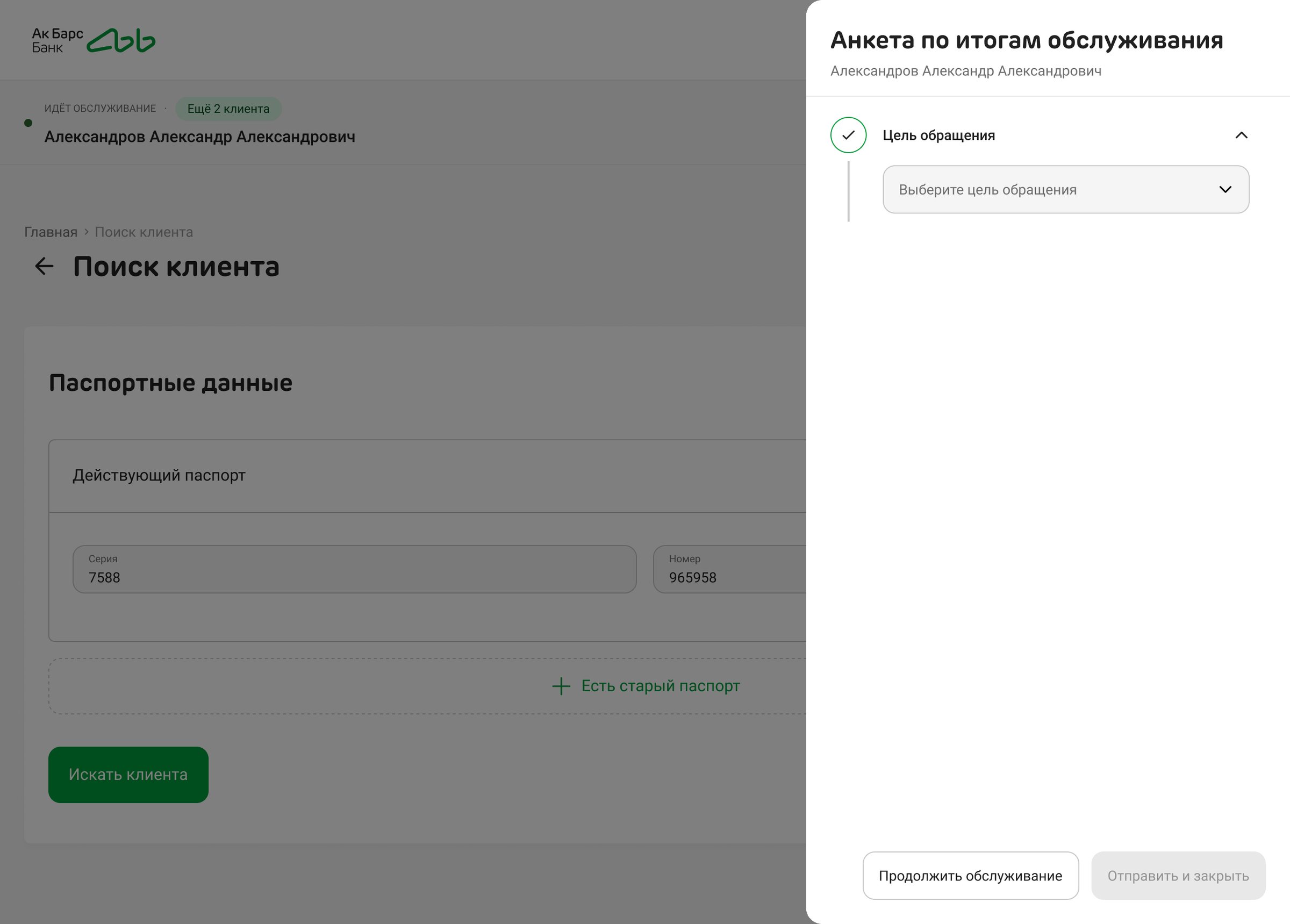
- Task
- Measure the quality of in-branch service. A timer runs from the moment a client’s card is opened, and a short survey after each visit sends the client a satisfaction poll. The flow had to be impossible to skip quietly.
- What I did
- Researched how contact centres handle wrap-up, designed three ways to carry the process and the survey, then three ways to serve several clients at once, audited 30 edge cases and took the simplest version through approval.
- Result
- The flow was approved on 28 August and extended for several clients with a single badge on 16 September; the error dialogs were approved on 24 September. In development. In the pilot, 96% of visits closed with a completed survey.
Context
- Business
- The bank wanted to know how long each visit takes and how clients rate it. The poll goes to the client after the employee completes the survey, so any button that skips the survey would be used: research on customer surveys calls it “selective surveying”.
- People
- Branch staff who often serve two or three clients at once: a client comes back with a question while the next one is sitting down, or a colleague asks to take a look at their client.
- Constraints
- The timer counts from the server’s start time, so it survives a browser restart. The survey questions come from the back end. The design system had no popover, and the poll service wasn’t connected to the app yet.
My role
I ran the research, designed the variants and the final flow, wrote the behaviour specs and the error copy, and took the decisions through reviews with the analyst and the business. The idea of removing the “Reject” button came from a front-end developer on the team; I backed it with research and built the flow around it.
Key decisions
One way to finish, no way to skip
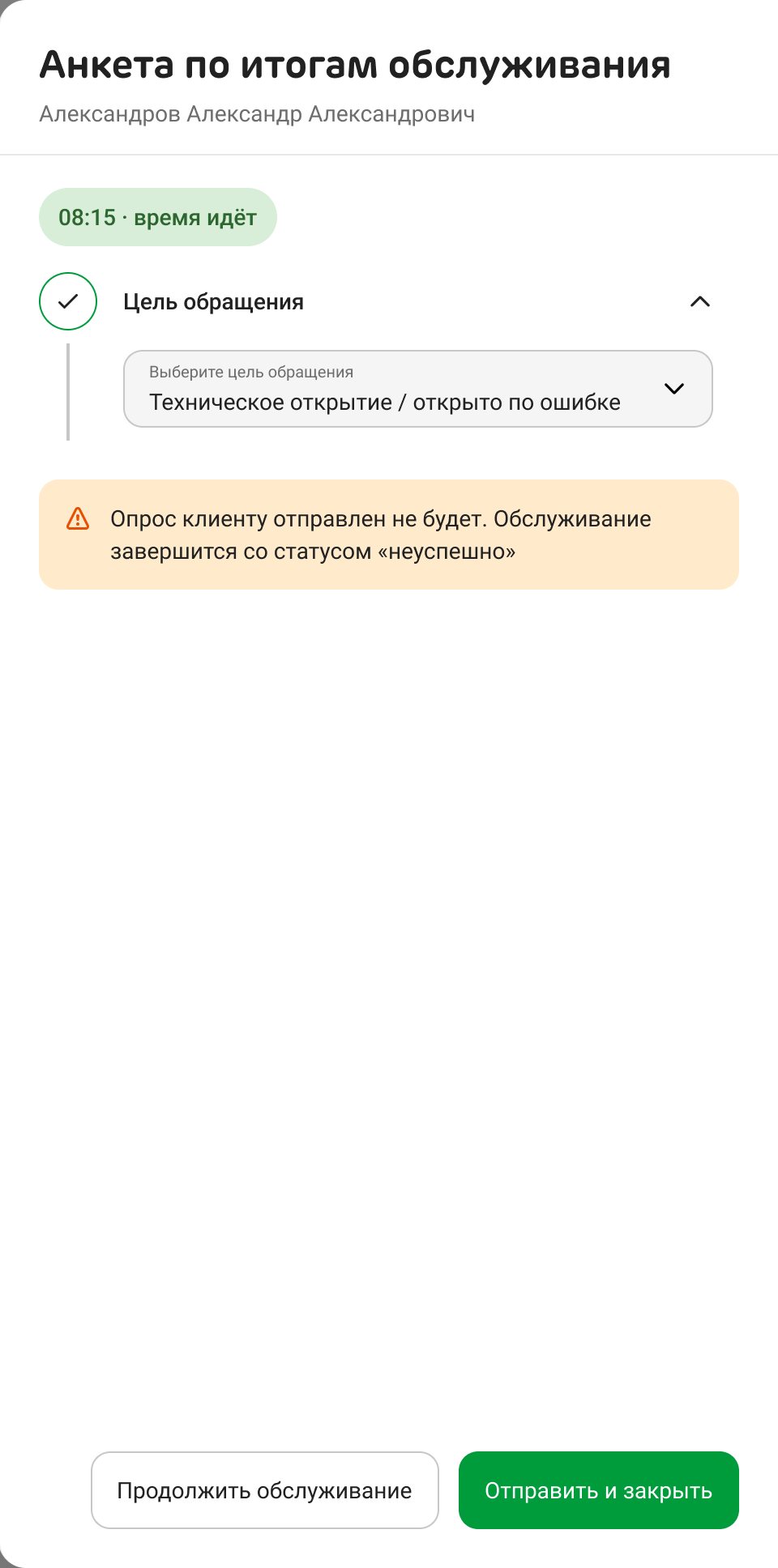
“Cancel” is gone. If the card was opened by mistake, the employee says so in the first question, the survey folds up and no poll is sent.
The colleague’s idea turned out to be the industry standard: contact-centre platforms such as Genesys and NICE make the wrap-up mandatory and treat mistakes as codes inside it. The poll is sent by the back end from the answer, not by a button the employee controls.
A loophole moves, it doesn’t vanish: without watching how often each employee picks “Opened by mistake”, it would just move from the button into the survey. So the flow comes with a report on that share for each employee.
The brief taken literally, with “Finish” and “Cancel” as equal buttons, and an emergency “Opened by mistake” item hidden in a menu.
A service bar, not a banner on every page
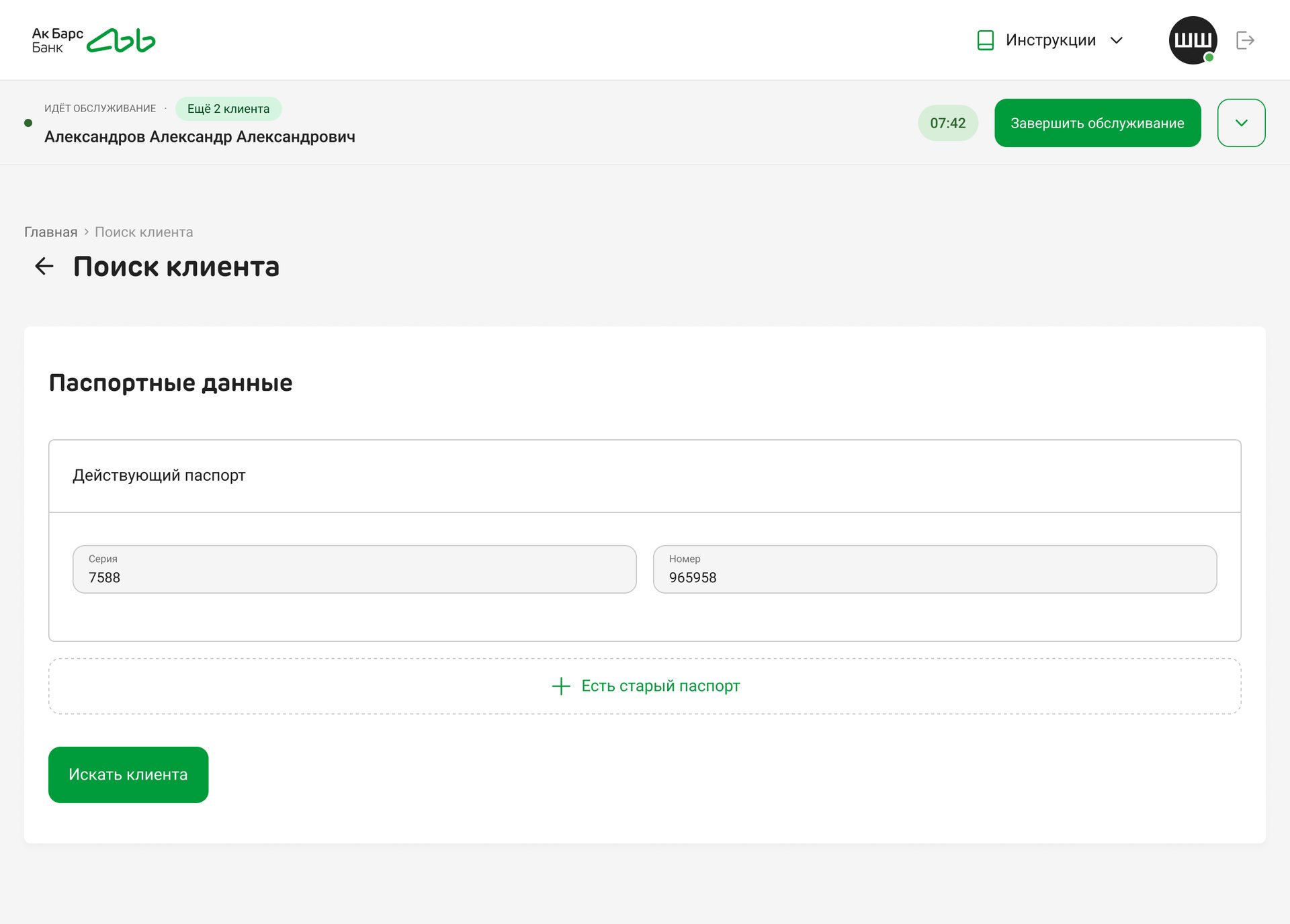
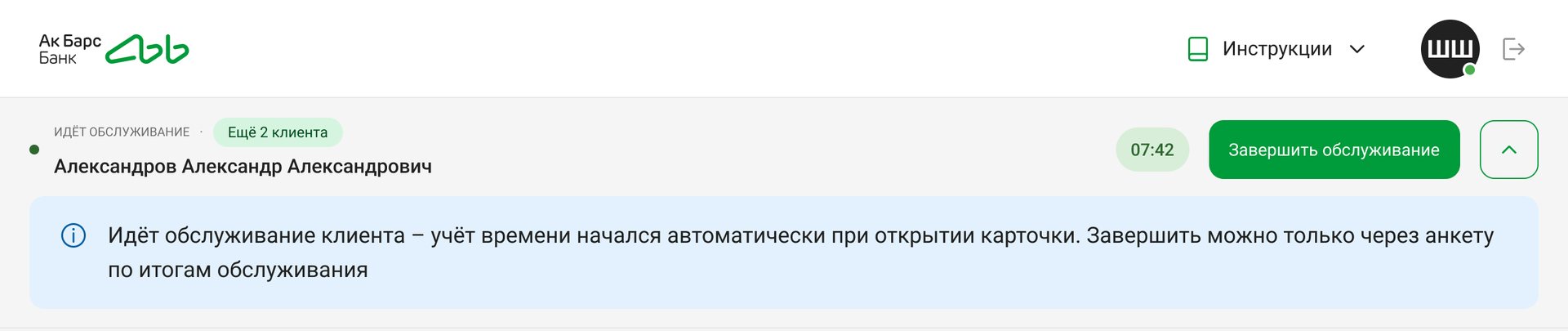
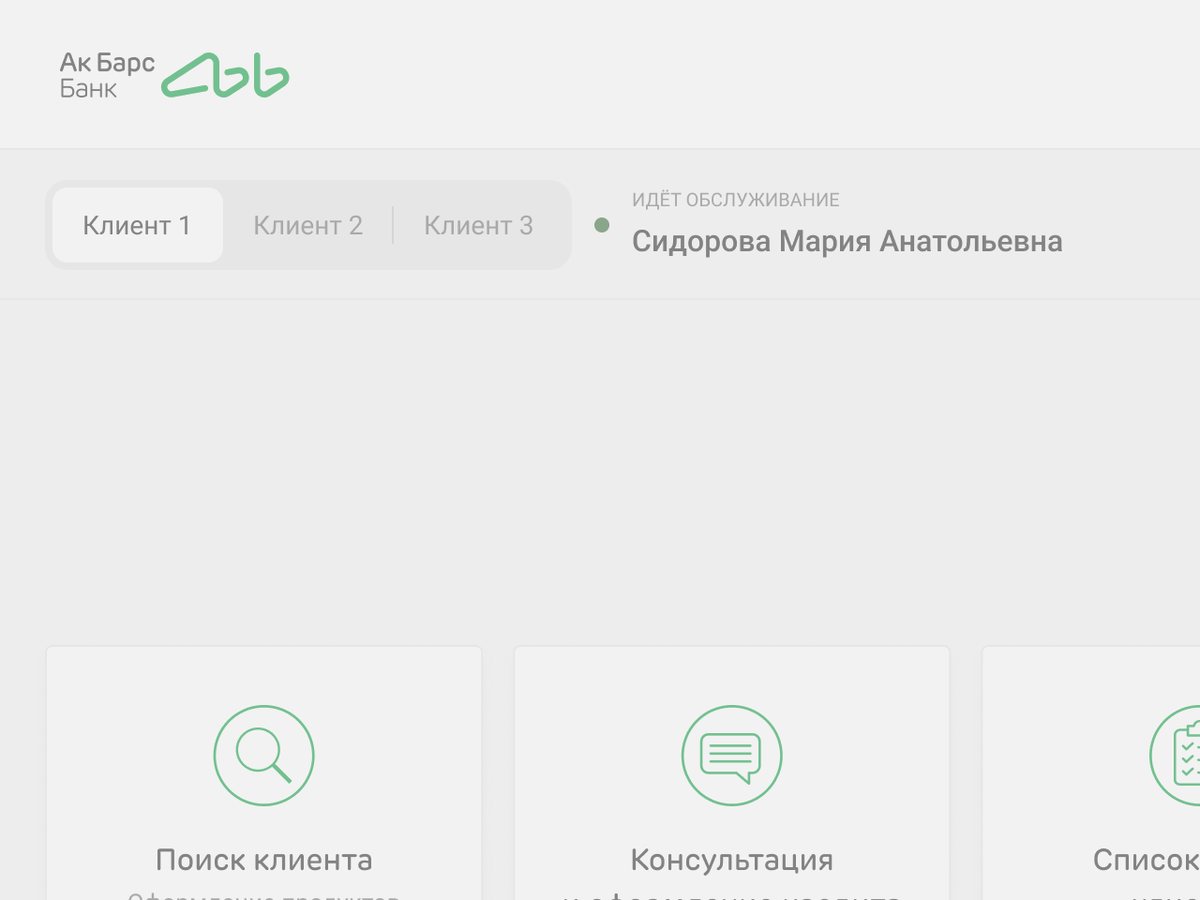
The bar sits under the header on every screen: the client’s name, the timer and “Finish service”. Expanded, it explains that the timer started on its own. The survey opens as a drawer over the current screen.
The process has to be visible everywhere, including search, where a visit can also be finished. Contact-centre software has moved from floating panels to a fixed bar, and the bank’s contact-centre app already had one for calls.
Green until the limit, red after, with no blinking or sound. An aggressive countdown is exactly what pushes people to cut a visit short.
A banner inside the page content, different on every screen, and a floating widget that covers the content.
Several clients at once: the version with nothing to choose

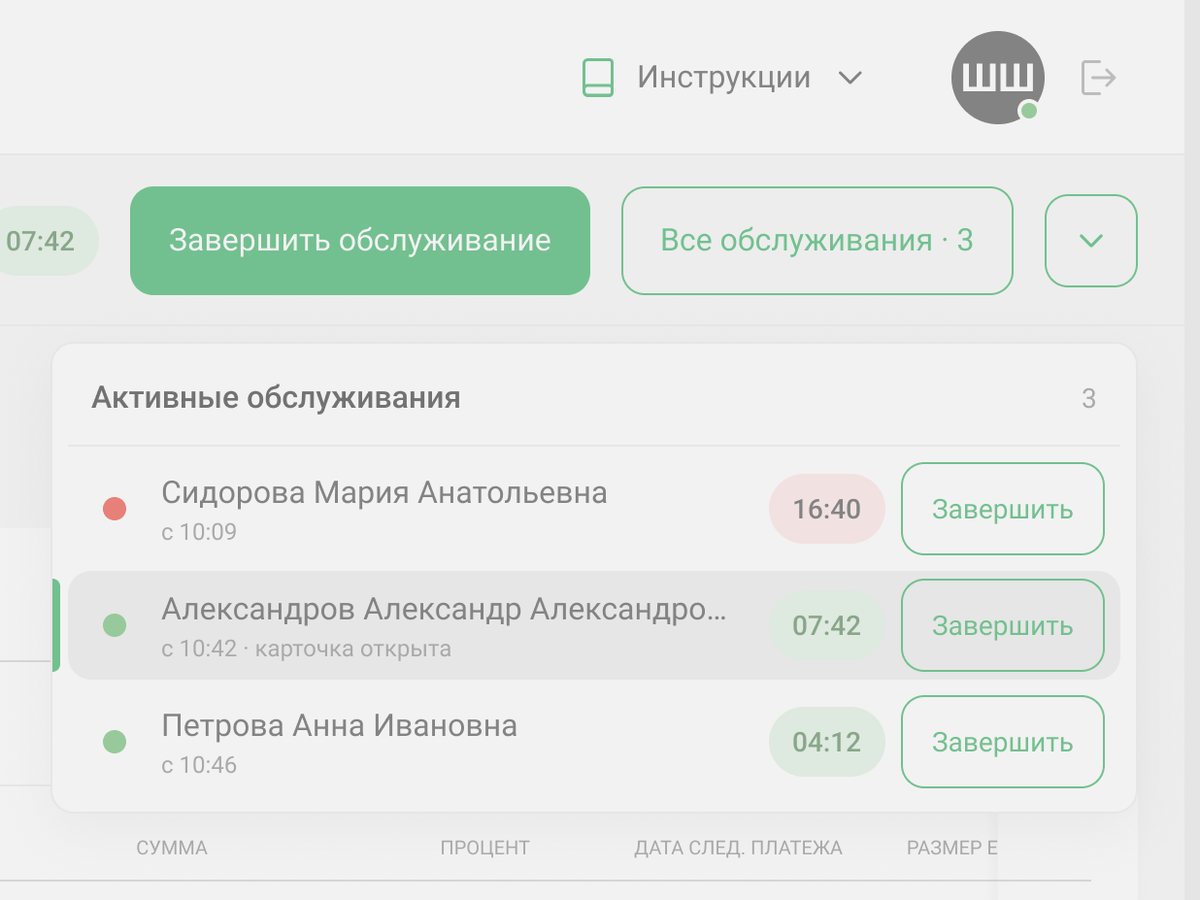
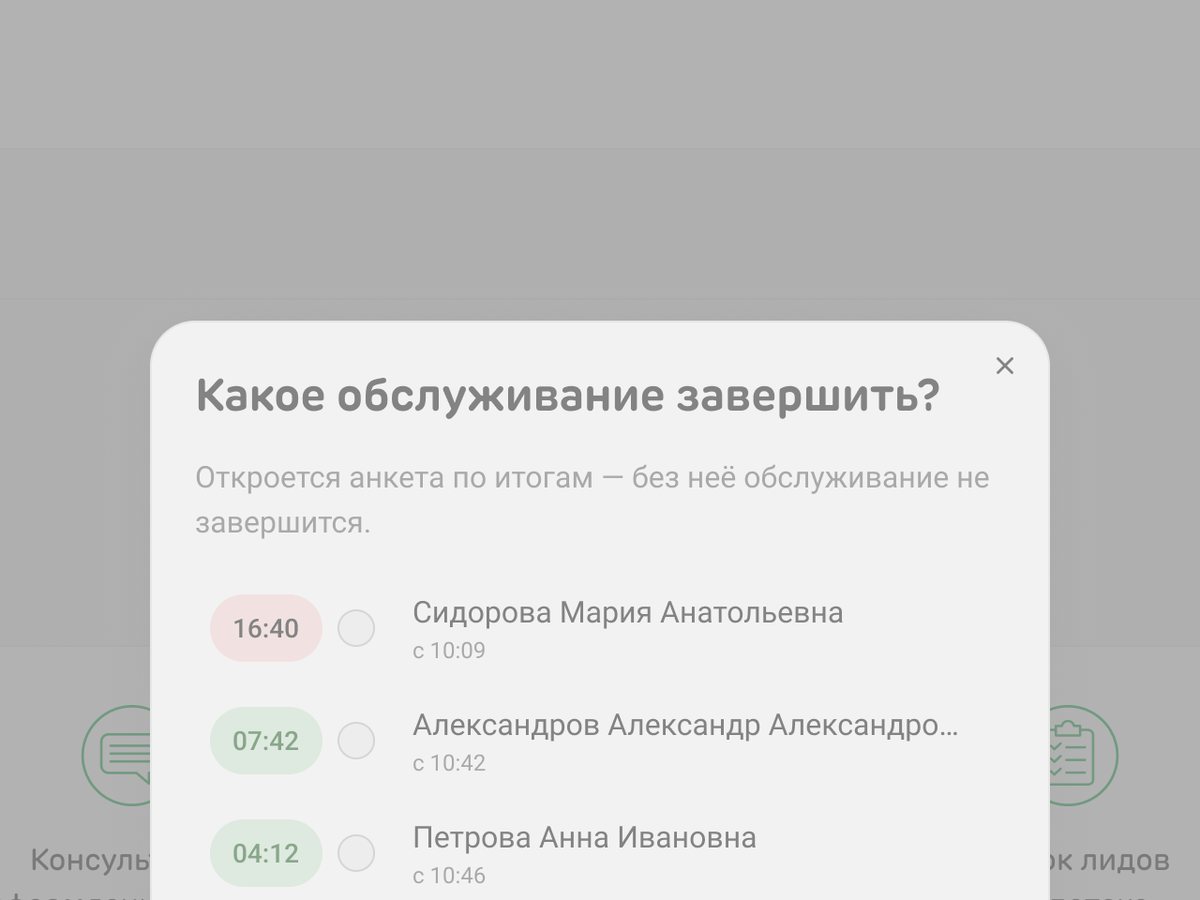
The bar always names one client, and the button finishes that visit. A badge shows how many others are open; visits close one after another.
On 14 September the business dropped the one-visit-per-employee rule. All three mechanics had to answer “which visit am I finishing?”. An audit of 30 edge cases against the drawn frames found gaps in 14, and the choice dialog broke or weakened 11 of them. With nothing to choose, the risk of finishing the wrong client, a bar out of sync with the screen and dialogs stacked on drawers all disappear.
There’s no overview: the employee sees how many visits are open, but not whose or for how long, so a forgotten visit shows up only when its turn comes. The queue goes oldest visit first.
Error messages that don’t lie
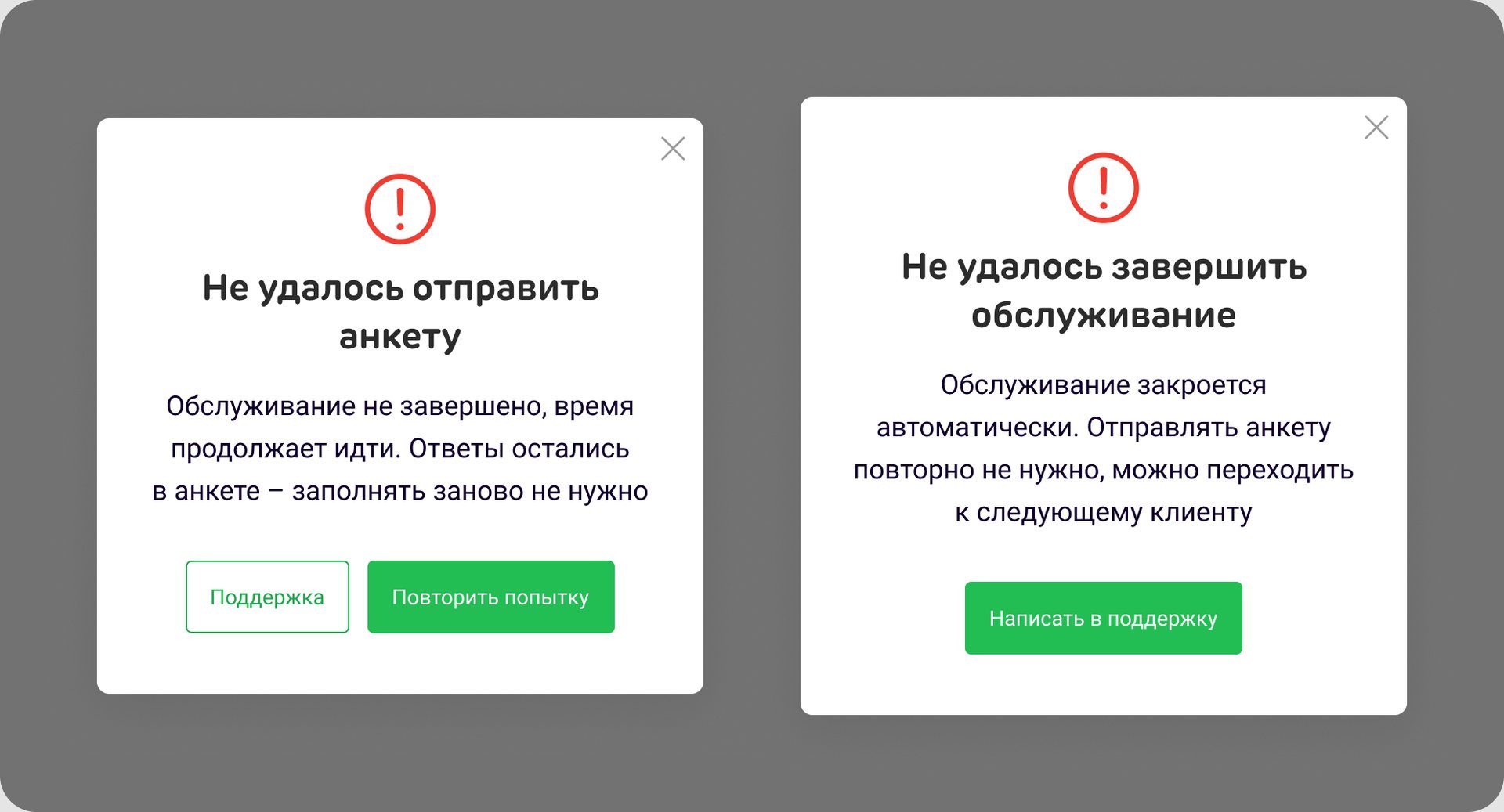
Each one says what happened to the visit and to the answers, and offers only the actions that work.
The app can’t tell a lost connection from a server error, so “Check your connection” would be false. There’s no saved draft of the survey, so “Refresh the page” would wipe the answers. Where a retry can’t help, there’s no “Retry”.
The approvers shortened the labels and removed the “Close” button from the second dialog.
Details
Only the first question is shown at first; the next ones appear after an answer, and changing an answer resets the questions that depend on it.
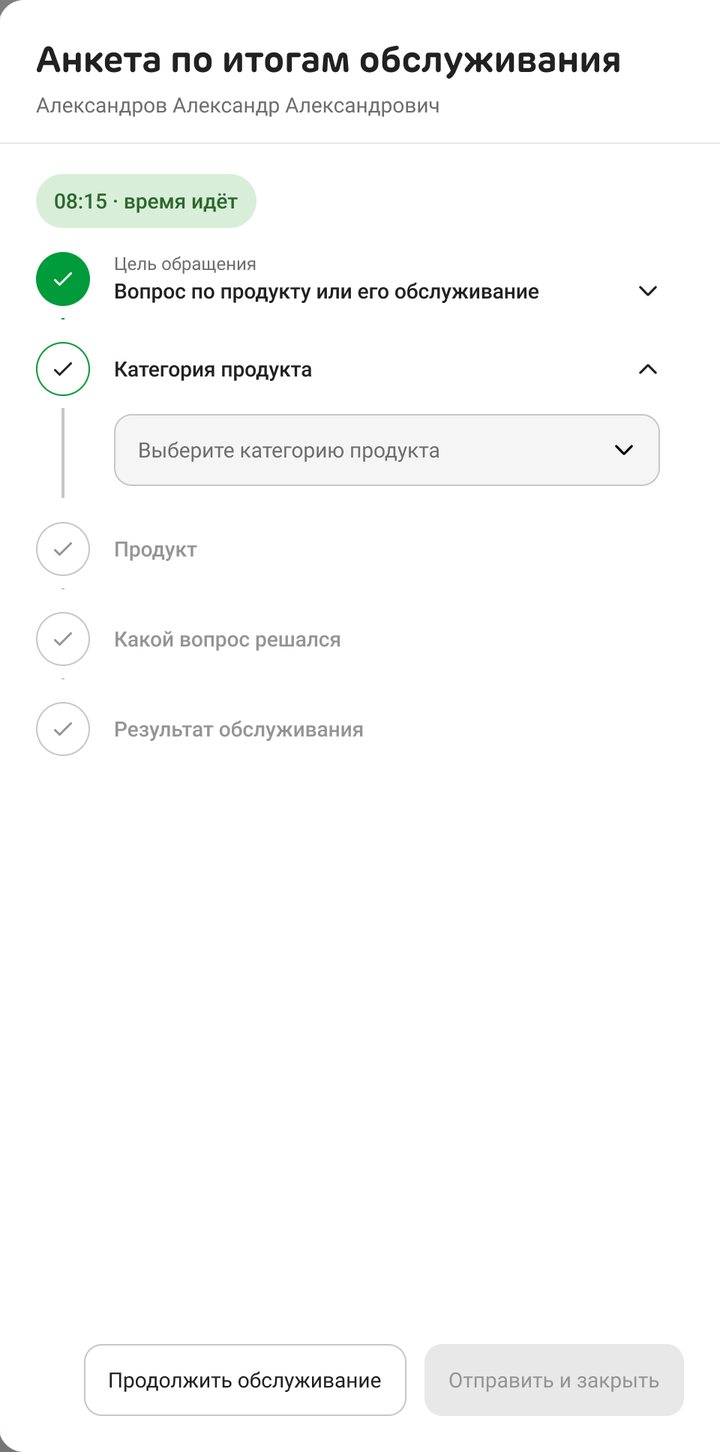
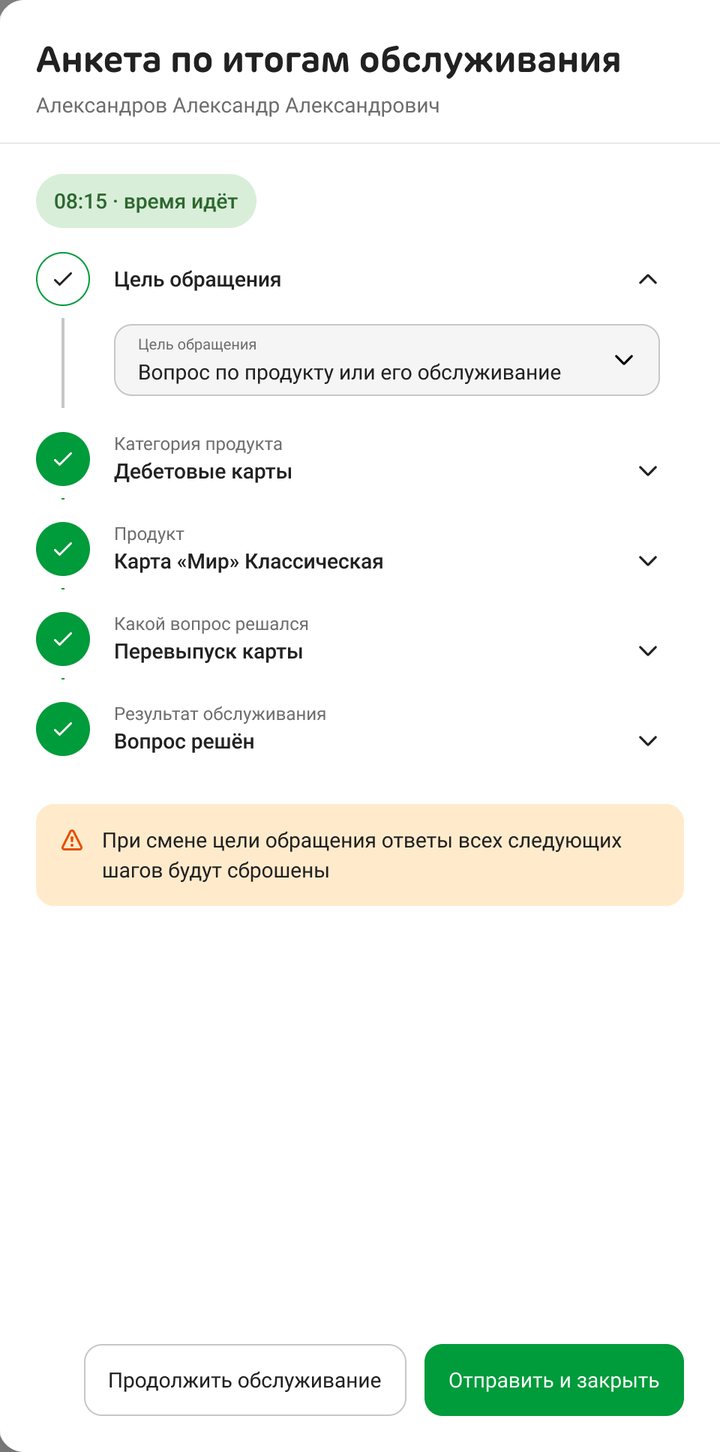
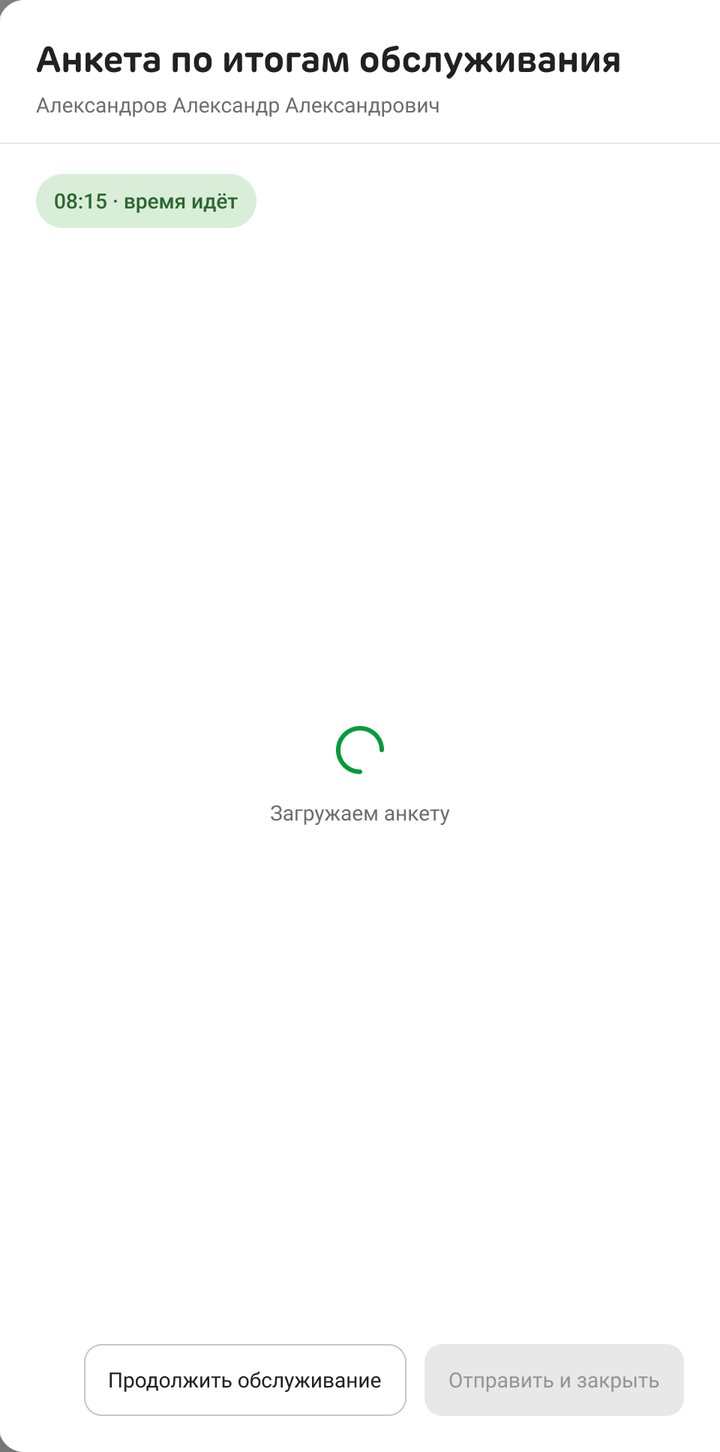
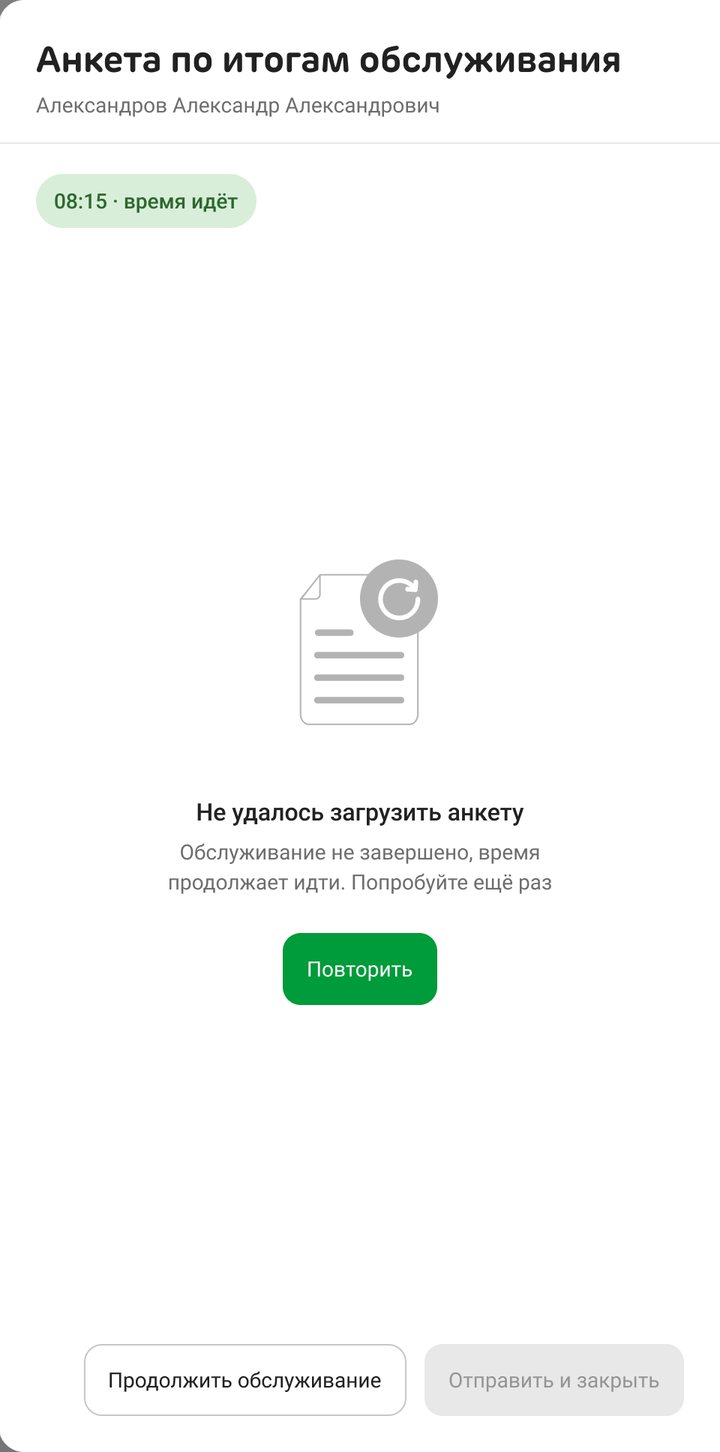
- States. Questions loading, failed to load, a complaint branch, “Opened by mistake”, a visit that ran past the limit.
- Specs for the dropped variants too. The list variant had its full behaviour written down: keyboard focus, screen reader labels and limits from 0 to 11 open visits.
- Edge cases counted by frames. An edge case counted as covered only if a frame showed it; described in the spec wasn’t enough.
Working with AI
I used AI agents for research and production. A research workflow covered six directions, from contact-centre platforms to Mobbin patterns. Agents assembled frames in Figma from the design system, wrote behaviour specs and ran the 30-case audit. I set the questions, chose the components, edited frames by hand and sent five rounds of strict feedback on build quality before the frames met the bar. The decisions were made at reviews with the analyst and the business.
Results
- The service bar and survey were approved on 28 August.
- After the several-clients requirement, the flow was closed on 16 September with one addition, the badge.
- The error dialogs were approved on 24 September and handed to development. Release planned for Q4 2026.
Takeaways
- Removing a choice removes a class of bugs. Each mechanic for choosing a visit needed its own edge cases; the version with nothing to choose needed none of them.
- A loophole moves, it doesn’t vanish. Taking away a button only helps if someone watches the answer that replaces it.
- Count what’s drawn, not what’s described. A spec can promise any state; only frames show whether it exists.