Real estate platform · TrendAgent · 2023–2025
From the apartment page to the client’s phone in one step
Client presentations in a B2B platform where real estate agents find, book and close deals on new homes: a selection the client scrolls on a phone, not a PDF to download.
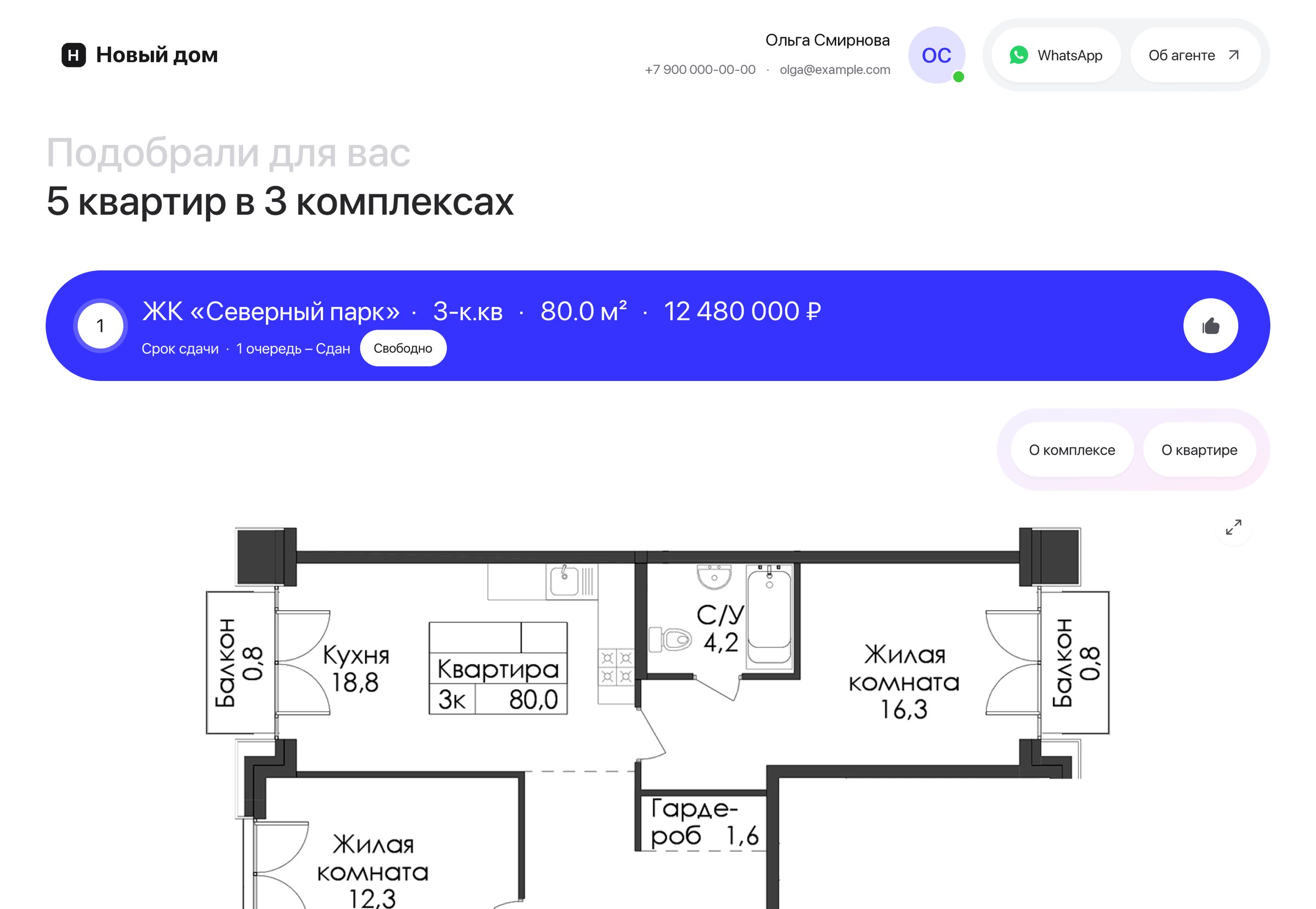
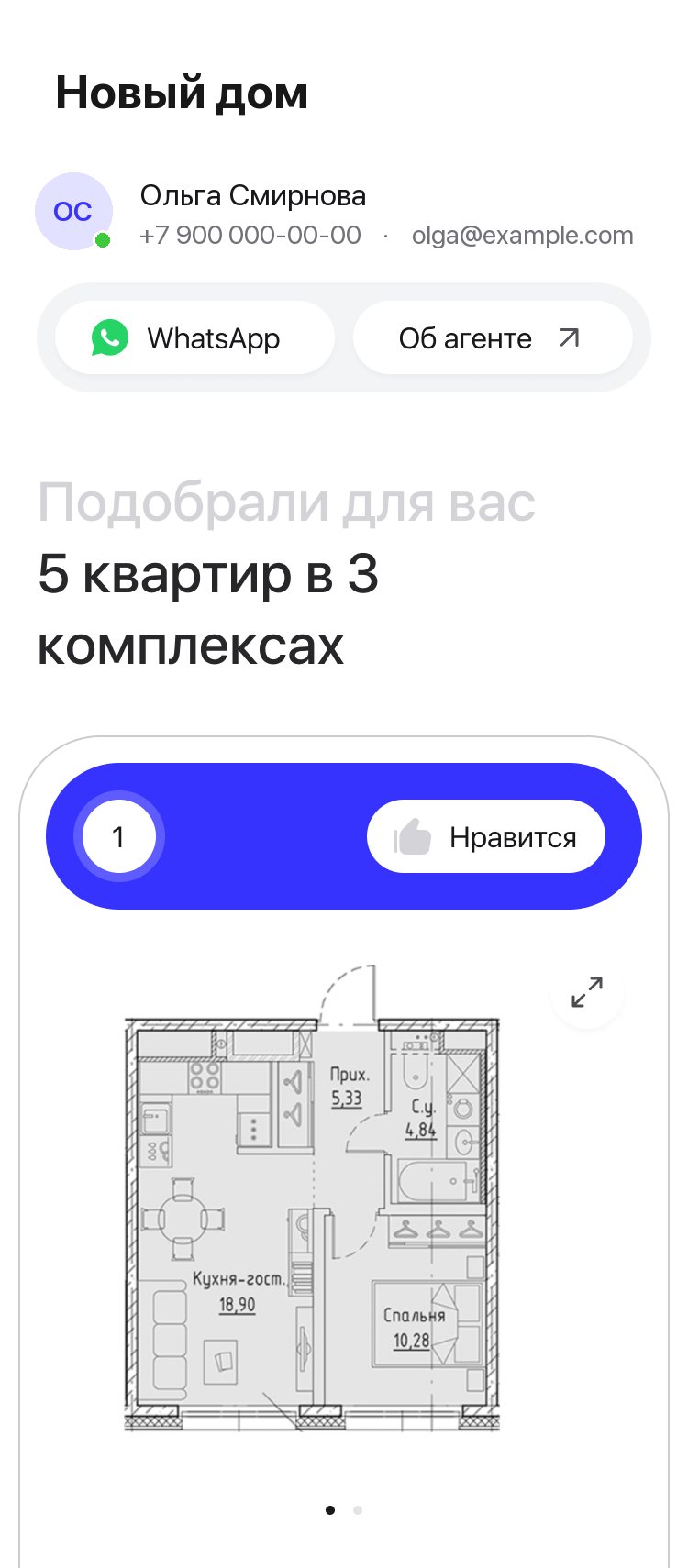
- Task
- Presentations are how agents show a selection to a client. Clients got lost between apartments, some agents still sent PDFs instead of links, and one more apartment meant rebuilding the selection.
- What I did
- Designed the presentations end to end: the client’s page on desktop and phone, the agent’s section, sending from the apartment page on web and in the app, the agent’s comment, likes, the print and email versions, language and currency.
- Result
- Live on web and in the app. Clients scroll every option on one page, and one more apartment goes out straight from its own page. Agents send twice as many single-apartment presentations since the button moved to the apartment page.
Context
- Business
- A presentation is where a selection turns into a conversation: the client sees the options before a viewing, and the agent stays the one who sends them.
- People
- Agents pick apartments, add them to Presentations in the order they want and send a link to WhatsApp. Clients reply with the option number. In interviews agents said clients didn’t understand how to get from one apartment to the next, one agent didn’t send links at all for fear they wouldn’t open, and one more apartment meant adding it to the section again.
- Constraints
- One presentation for new homes, resale, commercial units and parking spaces, on desktop, on a phone, on paper and in an email. For a while the old and the new presentations had to work side by side.
My role
I designed the presentations end to end: the client’s page and its mobile version, the agent’s section with saved selections and settings, sending from the apartment page on web and in the app, comments, likes, the print and email versions, and what followed: language, currency, promotions, price on request. I worked with the product manager, the front-end and mobile engineers and QA.
Key decisions
Every option on one page, numbered
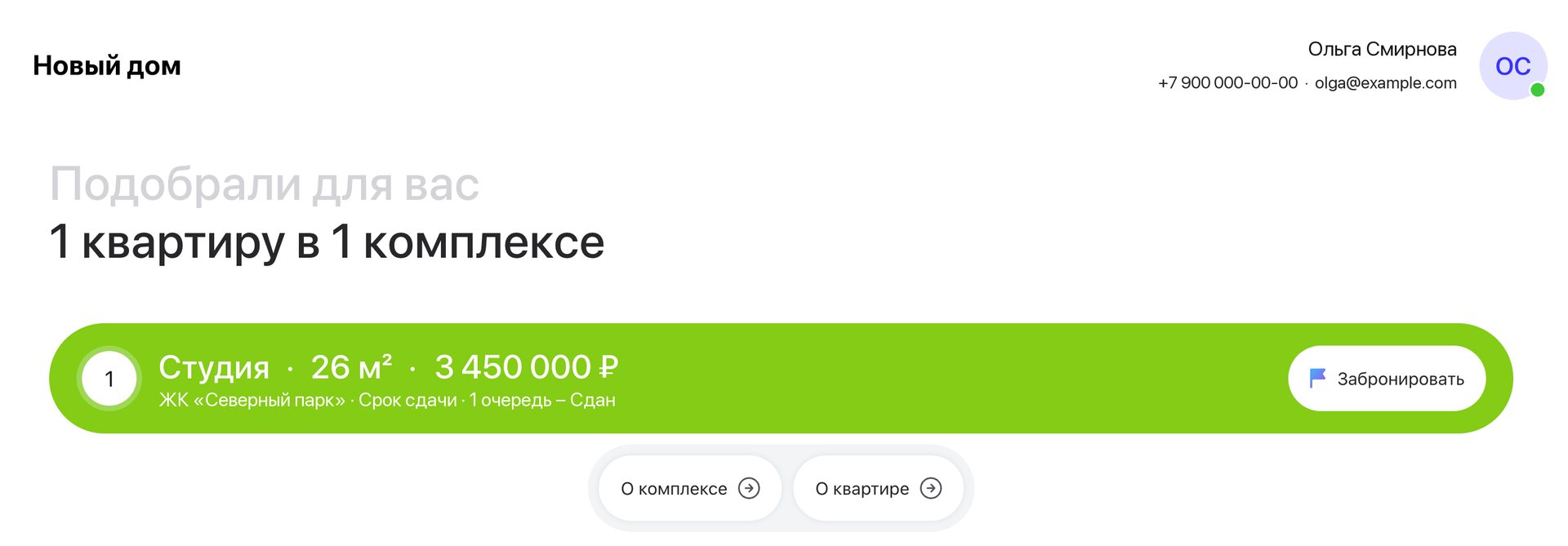
The live client page: the count of what was picked, then numbered options, each opening with its type, area and price.
In the previous version the client saw one apartment at a time and switched with a slider. Clients didn’t understand how to get to the next one, and agents explained it over the phone or sent a PDF instead. Clients answer with an option number, so the order had to stay fixed.
The client scrolls instead of switching, and the numbers never change, so “I like number three” still works.
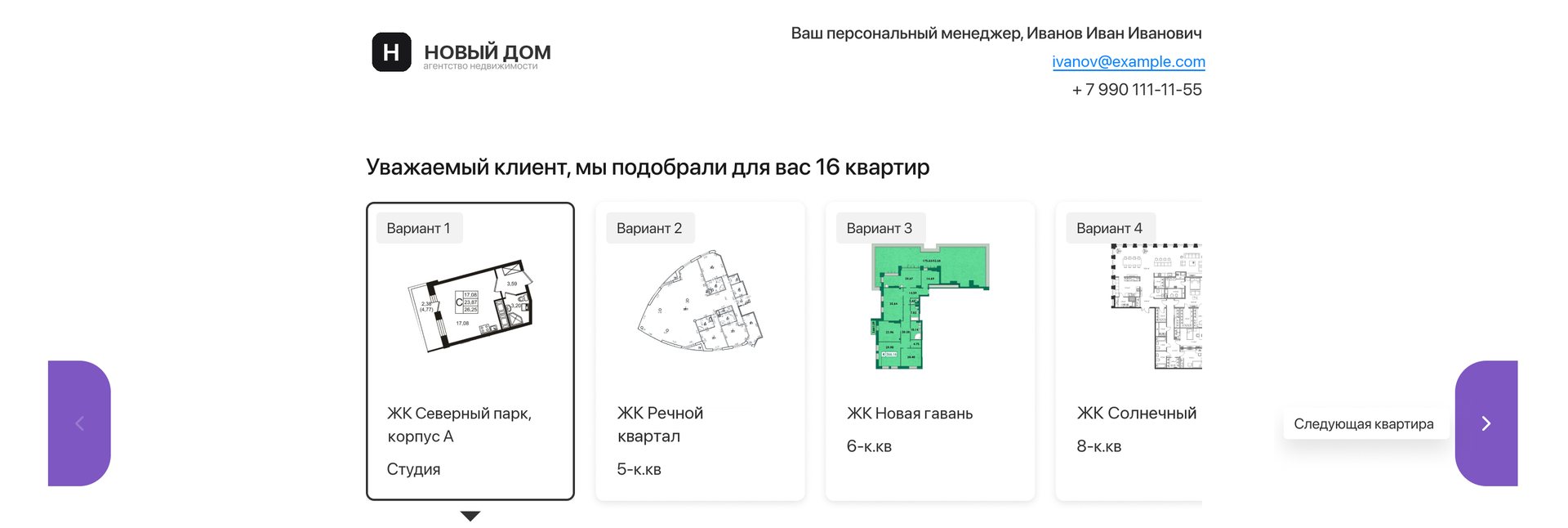
Send one apartment straight from its page

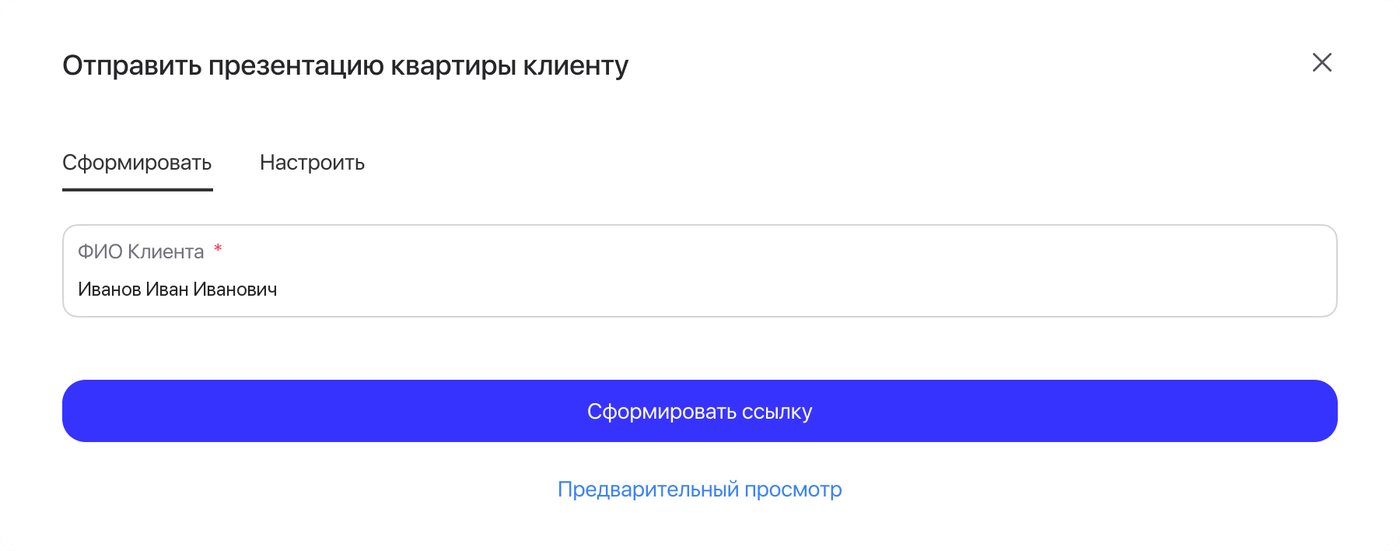
One apartment is one presentation. The button carried a “New” label for its first two months.
Agents often add one more apartment after the first selection. Before, that meant adding it to Presentations, sending from there and cleaning the section up again. In interviews, the agents asked about it wanted to send straight from the apartment page.
Managers of the platform’s own agency don’t send links: for them the same button adds the apartment to the client’s personal account.
A separate link for every apartment in a selection: agents didn’t want it, and it would break the numbering clients rely on.
The agent’s comment is frozen in the link
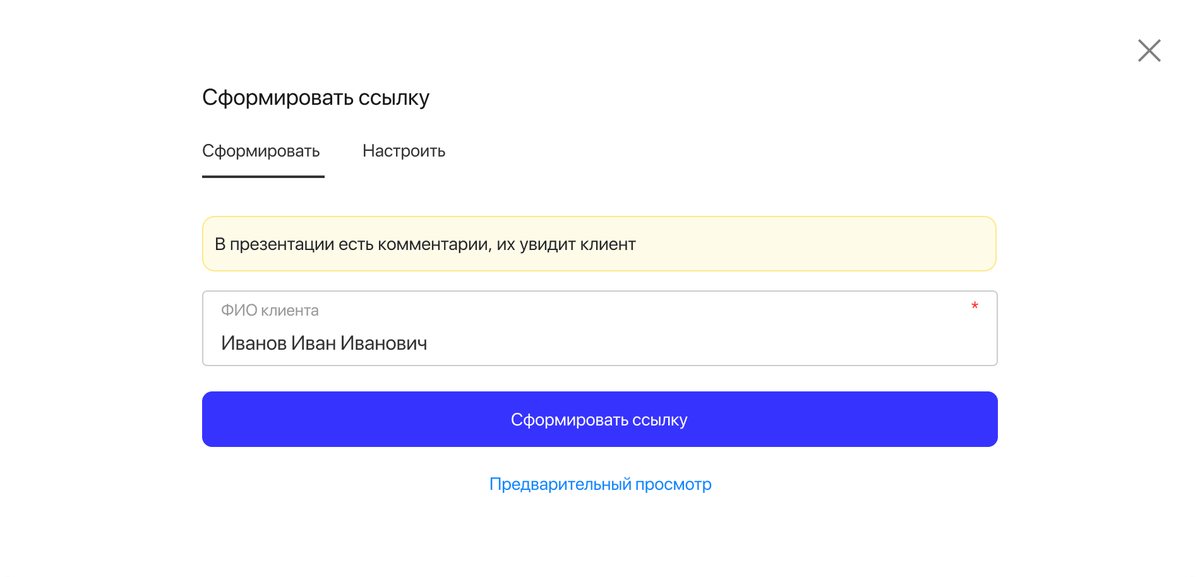
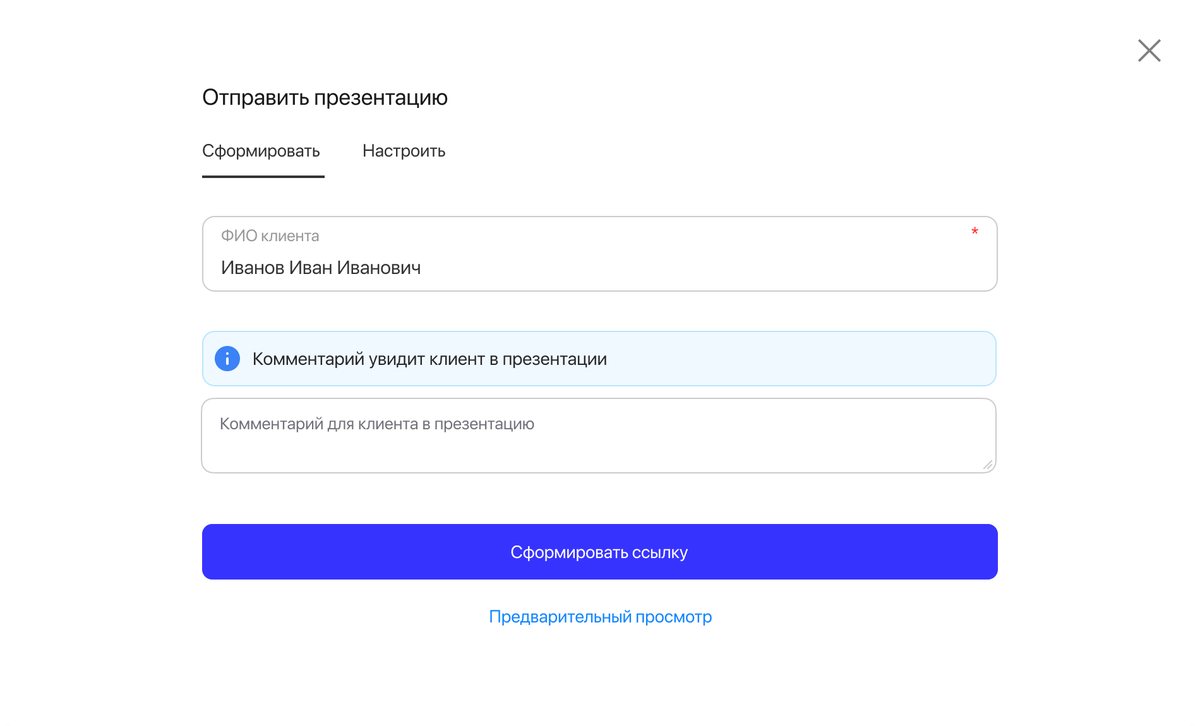
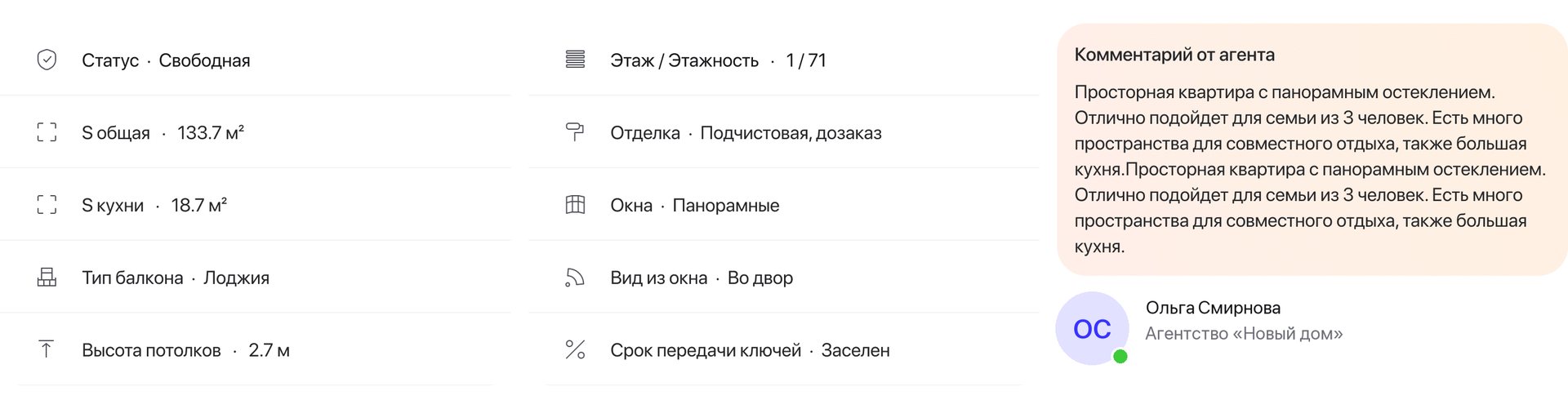
“The client will see your comment”: the warning shows for every channel, from email to messengers. On the client’s page the comment is signed by the agent.
A comment is the agent’s word to one client. Once the link exists, the client must see exactly what was sent, so the comment can’t be edited afterwards, and editing it in the section doesn’t change links already sent.
Up to 1,000 characters in Presentations. From the apartment page the field has no limit and no drafts. The PDF doesn’t carry comments yet, so the warning isn’t shown there.
Settings set once, adjusted per send
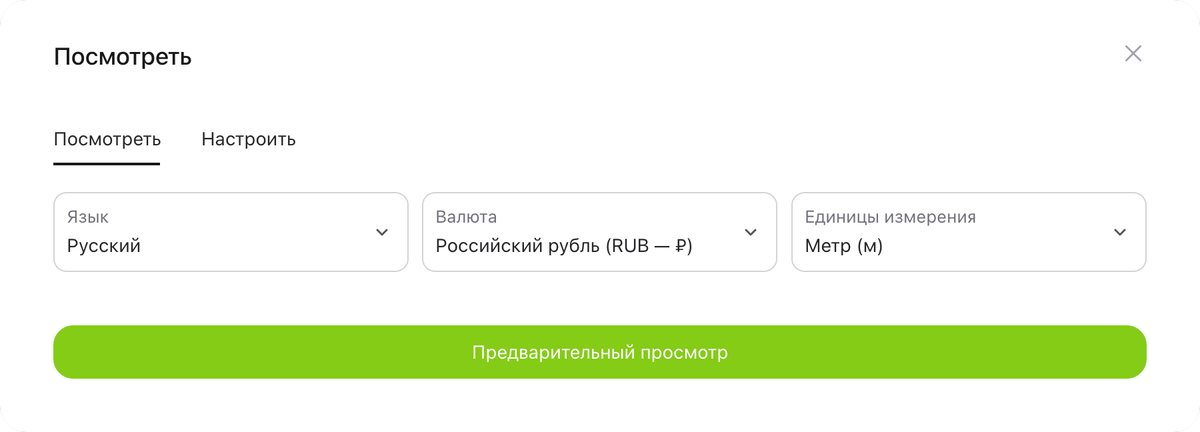
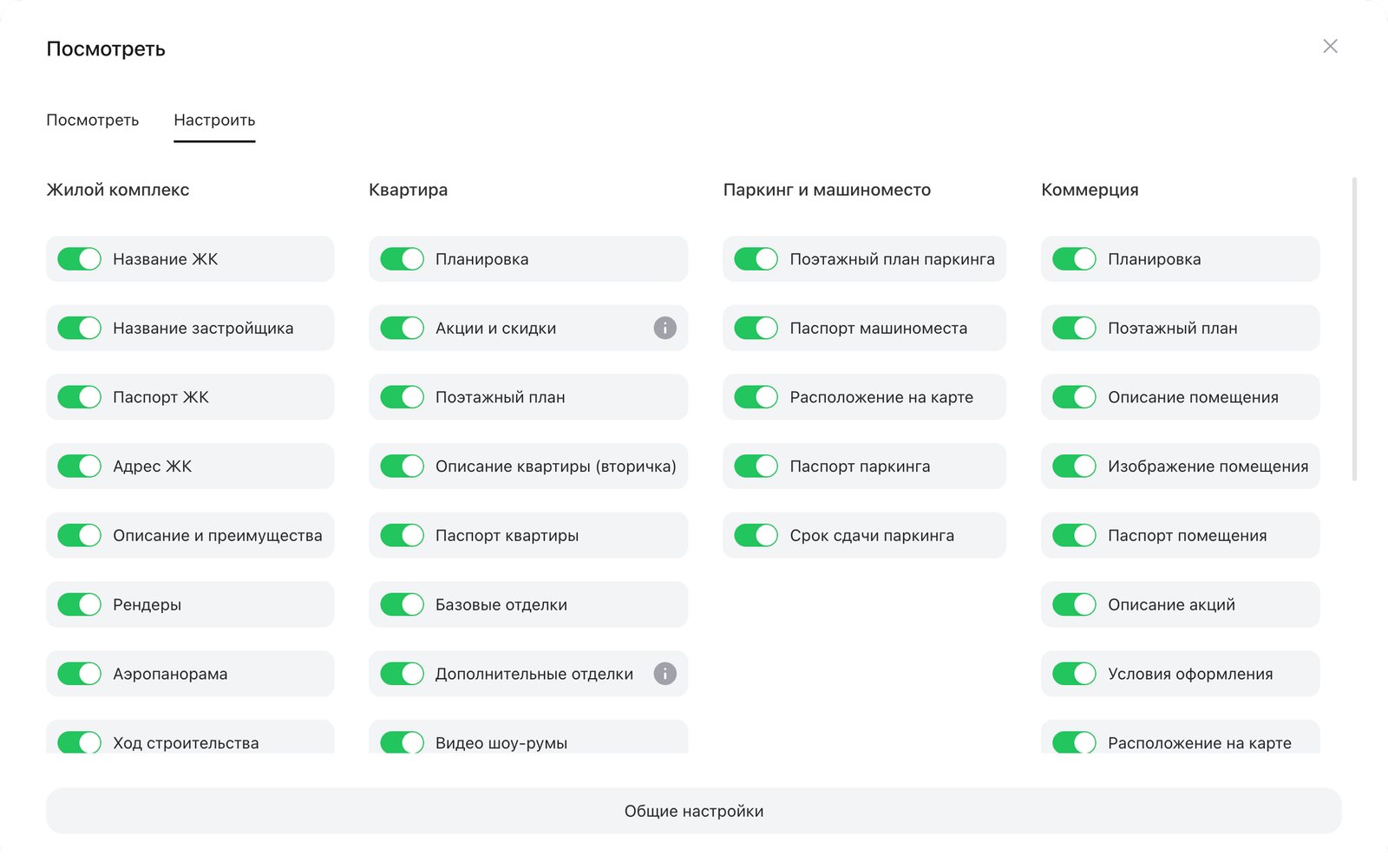
General settings live in the profile; “Customize” changes one presentation without touching them.
Agents set the general settings once and rarely come back. Language and currency came later, with presentations for the UAE market.
General settings on the top level of Presentations, and settings saved for every single presentation: neither held up in interviews.
Details
The agent’s side, likes and the corner cases.
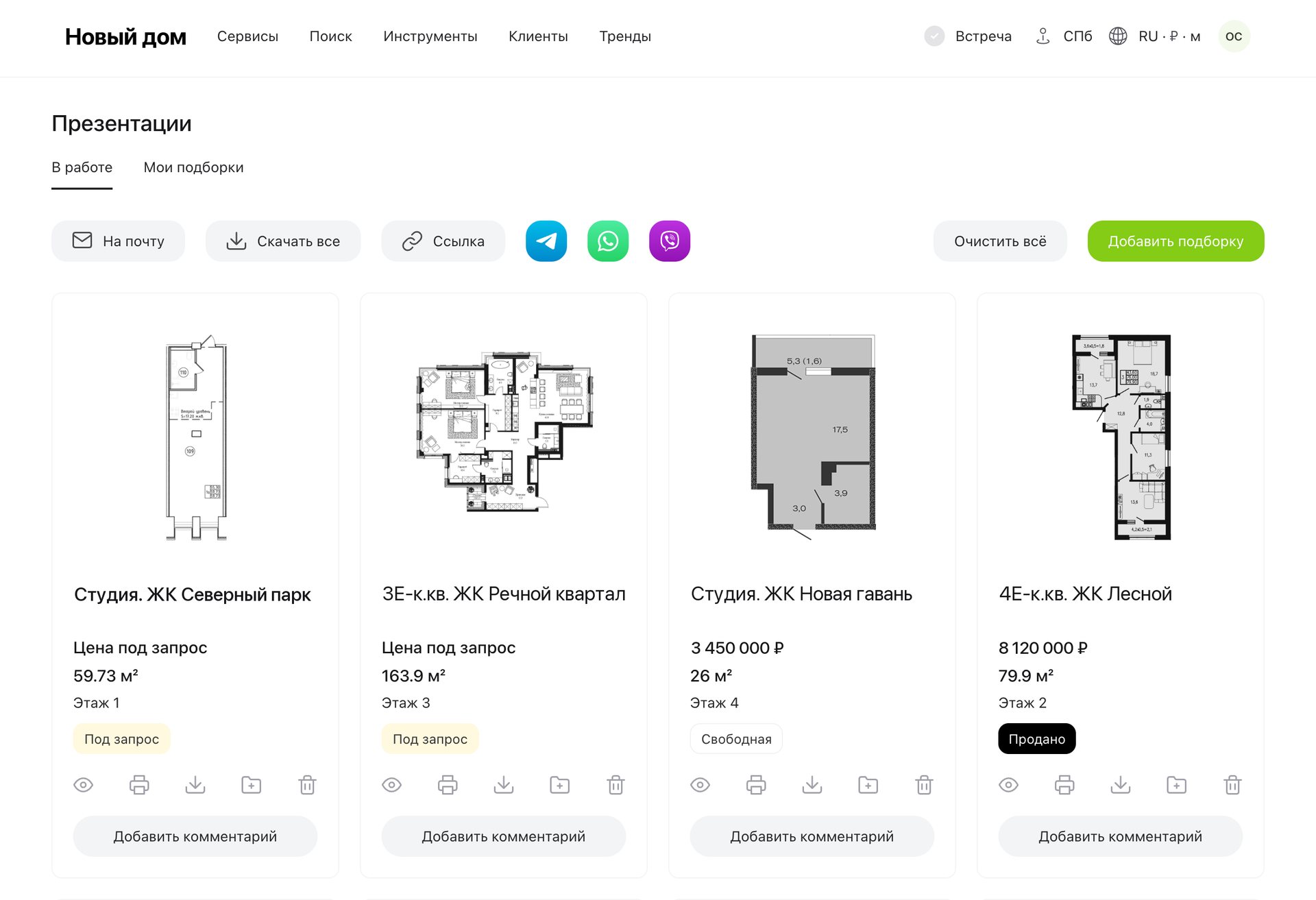
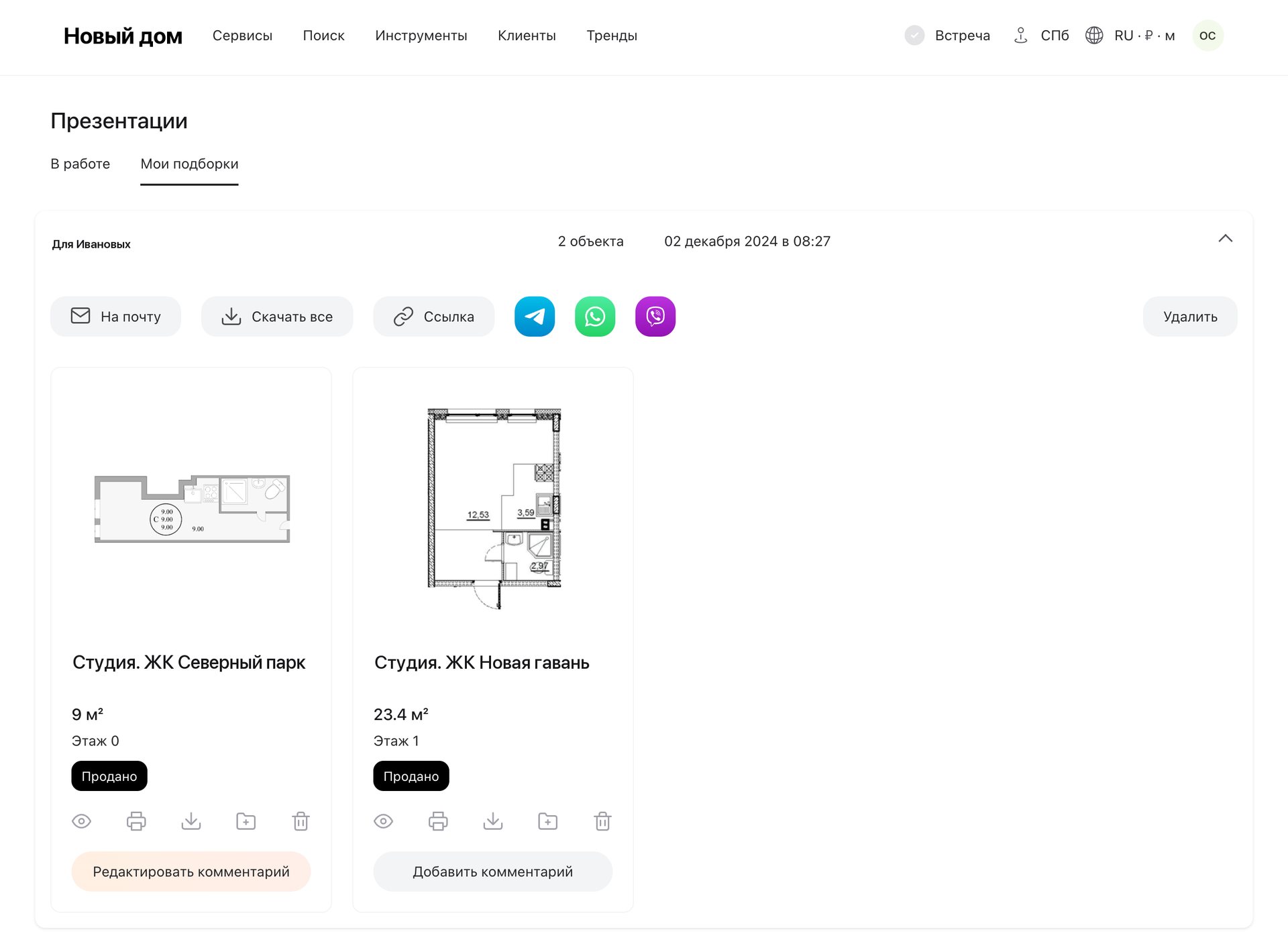
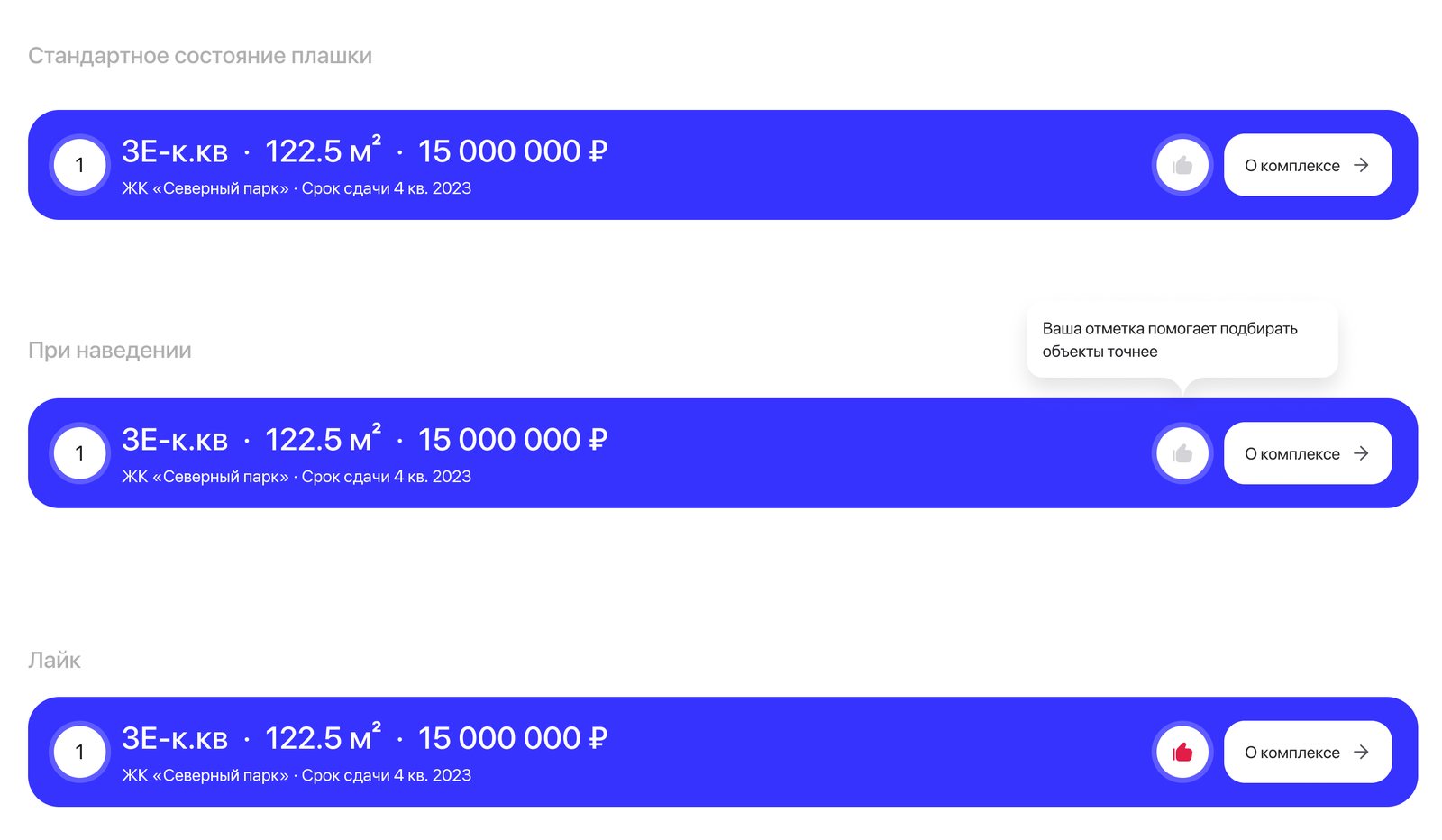
- Three formats. The interactive page on desktop and phone; a print version without calculators and the aerial panorama, with sample payment calculations instead; a compact email.
- Likes. The client can like an option; the hint says the mark helps the agent pick more precisely.
- Every property type. Apartments, commercial units and parking spaces, new homes and resale. Promotions show only in the interactive version.
- Corner cases. A unit without a floor plan, price on request, a down payment from the developer, a finish name on two lines.
Results
- Live on web and in the iOS and Android app; the button on the apartment page since February 2024.
- Presentations are among the most used tools on the platform.
- In a 2026 competitor review, the depth of the object card came out as their strong side.
What’s next
The block keeps moving. The current presentation is overloaded and doesn’t sell, so in 2026 the team started on a lighter client page. Andrey’s concept keeps what worked — numbered options and the agent’s note — and turns each option into one card: the plan, key facts, a render and the map. The complex and the apartment get pages of their own. I adapted commercial units and parking spaces to the new visual.
Status: concept.
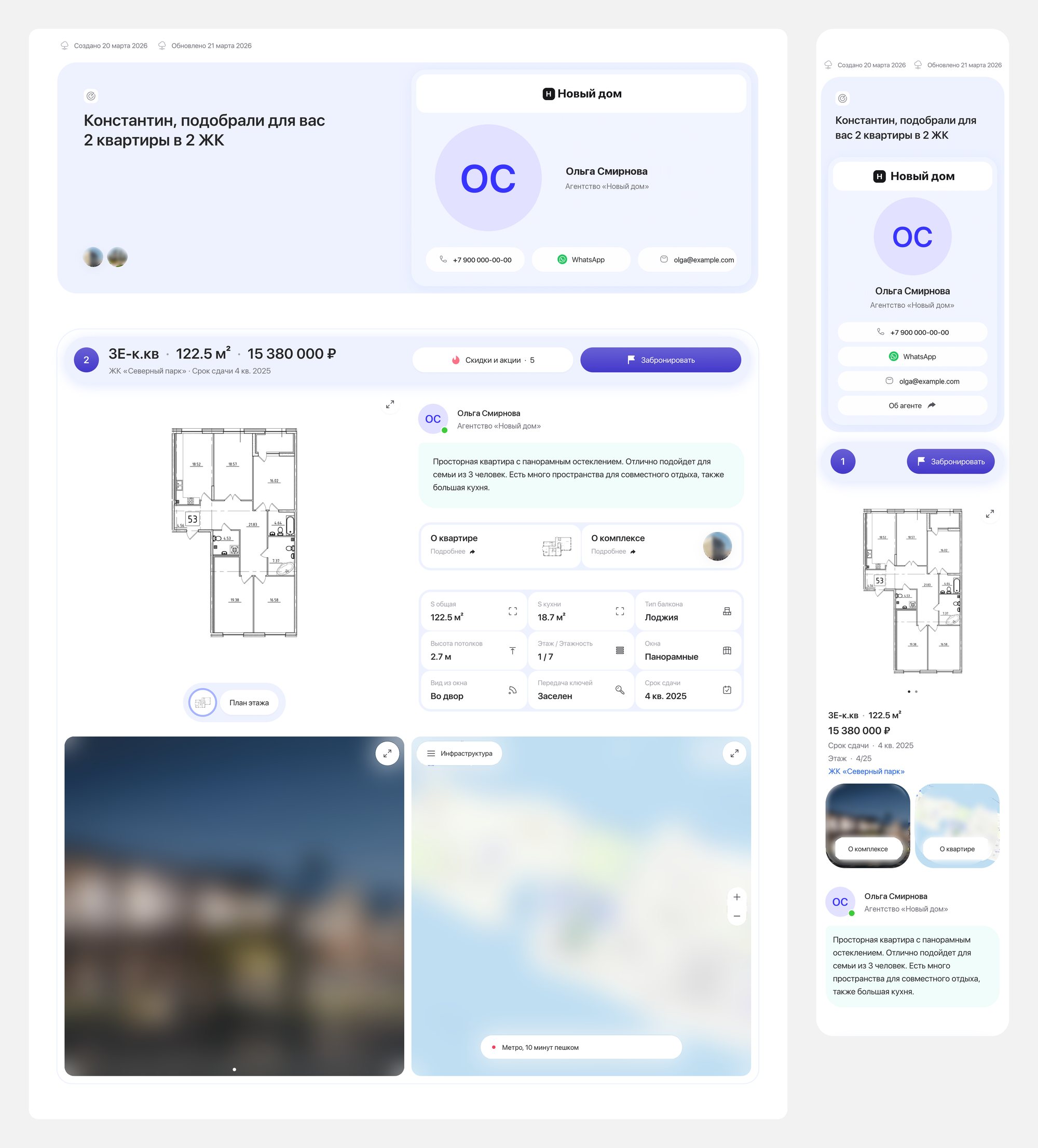
The next client page on desktop and on a phone: the agent’s card, then each option as one card with the plan, the agent’s note, key facts, a render and the map.
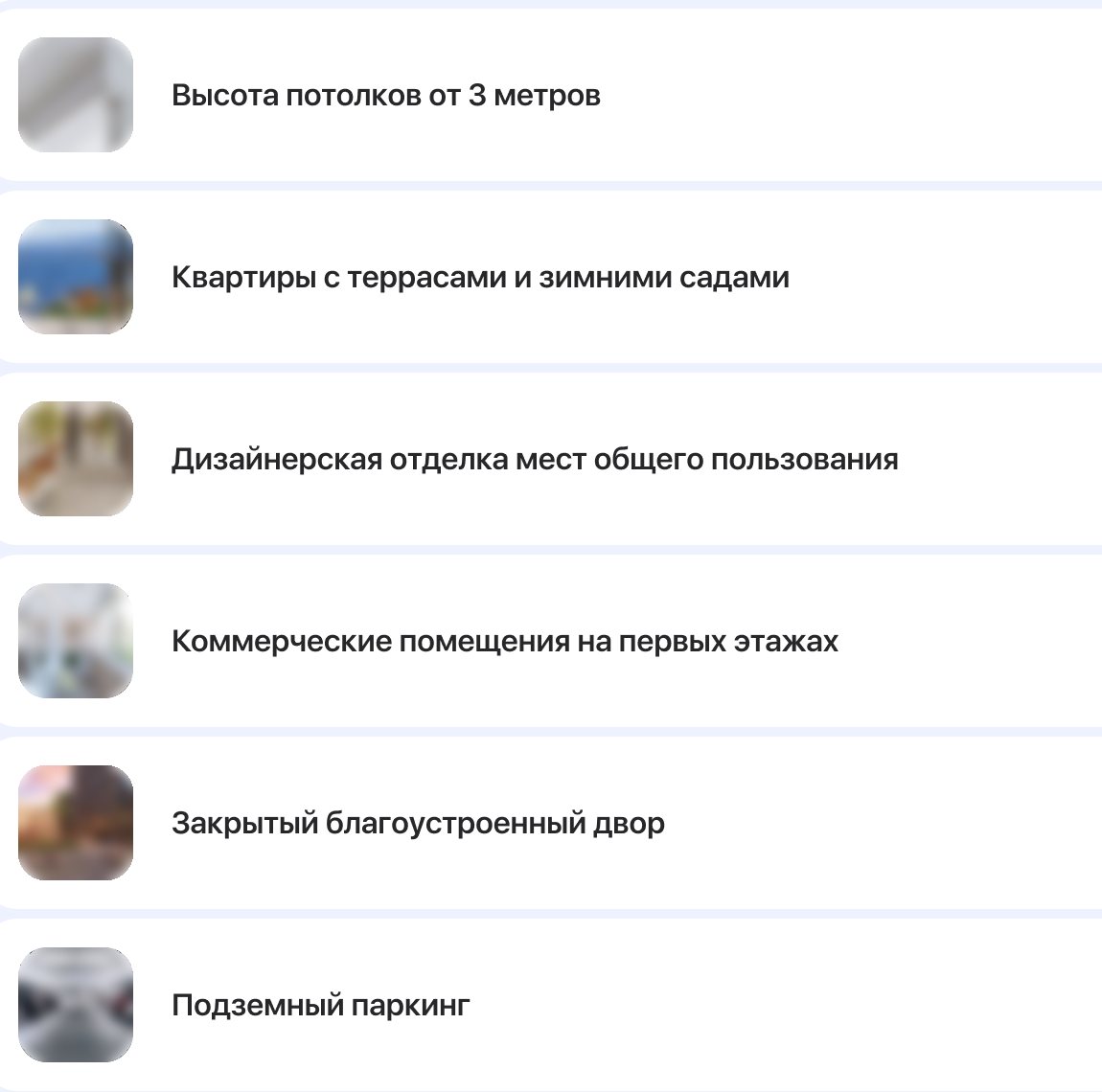
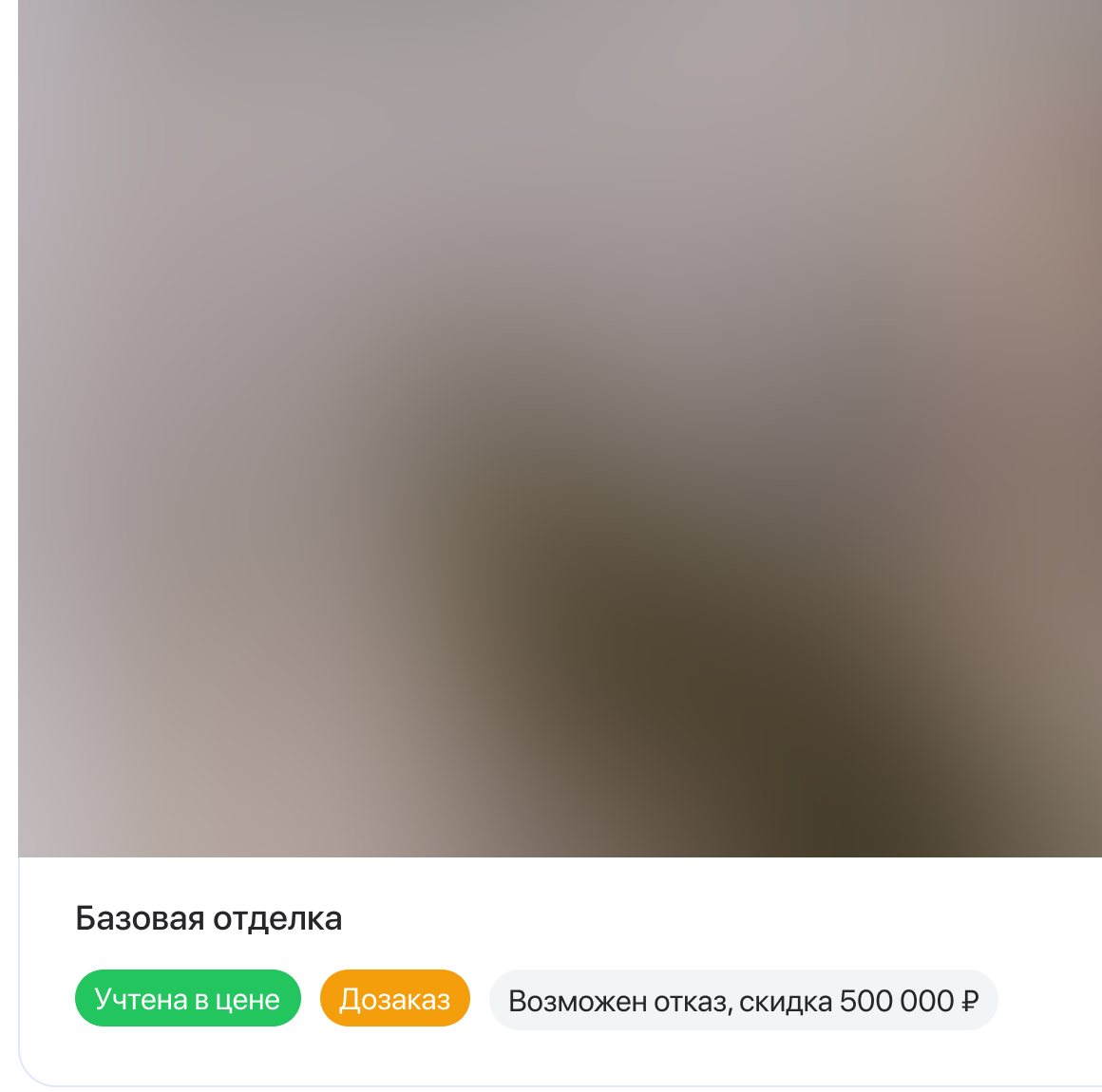
Concept by Andrey, a fellow designer on the team. The agent, the agency and the complex are demo data; renders, the map and photos are blurred, as they are the developer’s materials.
Takeaways
- Keep the client’s words. Clients answer with a number, so the number stays put.
- Meet agents where they already are. Sending from the apartment page removed a detour through the section.
- Freeze what the client sees. A link should show what was sent, not what was edited later.