Real estate platform · TrendAgent · 2024–2026
Three new property types, one search
A new vertical for a B2B platform where real estate agents find, book and close deals on new homes: country homes, plots and house projects, searchable next to apartments.
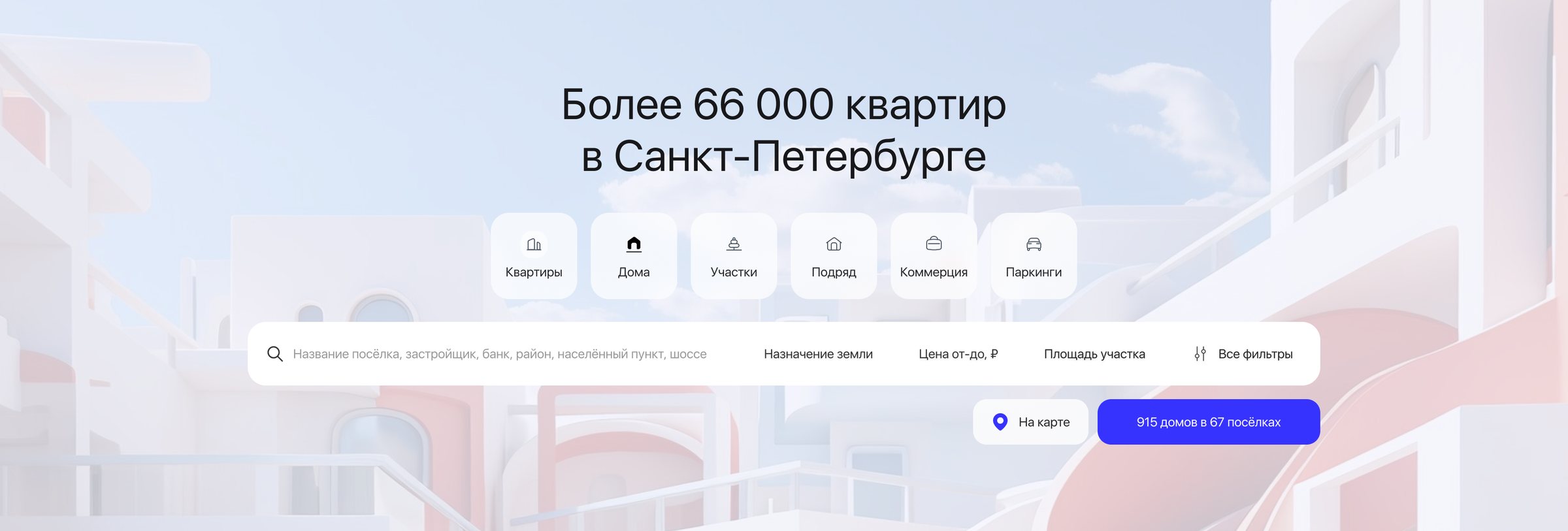
- Task
- Country property was hard to find. Agents didn’t know it was on the platform, half of the private houses were entered incorrectly, and plots and contractors’ house projects couldn’t be entered at all.
- What I did
- Designed the vertical stage by stage, on web, in the app and in the admin panel: three property types in the main search, a listing and a page for each, country filters and booking from the page.
- Result
- Live in stages since November 2024. In St Petersburg alone the search now holds 267 house projects, 1,953 plots and 915 homes. Bookings of houses and plots through the platform grew 27% in the first quarter.
Context
- Business
- Demand for private houses was growing, as mortgages for house building showed, and contractors pay agents no less than developers do. Country property could bring new agents and keep current ones from leaving for competitors when a client wanted a house.
- People
- Most agents on the platform sell apartments and rarely work with houses; a smaller group sells country property every day. A client may want a ready house, a house built by a contractor or just a plot, and agents need the full offer: plot plus house.
- Constraints
- The platform was built around apartment complexes. Every new type needed its own entities and parameters before it could appear on a page, so the work went in stages: each type shipped on its own, starting with basic filters.
My role
I was the product designer on the vertical from the first stage: search tabs, listings, pages, filters and booking on web and in the app, plus the admin screens where contractors, projects and villages are entered. I wrote questions for the research on villages and plots, presented designs to the business side and reviewed each release as it was built. I worked with the product manager, the delivery manager and the team’s engineers.
Key decisions
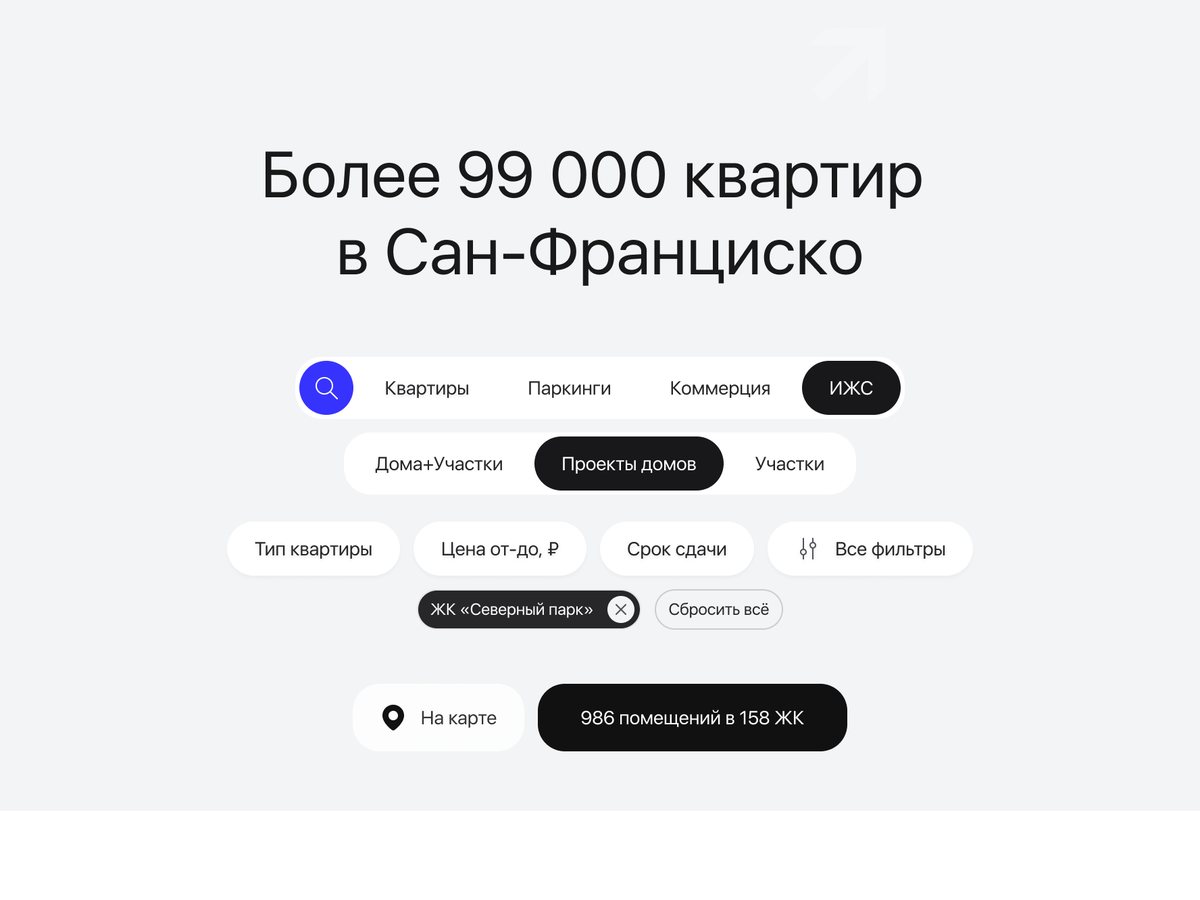
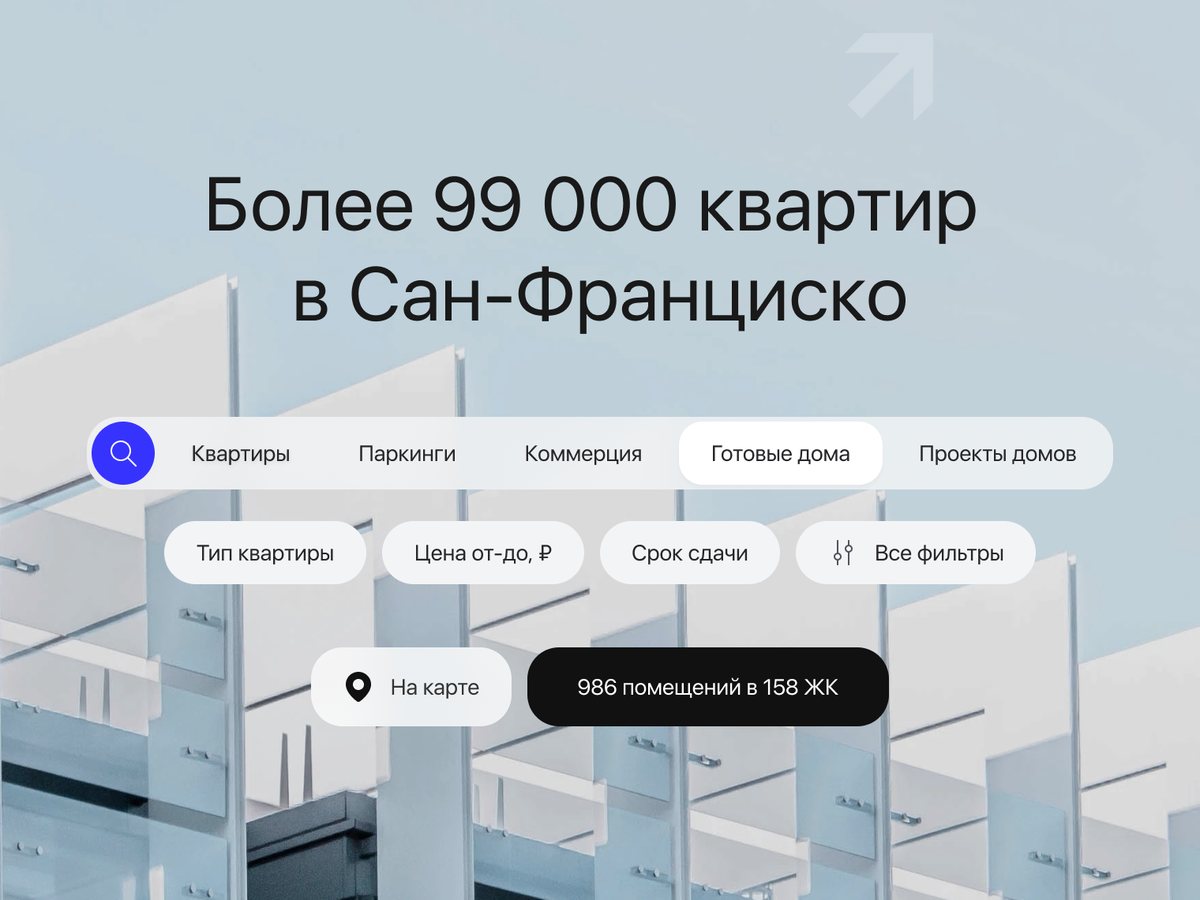
Three property types as tabs in the main search

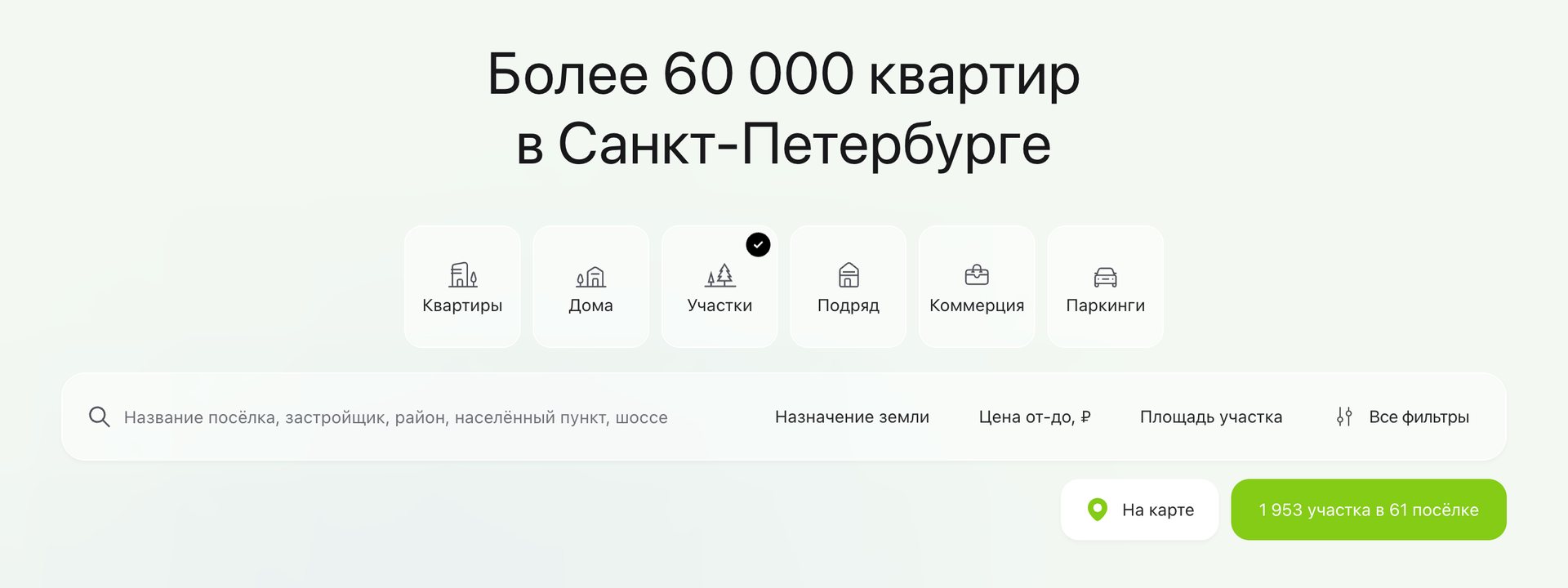

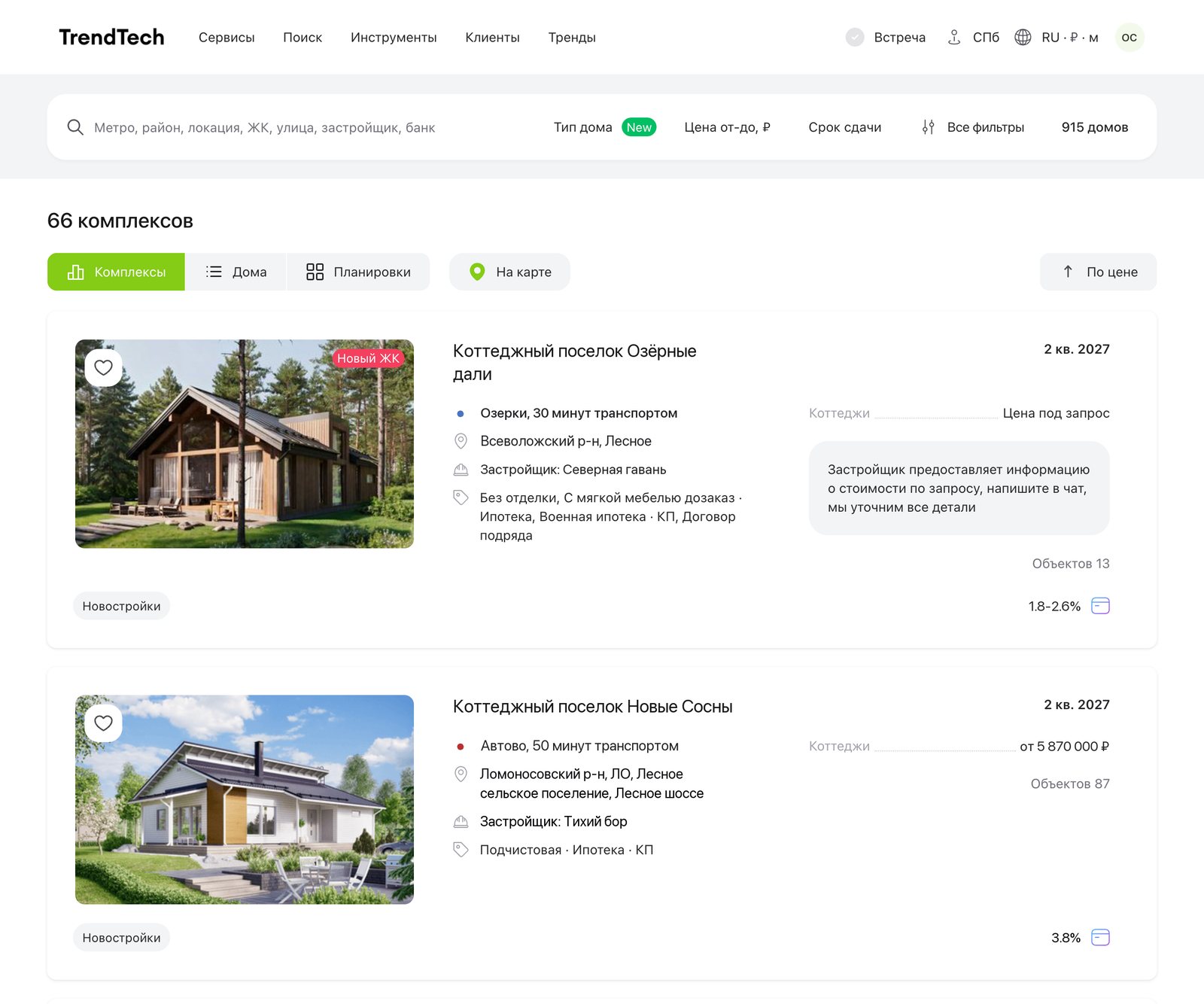
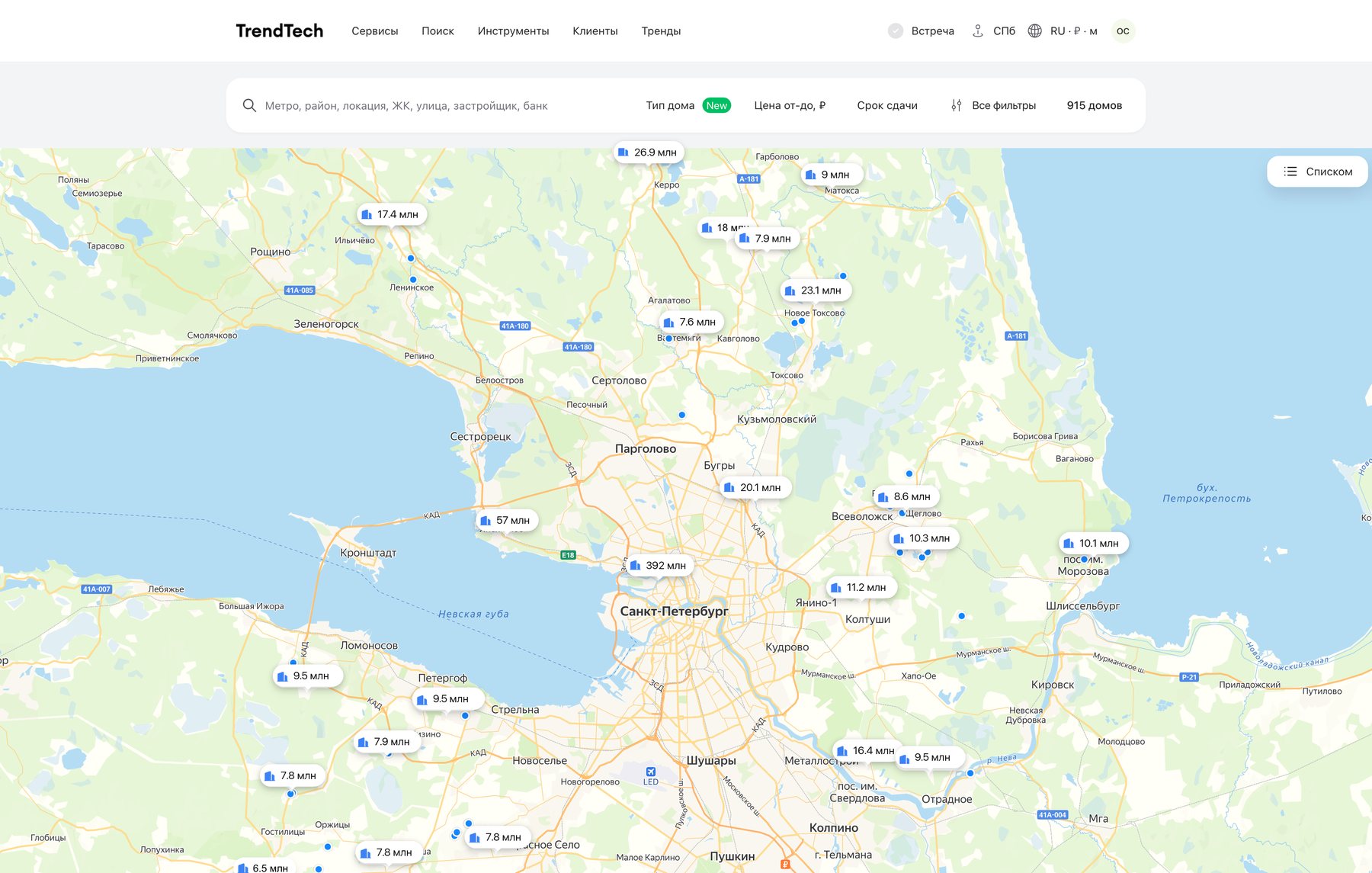
Each tab opens its own listing with a switch to the map. Ready houses are grouped by cottage community, the way apartments are grouped by complex. Communities, developers and prices are demo data; photos and the map are blurred.
The first problem was discovery: agents didn’t know country property was on the platform. Tabs next to apartments put it where every search starts, and three types match three ways to buy: a ready house, a contractor’s project or a plot.
Cottages and townhouses inside the apartment listing, as before: they got lost among flats, and apartment filters couldn’t describe them. And a single tab instead of three, tried in two drafts.
House projects are compared by configuration
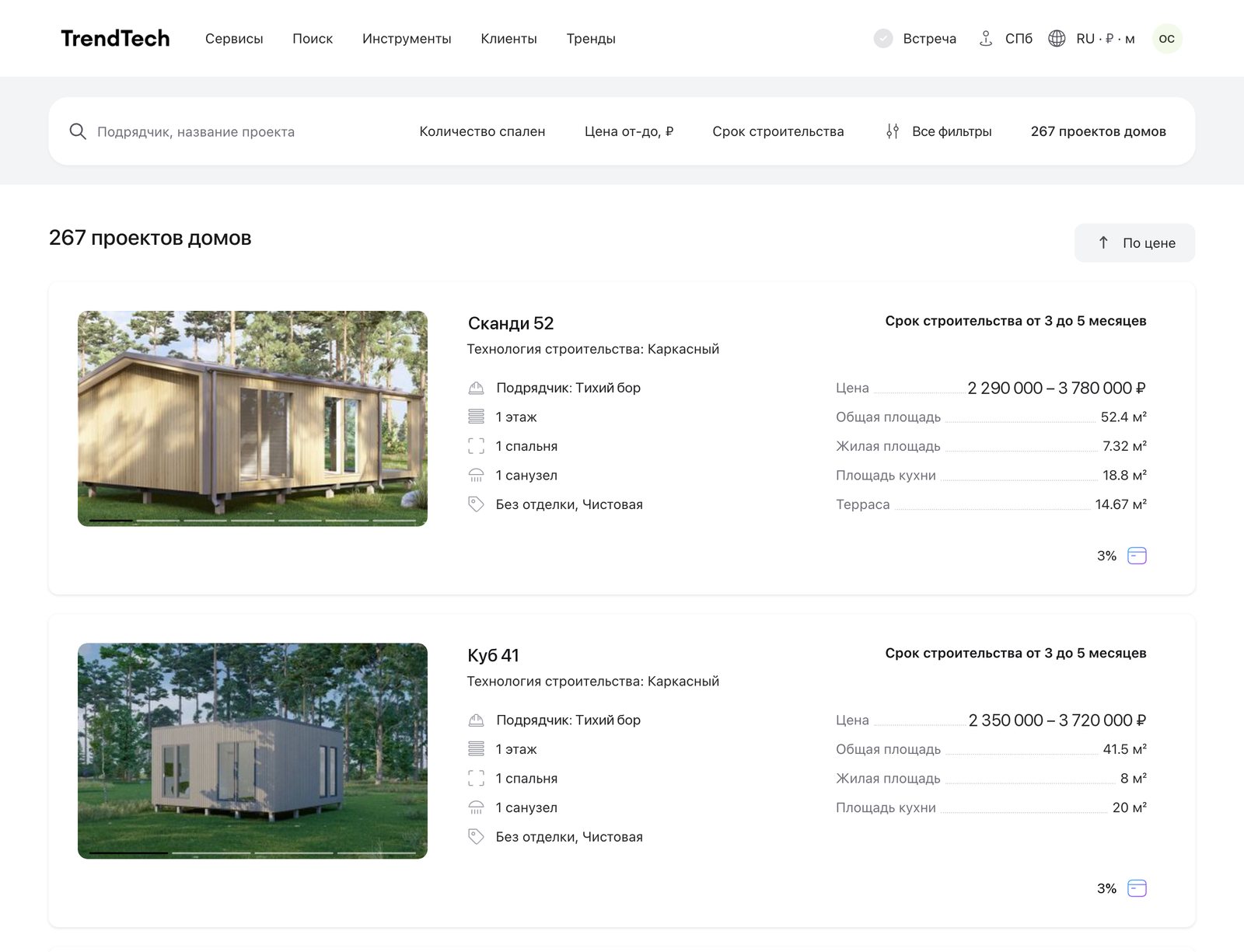
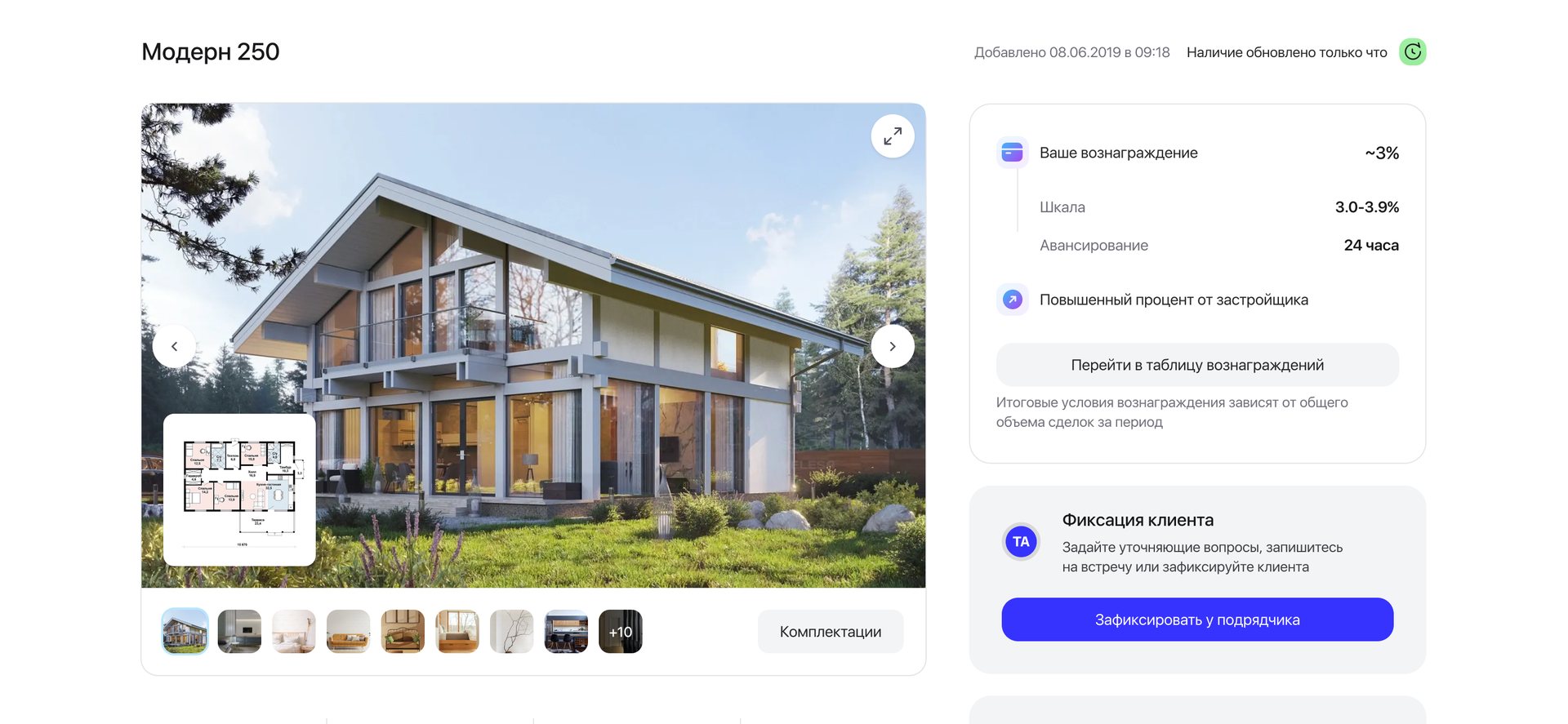
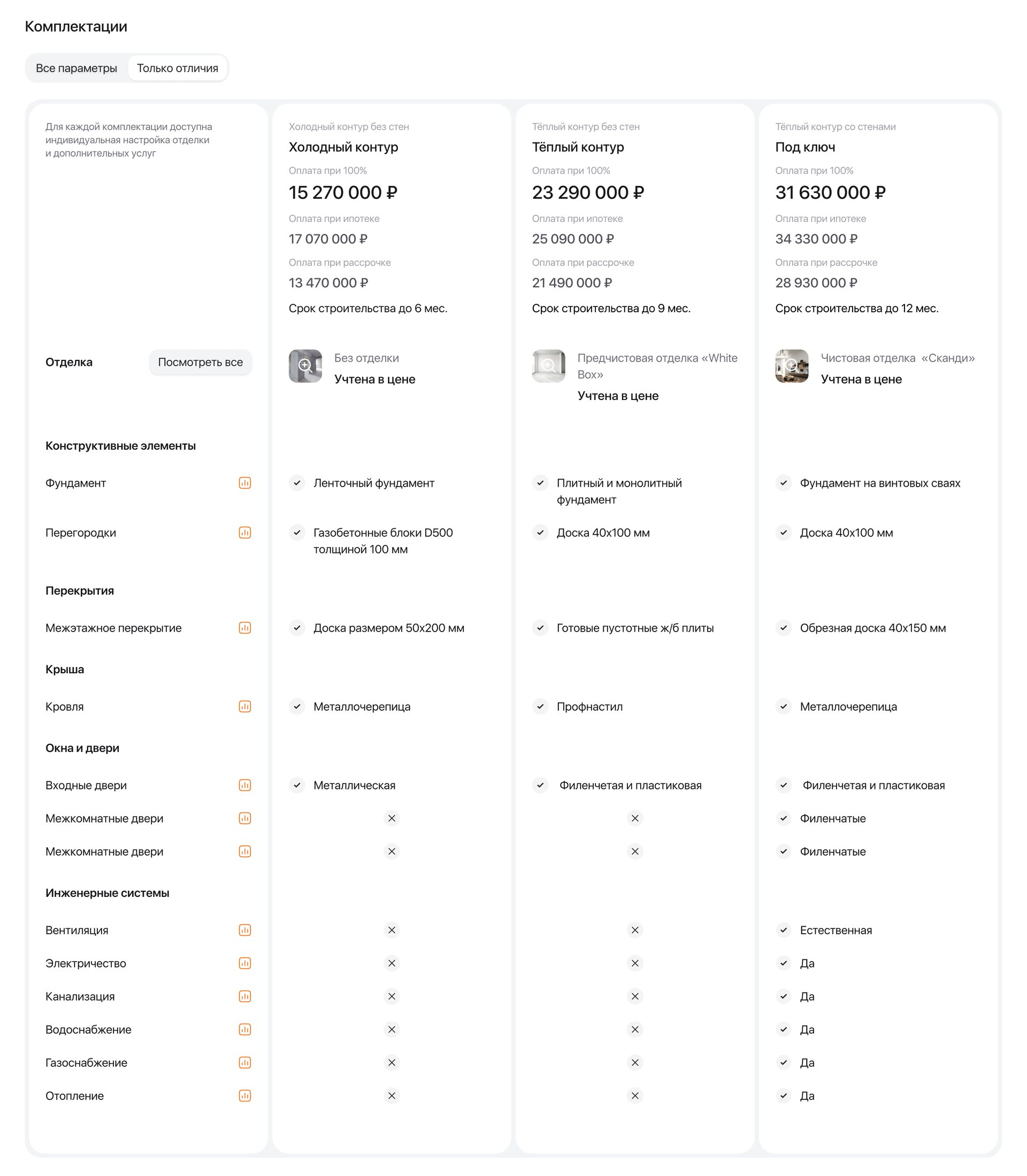
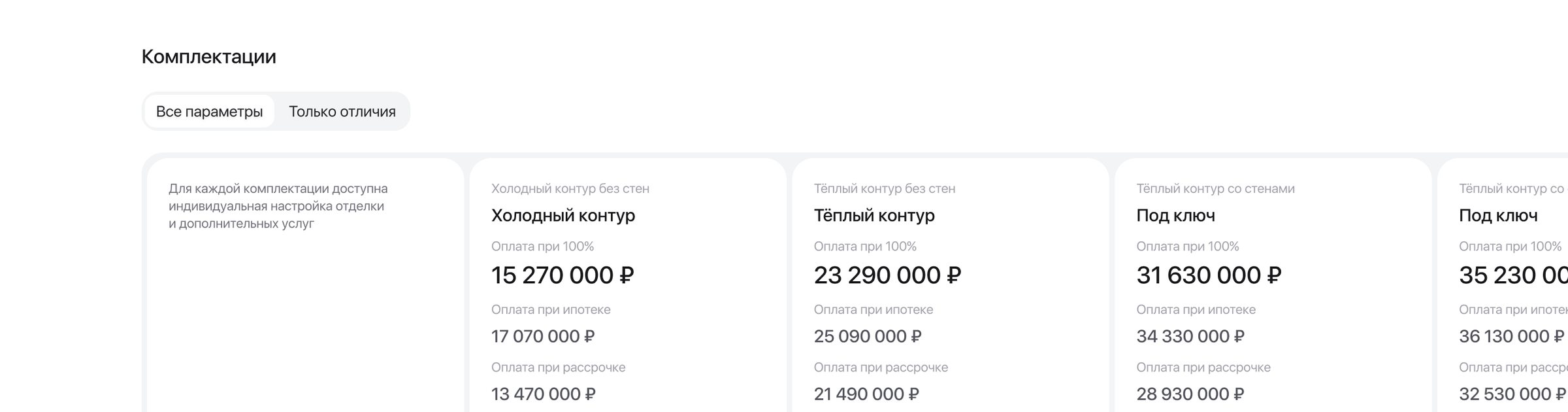
Every configuration shows three prices, paid in full, with a mortgage and in instalments, and its own build time. “Only differences” hides the rows that match. Contractors’ photos are blurred.
A house project isn’t one product. The same house sells as a shell or with finishing, and the price depends on how the client pays. An agent has to answer “what do I get for this price” without calling the contractor.
In the listing a project shows a price range, from the basic configuration to the most complete one. The exact price for each way of paying lives on the page.
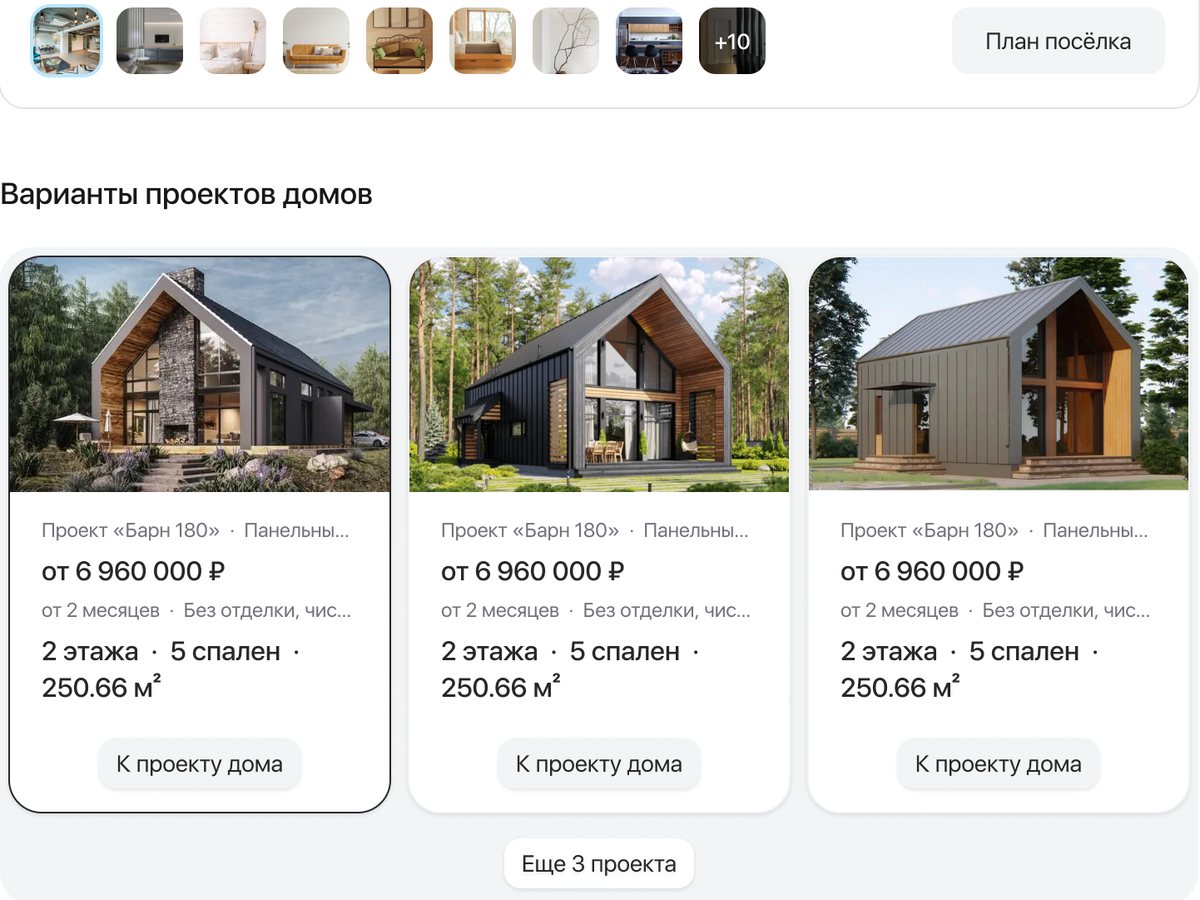
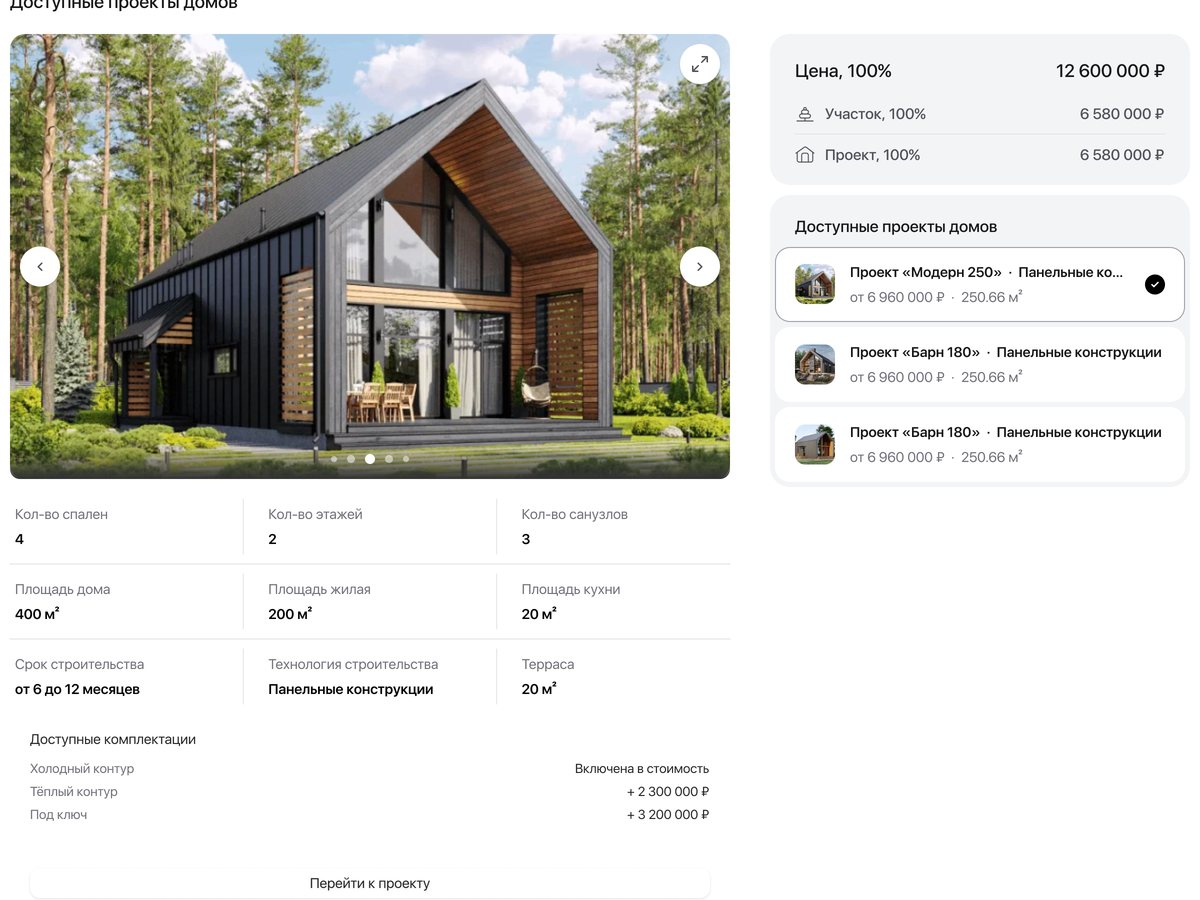
Both hid what differs between configurations, which is what the agent has to explain. On that page the plot comes first, so configurations ended up in an accordion; the project page kept the full table.
Villages first, plots grouped by size
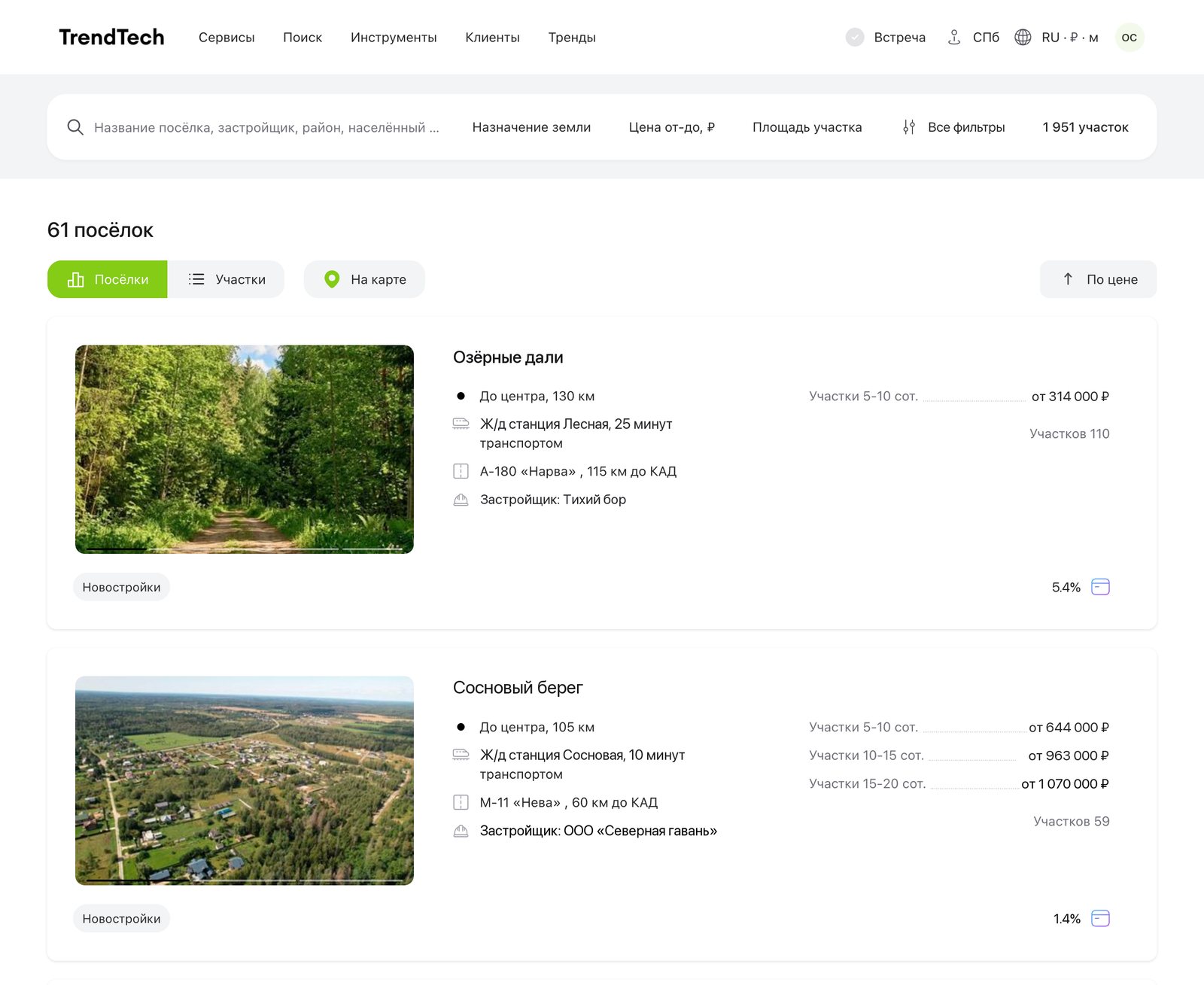
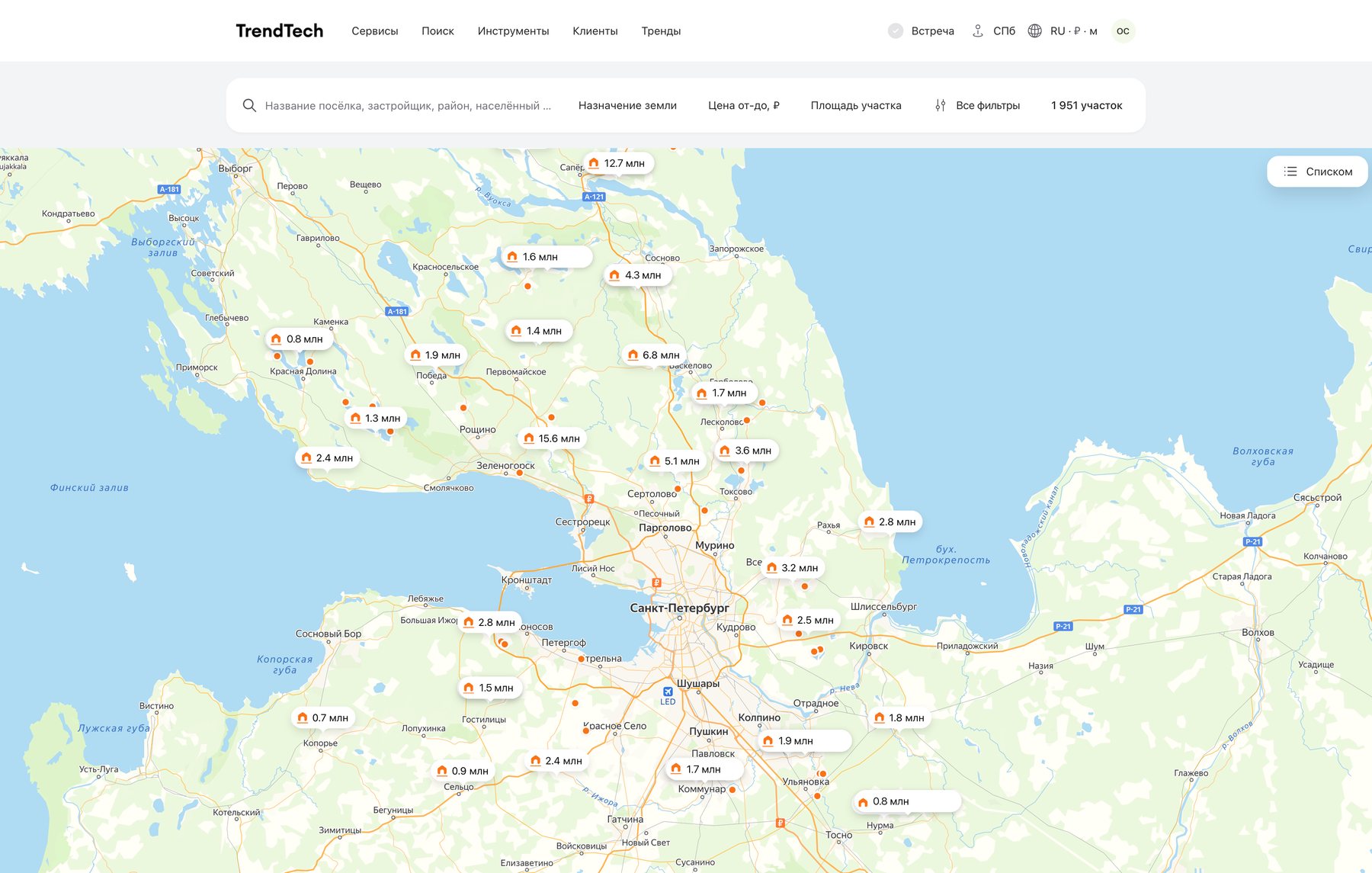
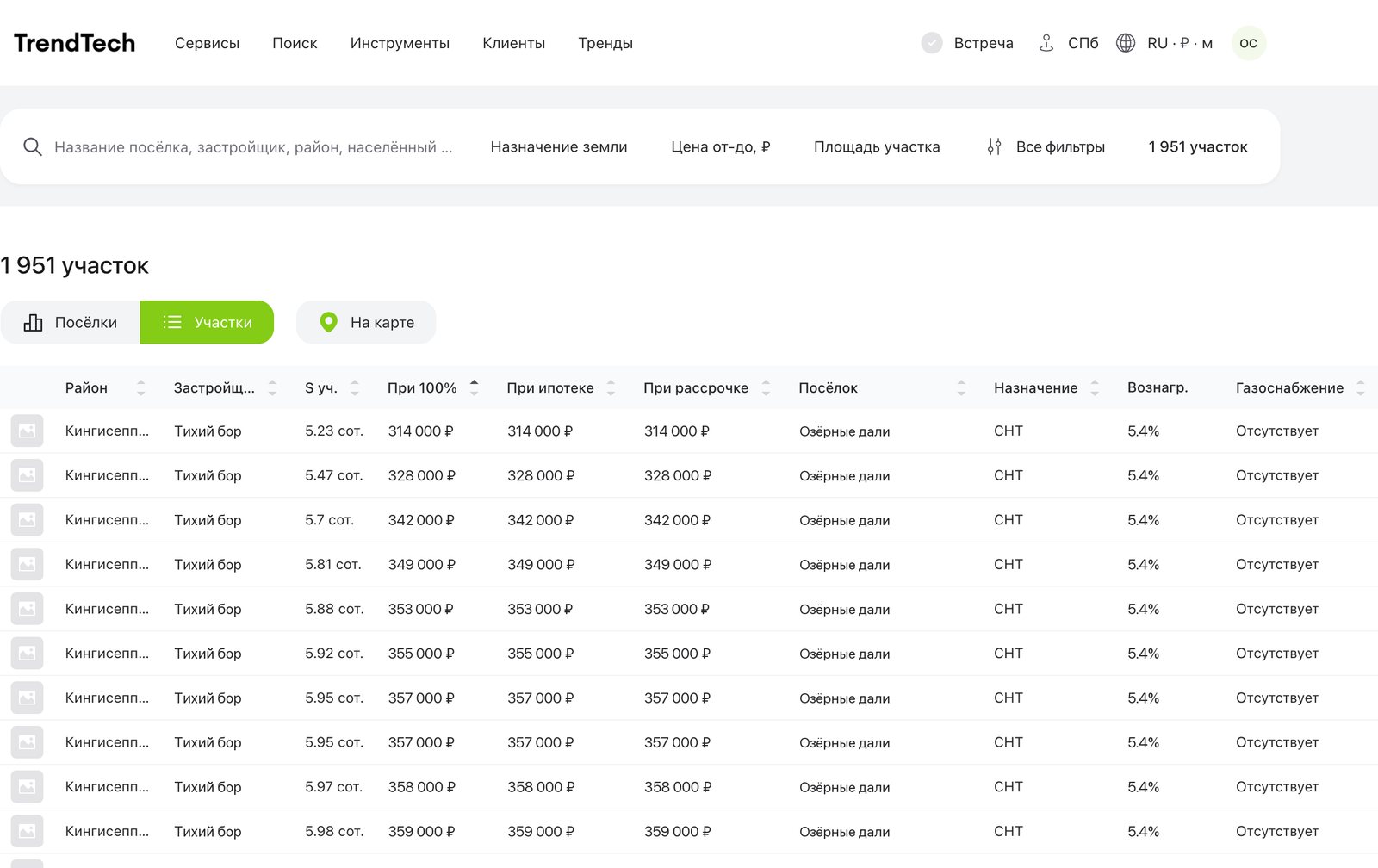
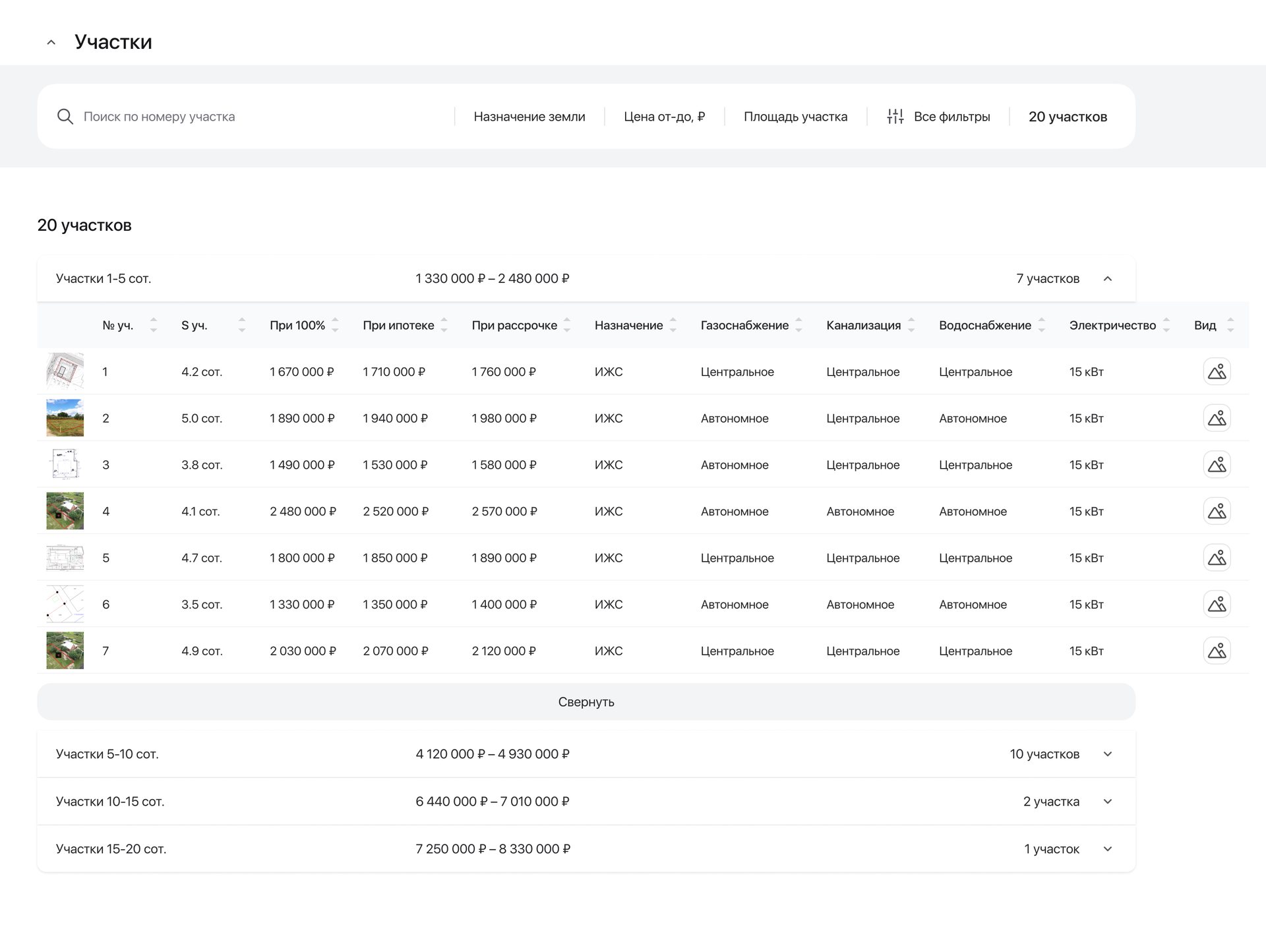
Villages show plot groups by size with “from” prices. The same plots are also a table, and every village sits on the map with its starting price. On the village page each group opens into plots with three prices, a search finds a plot by its number, and the village map labels every plot with its size and price (that map isn’t shown and the others are blurred: they’re real places). Villages, developers and prices are demo data; photos are blurred.
A village is chosen for its location: the distance to the city, the road, the utilities. A flat list of near-identical plots would hide that, so the village comes first and its plots, grouped by size, come second.
An exact request takes one more step, so the village page has a search by plot number and the same size and price filters.
One card per plot as the default listing: a village with 59 plots would take 59 near-identical cards. The plot list stayed as a second mode for agents who search by size and price.
Filters that speak country property
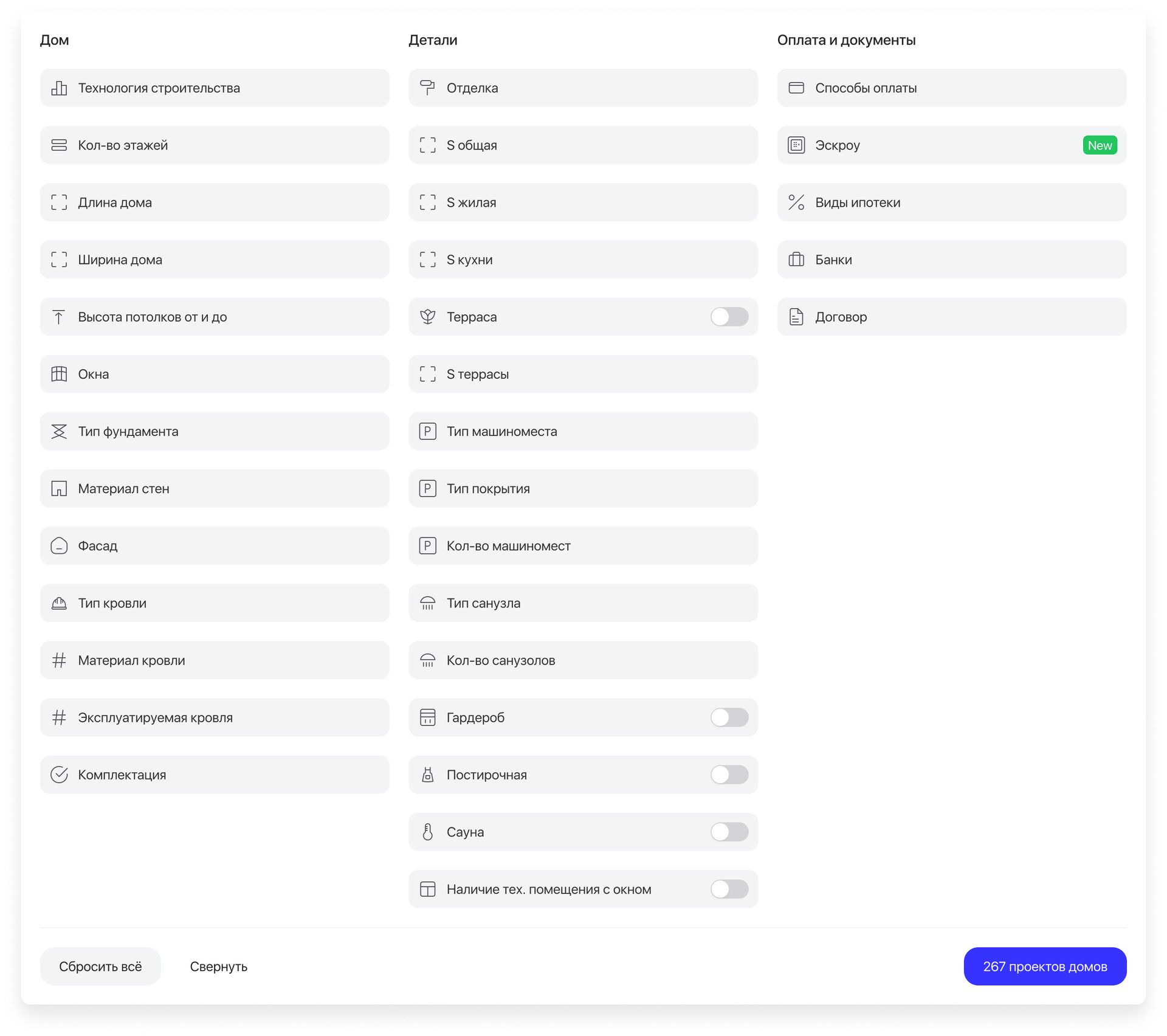
33 parameters, from building technology and wall material to escrow and mortgage types. Plots get their own set: land category, utilities, power in kilowatts, the road to the plot.
A country home is chosen by technology, utilities and land category, which apartment filters don’t have. The MVP launched with the basic filters, and the full set grew in later stages.
Only three quick filters per type sit on the main search; the rest wait under “All filters”.
Apartment filters with a few new fields: there was no place for land category or utilities. One long list of every parameter: grouped into three columns, the panel is easier to scan.
Details
The parts that let an agent close a country deal the way they close an apartment one.
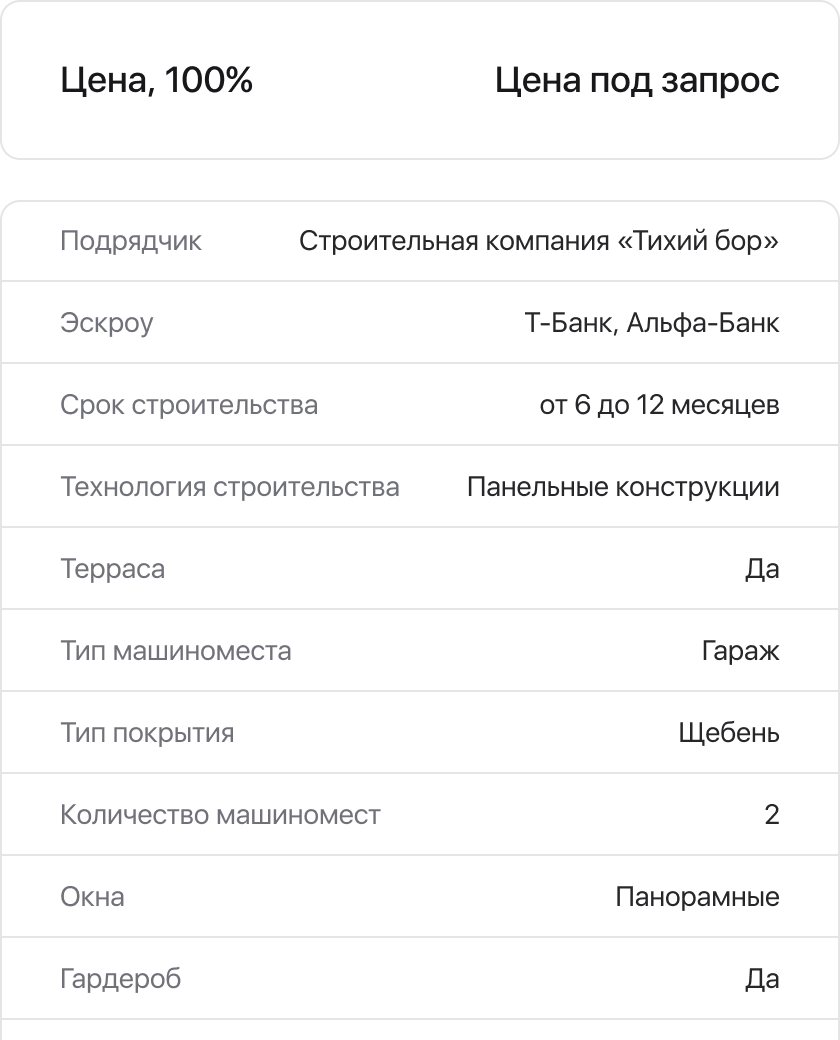

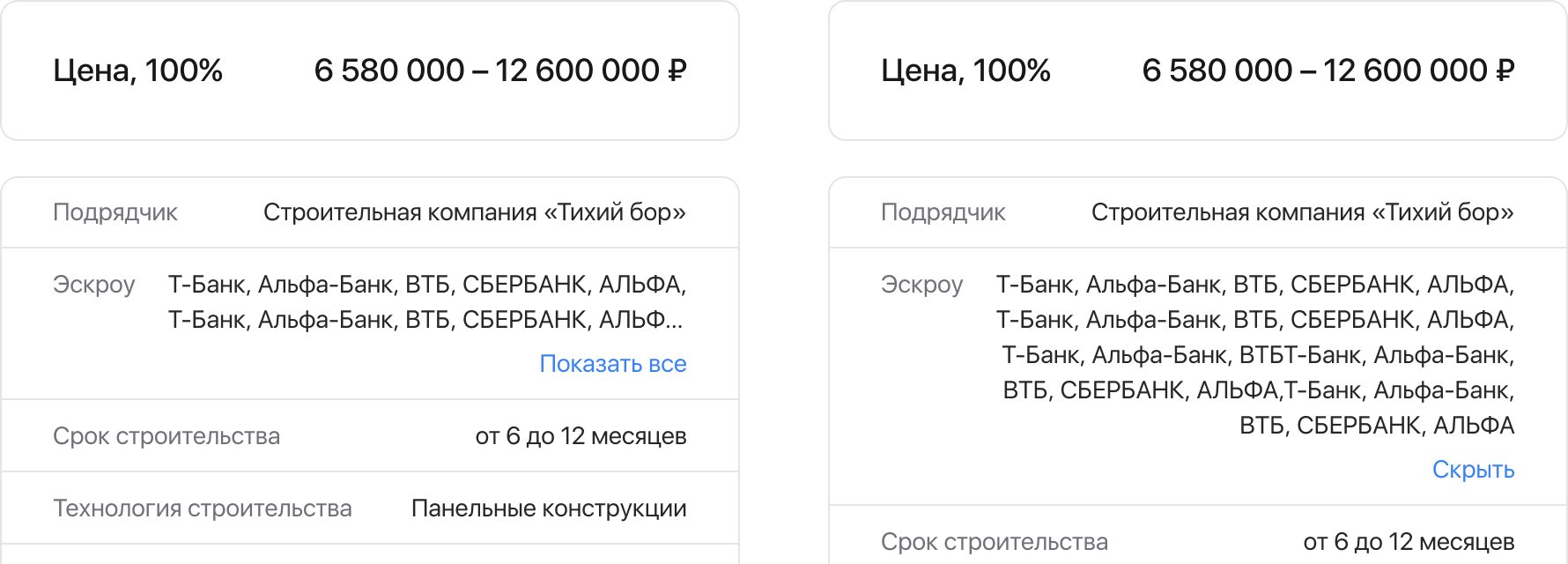
- Booking. Agents book a client with the contractor or the developer from the page, as with apartments.
- Price on request. When a developer hides prices, the page says so instead of a blank.
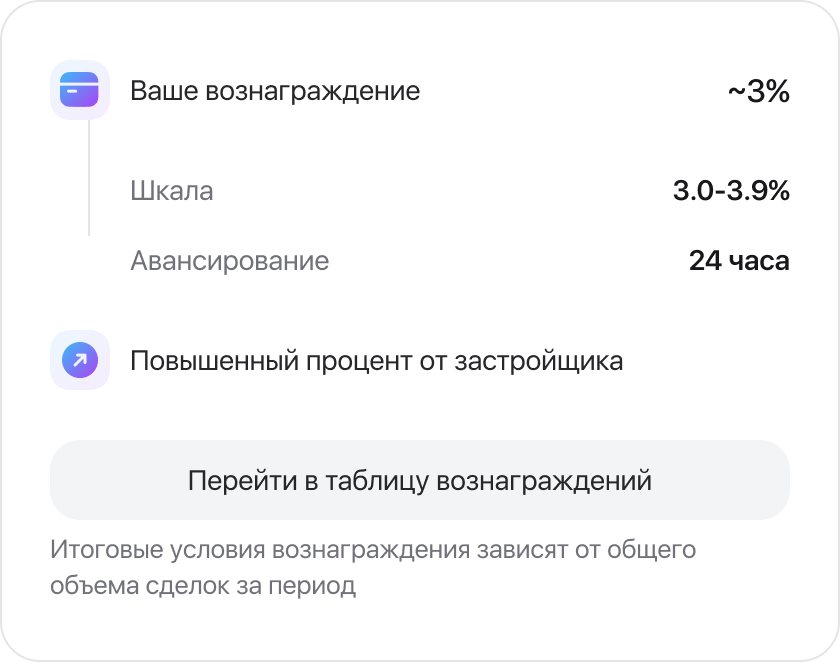
- Commission. Every page shows the agent’s commission and payout terms.
- After launch. Escrow, new price types, filters by house dimensions, announcements by tab, group chats for country deals.
Results
| St Petersburg, October 2026 | Before | After |
|---|---|---|
| Cottages and townhouses | mixed into the apartment listing | their own tab, listing and map |
| Plots | couldn’t be listed | villages with plot groups by size, a table and a map |
| House projects | couldn’t be listed | configurations with three prices each |
| Filters | apartment filters | 33 parameters for house projects; land category and utilities for plots |
| Booking a house project or plot | not possible | with the contractor or the developer, from the page |
- Ready houses, plots and house projects are all live, each with its own tab and listing; houses and villages are on the map too. House projects went live on 25 November 2024.
- Houses with plots from contractors are designed for web and on hold.
Takeaways
- Ship every category, then add depth. Putting all the types into search early, with basic filters, let the team learn from real agents sooner.
- The data model comes first. Configurations, finishes and plot groups had to exist in the admin panel before they could appear on a page.
- Agree on metrics with the brief. For the Houses tab, what to track was still open once development had started. Next time I’d settle it before the first screen.